Intro to JSF Managed Beans
Creates a file called hello.xhtml that renders a JSF text box, links it to a managed bean to set a property and then display the property in another xhtml file called welcome.xhtml
- You can use the same project created in the previous exercise. Add an xhtml file to the WebContent folder.
- File-> New -> xhtml page. Select “Blank JSF Pages” as the template.
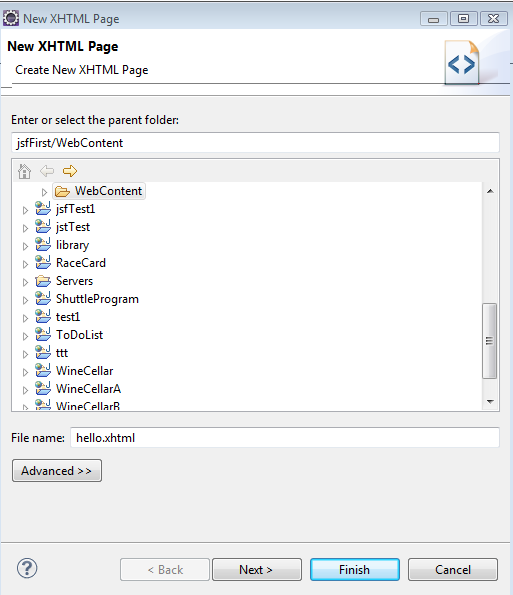
Figure 1. New XHTML Page
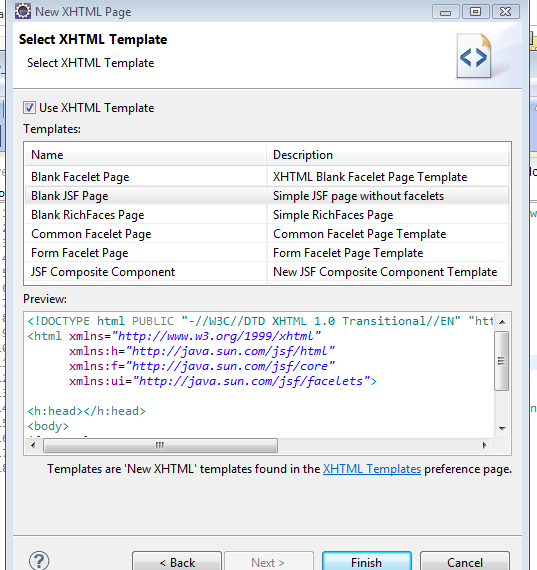
Figure 2. Select XHTML Template
- Add the following code to hello.xhtml
| hello.xhtml |
|---|
 1
 2
 3
 4
 5
 6
 7
 8
 9
10
11
12
13
14
15
16 | <!DOCTYPE html PUBLIC "-//W3C//DTD XHTML 1.0 Transitional//EN" "http://www.w3.org/TR/xhtml1/DTD/xhtml1-transitional.dtd">
<html xmlns="http://www.w3.org/1999/xhtml"
xmlns:h="http://java.sun.com/jsf/html"
xmlns:f="http://java.sun.com/jsf/core">
<h:head>
<title>JSF Hello World Managed Bean</title>
</h:head>
<body>
<h3>Hello World Example hello.xhtml</h3>
<h:form>
<h:inputText value="#{helloBean.name}"></h:inputText>
<h:commandButton value="Welcome Me" action="welcome"></h:commandButton>
</h:form>
</body>
</html>
|
- Create a new package in the src folder.
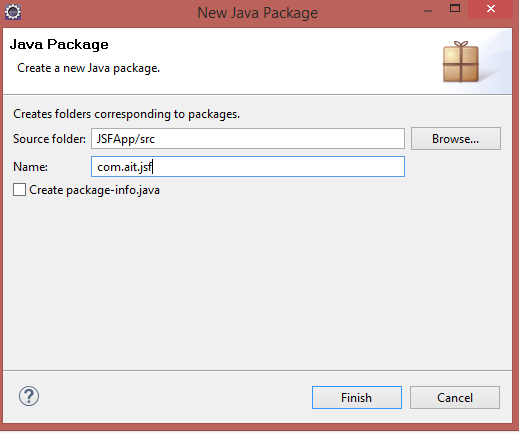
Figure 3. Java Package
▾ 📁 Java Resources
  ▾ 📂 src
    ▾ 📦 com.ait.jsf
      > 📄 HelloBean.java
- Add a new Java Class to the package with the following code
| HelloBean.java |
|---|
 1
 2
 3
 4
 5
 6
 7
 8
 9
10
11
12
13
14
15
16
17
18
19
20
21 | package com.ait.jsf;
import java.io.Serializable;
import javax.faces.bean.ManagedBean;
import javax.faces.bean.SessionScoped;
@ManagedBean
@SessionScoped
public class HelloBean implements Serializable {
private static final long serialVersionUID = 1L;
private String name;
public String getName() {
return name;
}
public void setName(String name) {
this.name = name;
}
}
|
- Add another xhtml page in the WebContent folder called welcome.xhtml with the following content
| welcome.xhtml |
|---|
 1
 2
 3
 4
 5
 6
 7
 8
 9
10
11
12
13 | <!DOCTYPE html PUBLIC "-//W3C//DTD XHTML 1.0 Transitional//EN" "http://www.w3.org/TR/xhtml1/DTD/xhtml1-transitional.dtd">
<html xmlns="http://www.w3.org/1999/xhtml"
xmlns:h="http://java.sun.com/jsf/html"
xmlns:f="http://java.sun.com/jsf/core">
<h:head>
<title>JSF2 Hello World</title>
</h:head>
<body>
<h3>JSF 2.0 Hello World Example - welcome.xhtml</h3>
<h4>Welcome #{helloBean.name}</h4>
</body>
</html>
|
- Run the project. Navigate to http://localhost:8080/JSFApp/hello.jsf in the browser. You should see the following output.
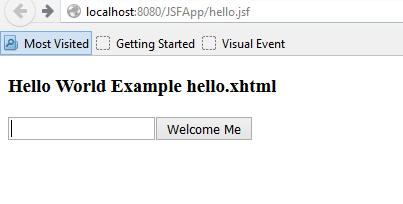
Figure 4. hello.jsf
- Enter a name and press the button. You will get the following output.
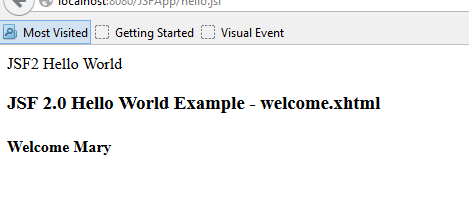
Figure 5. Welcome Message