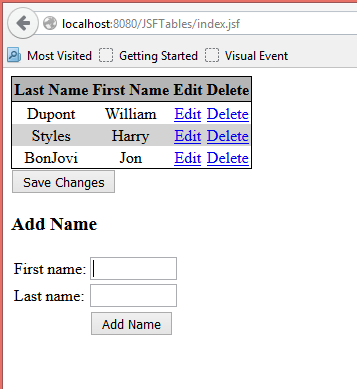
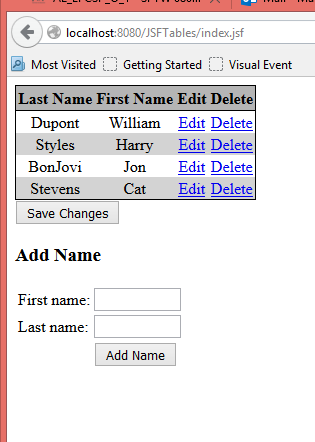
Eg 4 Adding a row to the table
Example#4 with tables – Adding a row to the table
Start with the code from Example 3
- Add two input fields below the table but within the form as shown.
</h:dataTable>
<h:commandButton value="Save Changes" action="#{tableData.saveAction}" />
<h3>Add Name</h3>
<table>
    <tr>
        <td>First Name :</td>
        <td><h:inputText size="10" value="#{tableData.firstName}" /></td>
    </tr>
    <tr>
        <td>Last Name :</td>
        <td><h:inputText size="10" value="#{tableData.lastName}" /></td>
    </tr>
    <tr>
        <td> </td>
        <td><h:commandButton value="Add Name"
                             action="#{tableData.addName}" /></td>
    </tr>
</table>
</h:form>
- In
TableData.javaadd properties and getters and setters for receiving the data that isfirstNameandlastName.
| TableData.java | |
|---|---|
6 7 8 9 10 11 12 13 14 15 | |
public String getFirstName() {
    return firstName;
}

public void setFirstName(String firstName) {
    this.firstName = firstName;
}

public String getLastName() {
    return lastName;
}

public void setLastName(String lastName) {
    this.lastName = lastName;
}
Add the addName method which creates a new Name object and adds it to the names array.
public String addName() {
    final Name name = new Name(this.firstName, this.lastName);
    names.add(name);
    firstName=null;
    lastName=null;
    return null;
}