RESTful API Lab 6
Steps and Files Used
Step 1: updateAccount
- service/IAccountService.java
Step 2: Implement updateAccount
- service/impl/AccountServiceImpl.java
Step 3: Controller PUT Endpoint
- controller/AccountsController.java
Step 4: Constants
- constants/AccountsConstants.java
Step 5: Test the API
- Test using Postman and H2 database
Step 1: deleteAccount
- service/IAccountsService.java
Step 2: Implement deleteAccount
- service/impl/AccountServiceImpl.java
- repository/AccountsRepository.java
Step 3: Controller Delete Endpoint
- controller/AccountsController.java
Step 4: Test the API
- Test using Postman and H2 database
Lab#6 RESTfulAPI for Updating and Deleting customer accounts.
In this lab we will complete the RESTful API CRUD actions by adding the Update and Delete parts.
Part 1 Update API
Note:- All data can be updated except the accountNumber
1. updateAccount
Update the service interface with the updateAccount method.
| package com.tus.accounts.service;
import com.tus.accounts.dto.CustomerDto;
public interface IAccountsService {
void createAccount(CustomerDto customerDto);
CustomerDto fetchAccount(String mobileNumber);
boolean updateAccount(CustomerDto customerDto);
}
|
2. Implement updateAccount
Implement the updateAccount method. The ResourceNotFoundException is thrown if the account is not found or the customer is not found.
| AccountsService.java updateAccount() |
|---|
1
2
3
4
5
6
7
8
9
10
11
12
13
14
15
16
17
18
19
20 | @Override
public boolean updateAccount(CustomerDto customerDto) {
boolean isUpdated = false;
AccountsDto accountsDto = customerDto.getAccountsDto();
if (accountsDto != null) {
Accounts accounts = accountsRepository.findById(accountsDto.getAccountNumber())
.orElseThrow(() -> new ResourceNotFoundException("Account", "AccountNumber",
accountsDto.getAccountNumber().toString()));
AccountsMapper.mapToAccounts(accountsDto, accounts);
accounts = accountsRepository.save(accounts);
Long customerId = accounts.getCustomerId();
Customer customer = customerRepository.findById(customerId)
.orElseThrow(() -> new ResourceNotFoundException("Customer", "CustomerId", customerId.toString()));
CustomerMapper.mapToCustomer(customerDto, customer);
customerRepository.save(customer);
isUpdated = true;
}
return isUpdated;
}
|
3. Controller PUT
Update the controller with the end point for updating. For now we are returning internal server error if something goes wrong. Check that the codes are in the AccountsConstants.
| AccountsController.java updateAccountDetails() |
|---|
 1
 2
 3
 4
 5
 6
 7
 8
 9
10
11
12
13 | @PutMapping("/accounts")
public ResponseEntity<ResponseDto> updateAccountDetails(@RequestBody CustomerDto customerDto) {
boolean isUpdated = iAccountsService.updateAccount(customerDto);
if (isUpdated) {
return ResponseEntity
.status(HttpStatus.OK)
.body(new ResponseDto(AccountsConstants.STATUS_200, AccountsConstants.MESSAGE_200));
} else {
return ResponseEntity
.status(HttpStatus.INTERNAL_SERVER_ERROR)
.body(new ResponseDto(AccountsConstants.STATUS_500, AccountsConstants.MESSAGE_500));
}
}
|
4. Constants
Add the constants if necessary.
| AccountsConstants.java |
|---|
 1
 2
 3
 4
 5
 6
 7
 8
 9
10
11
12
13
14
15
16
17 | public final class AccountsConstants {
/*
* private AccountsConstants() { // restrict instantiation }
*/
public static final String SAVINGS = "Savings";
public static final String ADDRESS = "123 Main Street, New York";
public static final String STATUS_201 = "201";
public static final String MESSAGE_201 = "Account created successfully";
public static final String STATUS_200 = "200";
public static final String MESSAGE_200 = "Request processed successfully";
public static final String STATUS_417 = "417";
public static final String MESSAGE_417_UPDATE = "Update operation failed. Please try again or contact Dev team";
public static final String MESSAGE_417_DELETE = "Delete operation failed. Please try again or contact Dev team";
public static final String STATUS_500 = "500";
public static final String MESSAGE_500 = "An error occurred. Please try again or contact Dev team";
}
|
5. Test the API
Test the API. First add a customer account. Then fetch the data based on the mobile number. Now use the PUT method and update some of the attributes. Check in the database that the values have been updated.
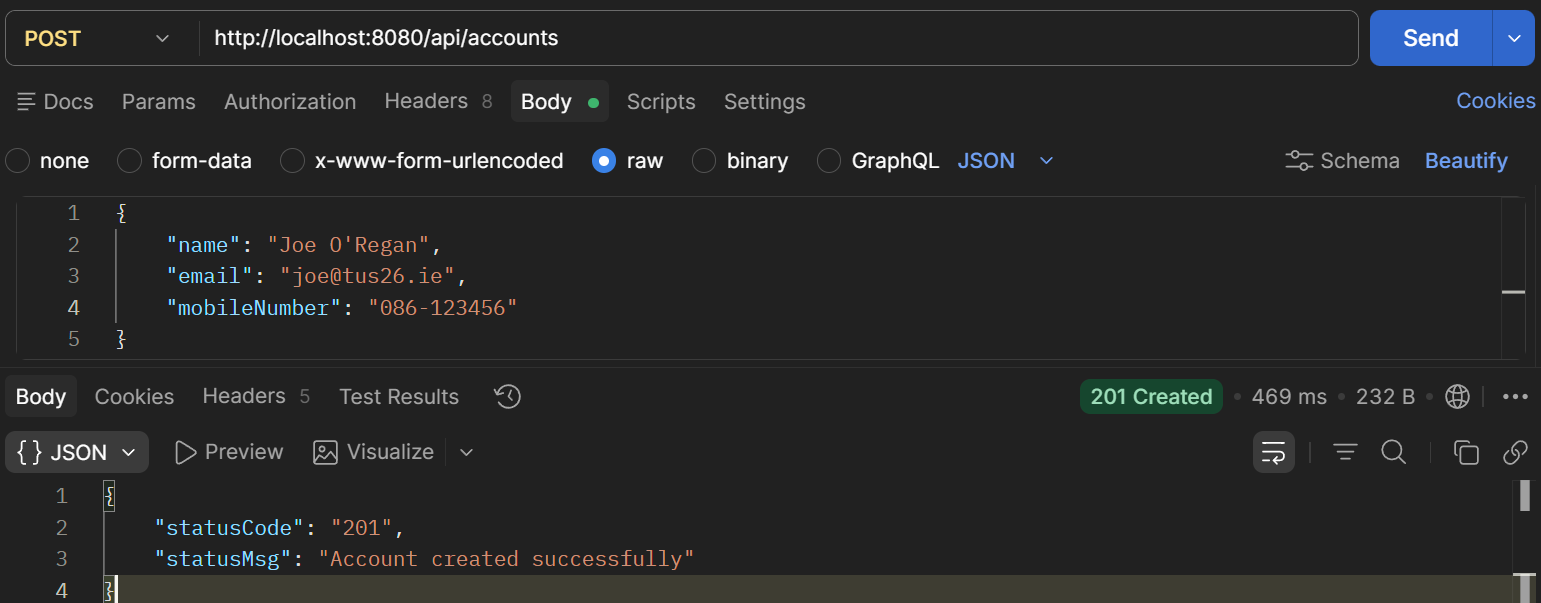
Figure 1. Test API add Customer Account
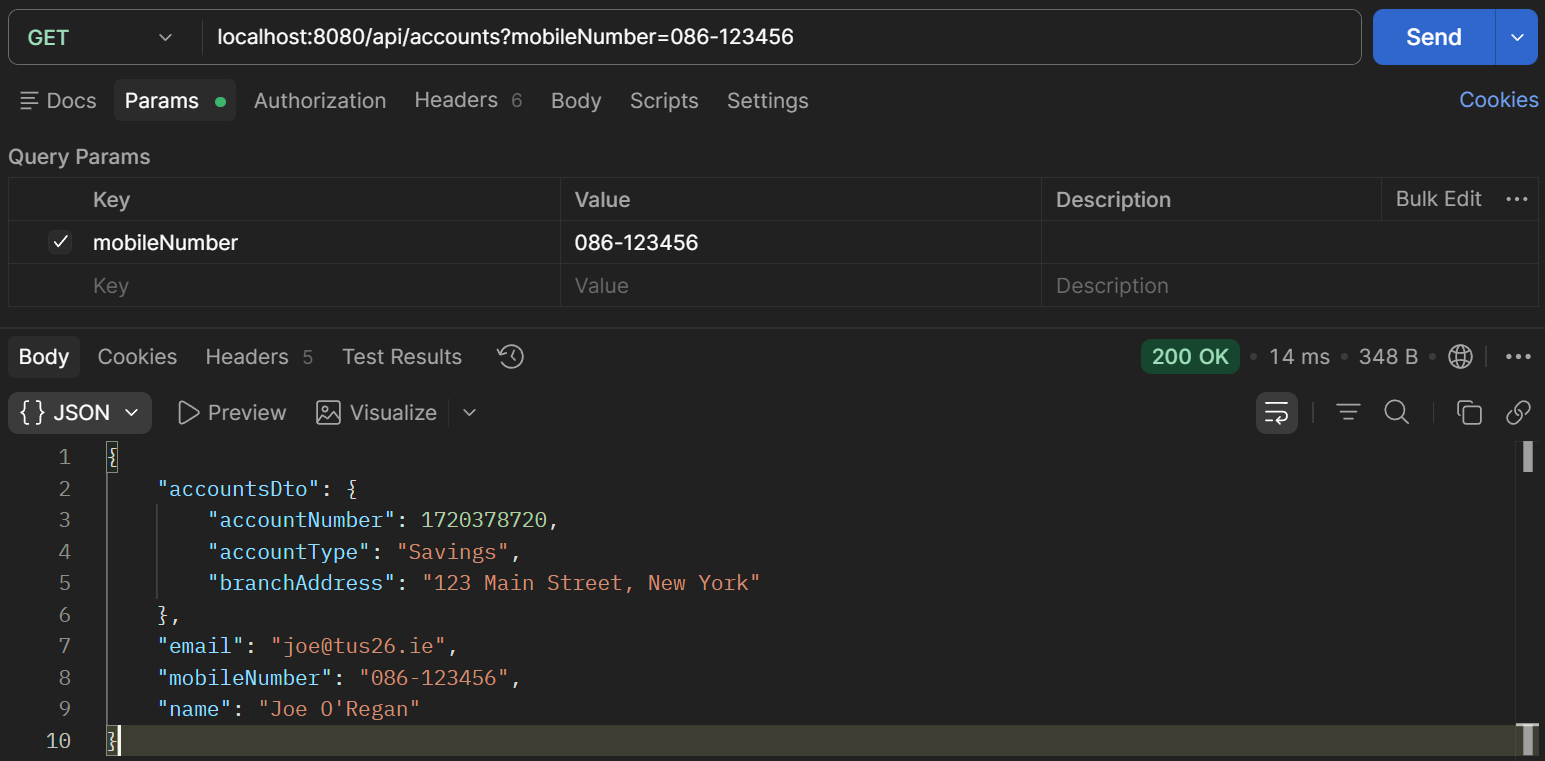
Figure 2. Test API Fetch Customer Data
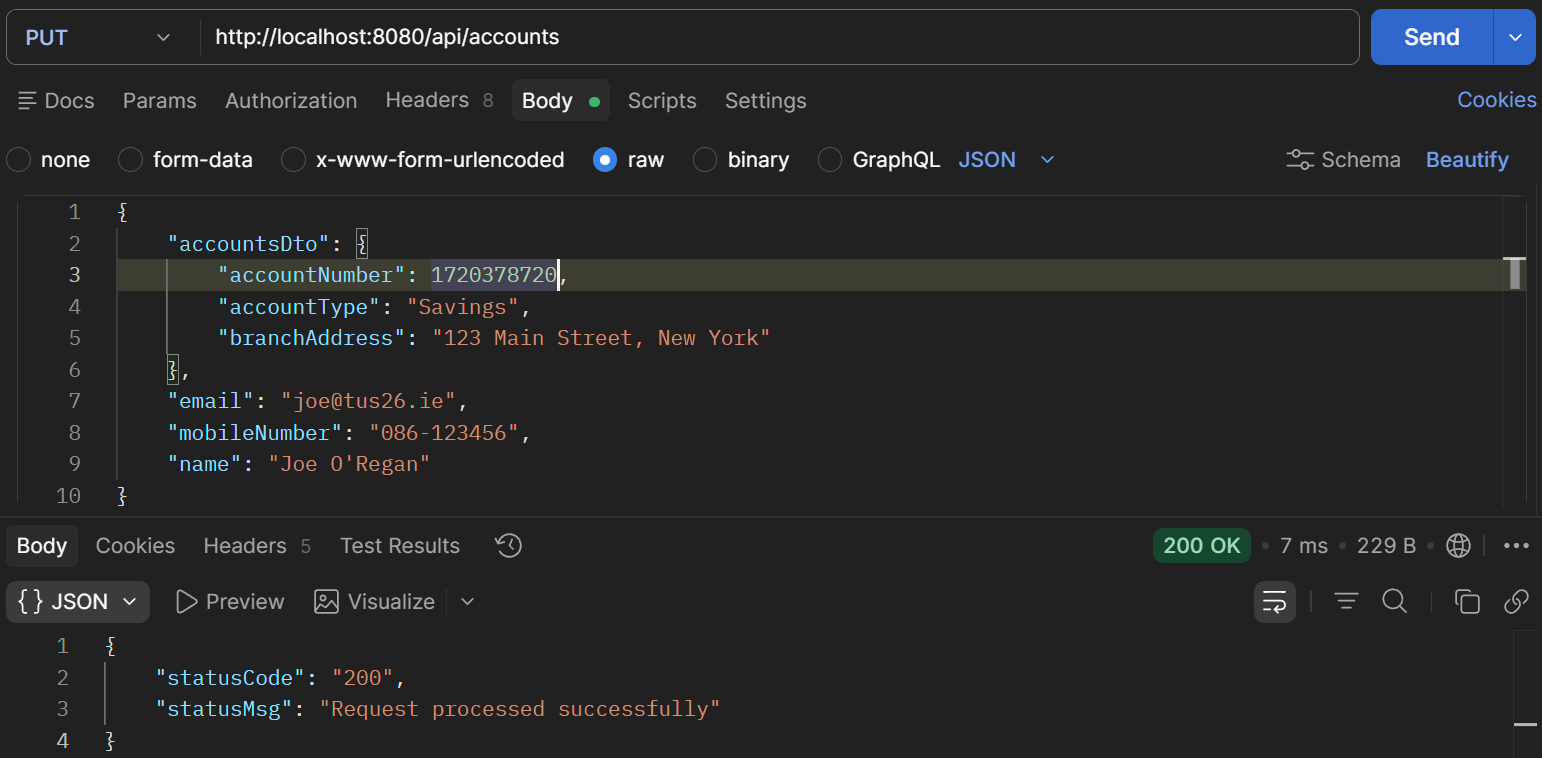
Figure 3. Test API Update Customer Account
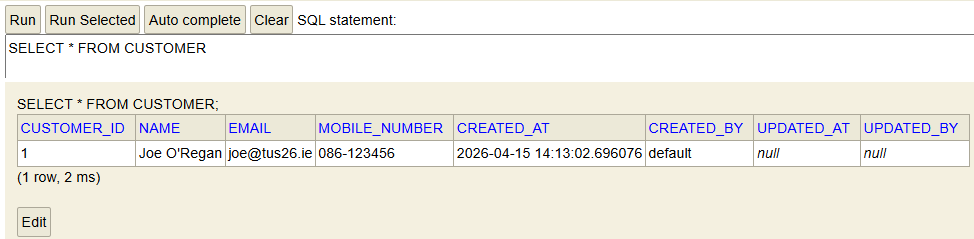
Figure 4. Test API Check Database
Part#2 Adding the DELETE API
1. deleteAccount
Update the service interface with the deleteAccount method.
| Update Service Interface: IAccountsService |
|---|
| public interface IAccountsService {
void createAccount(CustomerDto customerDto);
CustomerDto fetchAccount(String mobileNumber);
boolean updateAccount(CustomerDto customerDto);
boolean deleteAccount(String mobileNumber);
}
|
2. Implement deleteAccount
Implement the deleteAccount method in the Service Implementation class. The ResourceNotFoundException is thrown if the customer is not found. The method deleteByCustomerId should be added to the AccountsRepository interface.
| Implement deleteAccount: AccountsService.java deleteAccount() |
|---|
| @Override
public boolean deleteAccount(String mobileNumber) {
Customer customer = customerRepository.findByMobileNumber(mobileNumber)
.orElseThrow(() -> new ResourceNotFoundException("Customer", "mobileNumber", mobileNumber));
accountsRepository.deleteByCustomerId(customer.getCustomerId());
customerRepository.deleteById(customer.getCustomerId());
return true;
}
|
| Add deleteByCustomerId to AccountsRepository: AccountsRepository.java deleteByCustomerId() |
|---|
| @Transactional
@Modifying
void deleteByCustomerId(Long customerId);
}
|
3. Controller Delete Endpoint
Finally update the controller to add the delete endpoint. Again internal serer error is thrown for now if the customer or account is not found.
| Add Delete Endpoint: AccountsController.java deleteAccount() |
|---|
1
2
3
4
 5
 6
 7
 8
 9
10
11
12
13 | @DeleteMapping()
public ResponseEntity<ResponseDto> deleteAccountDetails(@RequestParam String mobileNumber) {
boolean isDeleted = iAccountsService.deleteAccount(mobileNumber);
if (isDeleted) {
return ResponseEntity
.status(HttpStatus.OK)
.body(new ResponseDto(AccountsConstants.STATUS_200, AccountsConstants.MESSAGE_200));
} else {
return ResponseEntity
.status(HttpStatus.INTERNAL_SERVER_ERROR)
.body(new ResponseDto(AccountsConstants.STATUS_500, AccountsConstants.MESSAGE_500));
}
}
|
4. Test the API
Finally test the API. Add a customer. Fetch the details and check the database. Now use the DELETE method to delete the customer and their account. Check the database again and it should be empty.
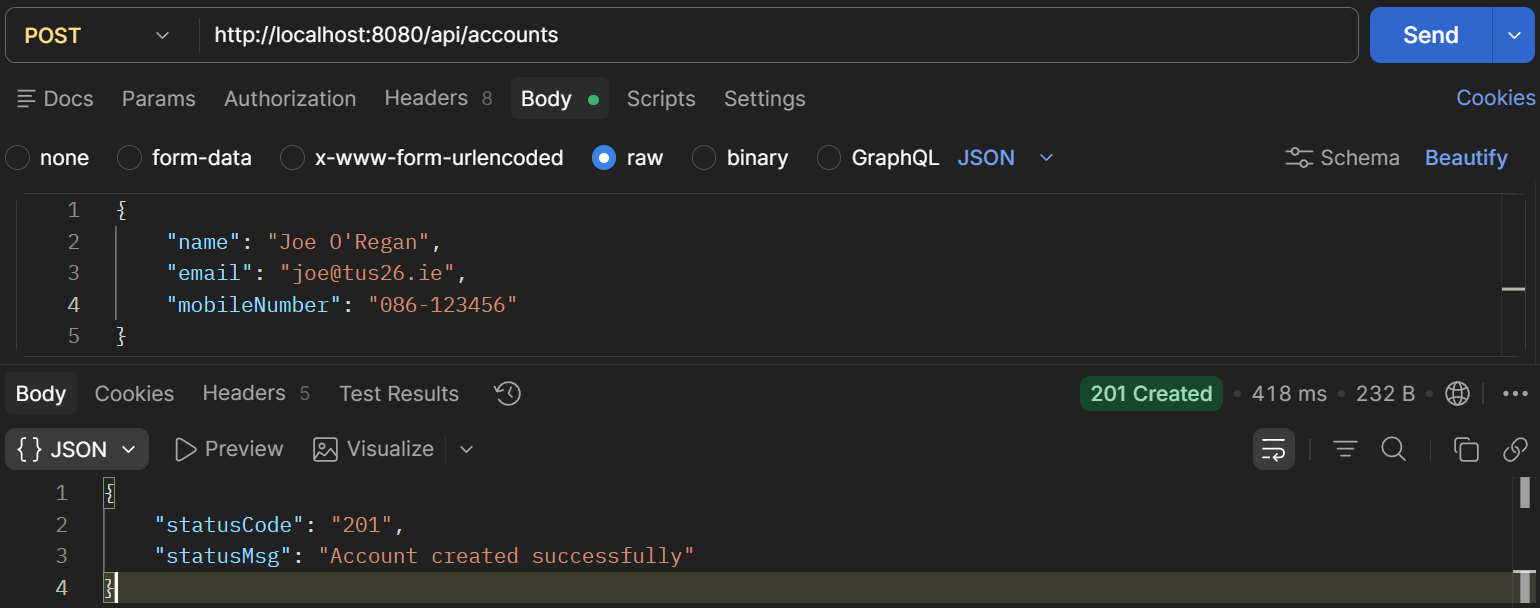
Figure 5. Test API Add Customer
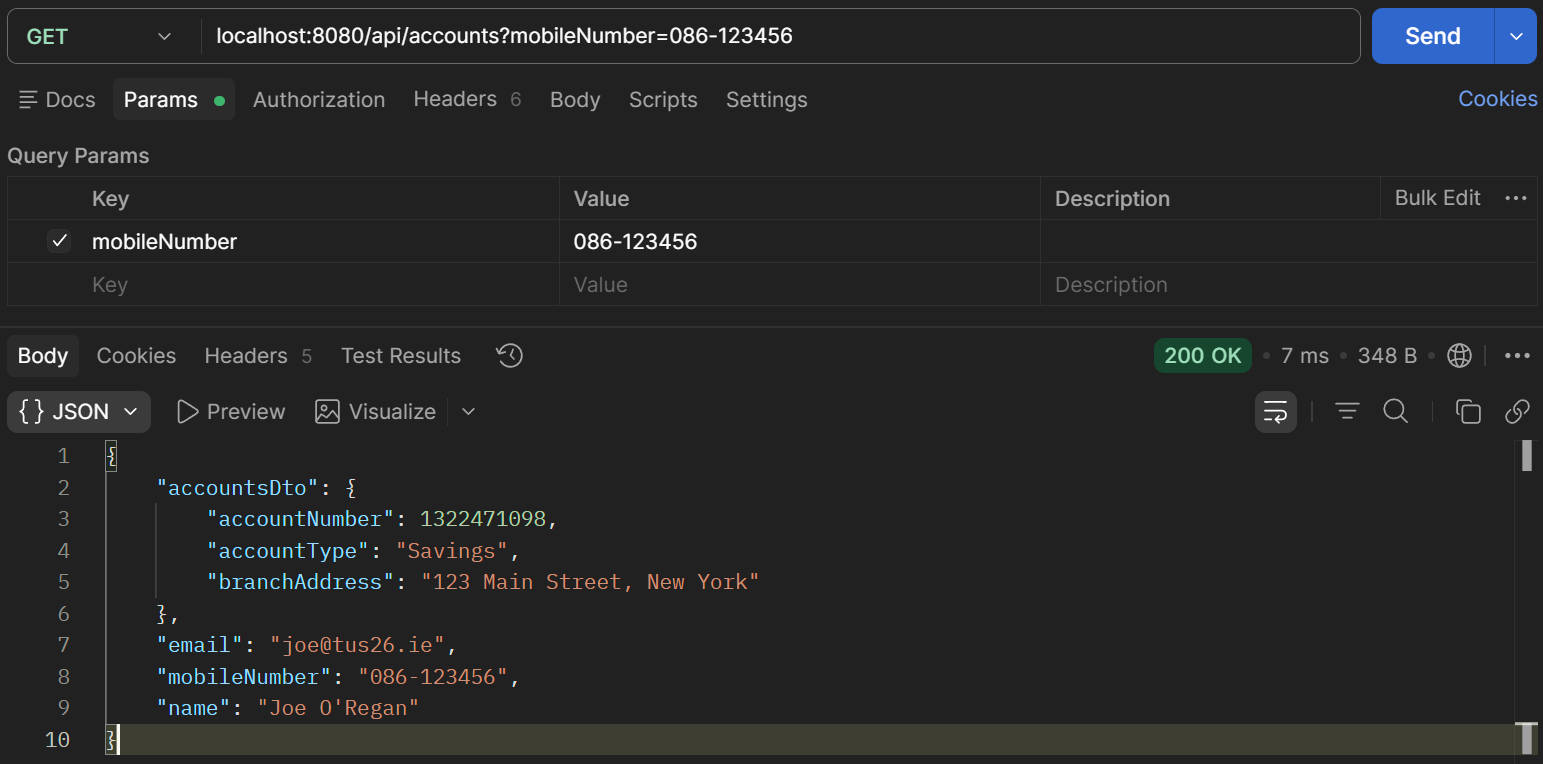
Figure 6. Test API Get Customer
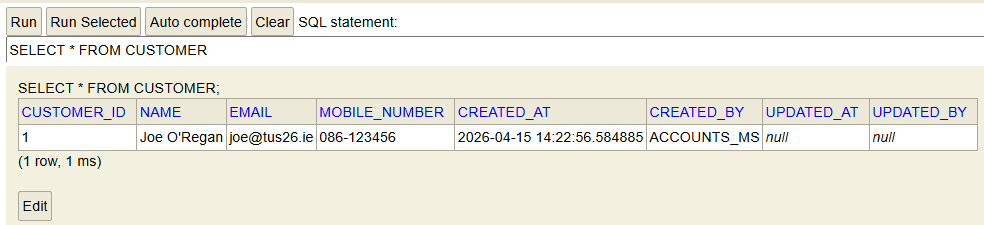
Figure 7. Test API Check Database
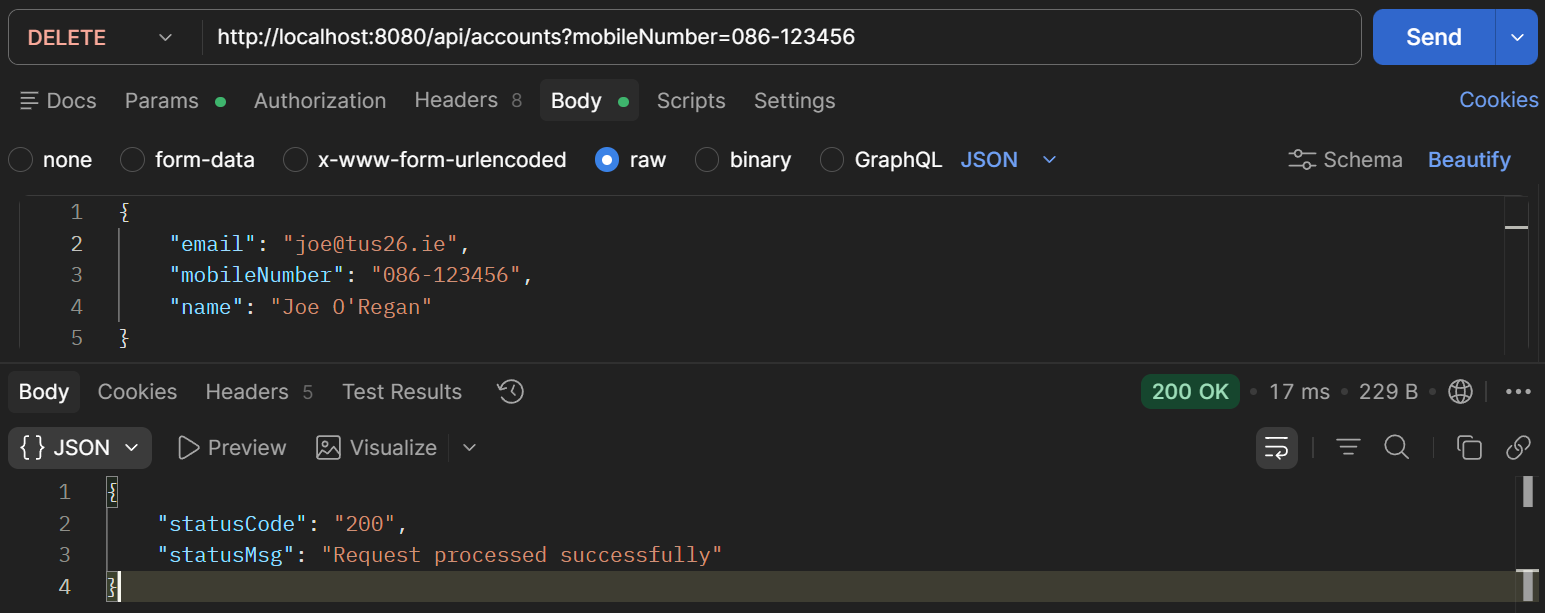
Figure 8. Test API Delete Customer
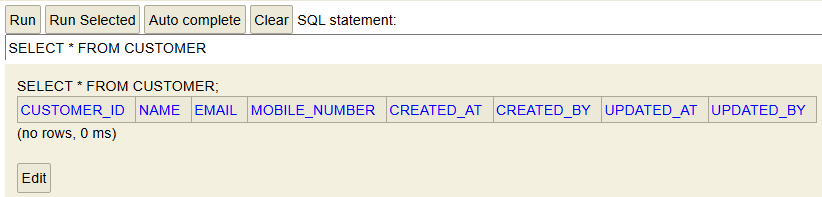
Figure 9. Test API Check Database