Lab 19
Steps and Files
- Actuator Dependency
- pom.xml
- Change AccountsContactInfoDto Record to Class
- AccountsContactInfoDto.java
- LoansContactInfoDto and CardsContactInfoDto
- LoansContactInfoDto.java
- CardsContactInfoDto.java
- Enable Actuator Endpoints
- application.yml
- Change Property at Runtime
- accounts-prod.yml
- loans-prod.yml
- cards-prod.yml
- Config Server Values Updated
- Old Values Still in Contact Details
- Actuator Refresh API
Lab#19 Refresh configurations at runtime using actuator path
So far we have restarted the microservices to refresh properties, as the microservices only contact the config server at startup. Ideally we want to be able to refresh the properties without restarting the microservices. We do this using the actuator endpoints.
1. Actuator Dependency
Step#1 Firstly all the microservices need to have an actuator dependency in the pom file. This should be already there.
| pom.xml actuator dependency | |
|---|---|
25 26 27 28 | |
2. Change AccountsContactInfoDto Record to Class
Step #2 Now open the AccountsContactInfoDto class. Because this is a record class, we cannot change the property values at runtime. With the record class, all the fields are going to be final. Therefore, we need to change the AccountsContactInfoDto to a normal class with getters and setters.
| AccountsContactInfoDto class | |
|---|---|
1 2 3 4 5 6 7 8 9 10 11 12 13 14 15 16 17 18 19 | |
3. LoansContactInfoDto and CardsContactInfoDto
Step#3 Do the same (changing from record to class) in the LoansContactInfoDto and CardsContactInfoDto.
| LoansContactInfoDto | |
|---|---|
1 2 3 4 5 6 7 8 9 10 11 12 13 14 15 16 17 18 19 | |
| CardsContactInfoDto | |
|---|---|
1 2 3 4 5 6 7 8 9 10 11 12 13 14 15 16 17 18 19 | |
4. Enable Actuator Endpoints
Step#4 We then need to enable the actuator endpoints. Open the application.yml for the accounts microservice and add as shown below to enable the actuator enpoints:
| application.yml | |
|---|---|
1 2 3 4 5 6 7 8 9 10 11 12 13 14 15 16 17 18 19 20 21 22 23 24 25 26 27 28 29 30 | |
This enables all actuator endpoints. Make a similar change in the loans and cards microservice.
5. Change Property at Runtime
Step#5 Now start all microservices, and we can change a property at runtime. First, check the parameters in the accounts microservice.
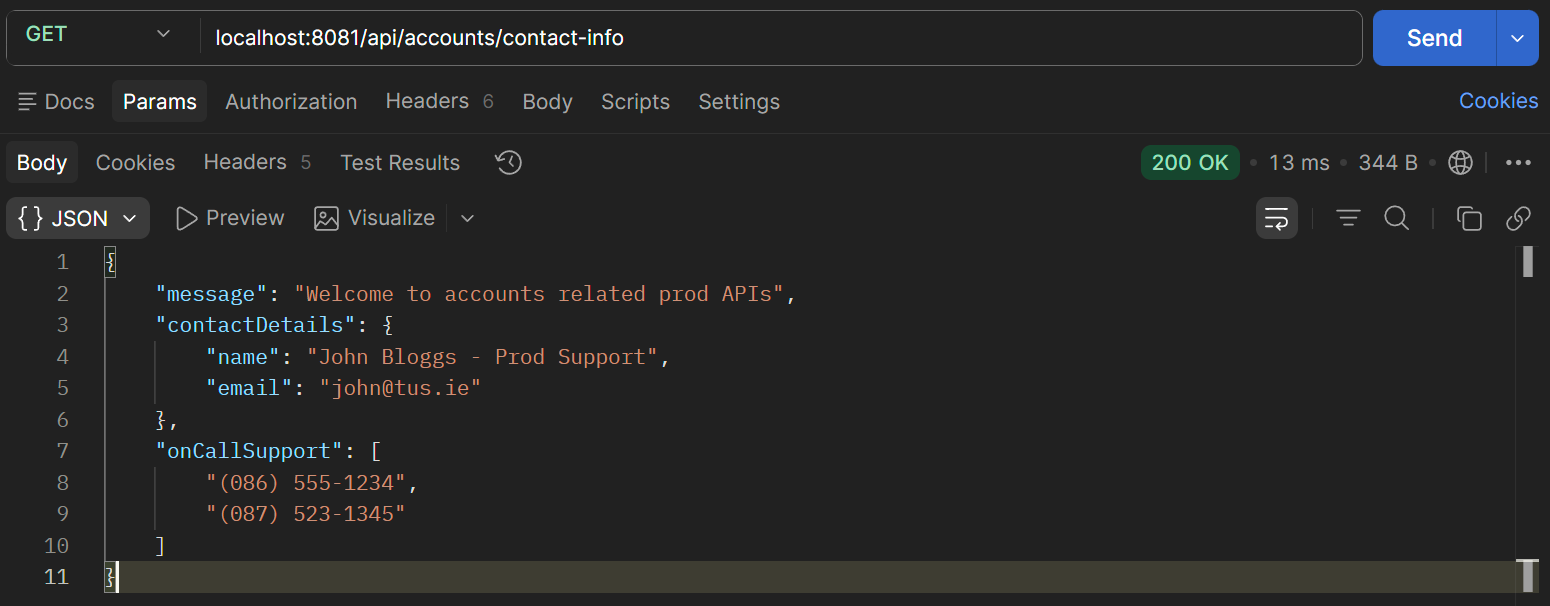
Figure 1. GET accounts /contact-info
In the git repo make a change to one of the values e.g. the message in accounts-prod.yml. And commit the change.
| accounts-prod.yml update | |
|---|---|
1 2 3 4 5 6 7 8 9 10 | |
Make a similar change in cards-prod.yml and loans-prod.yml and commit the changes.
6. Config Server Values Updated
Step#6 Check the values in the config server which now had the updated values.
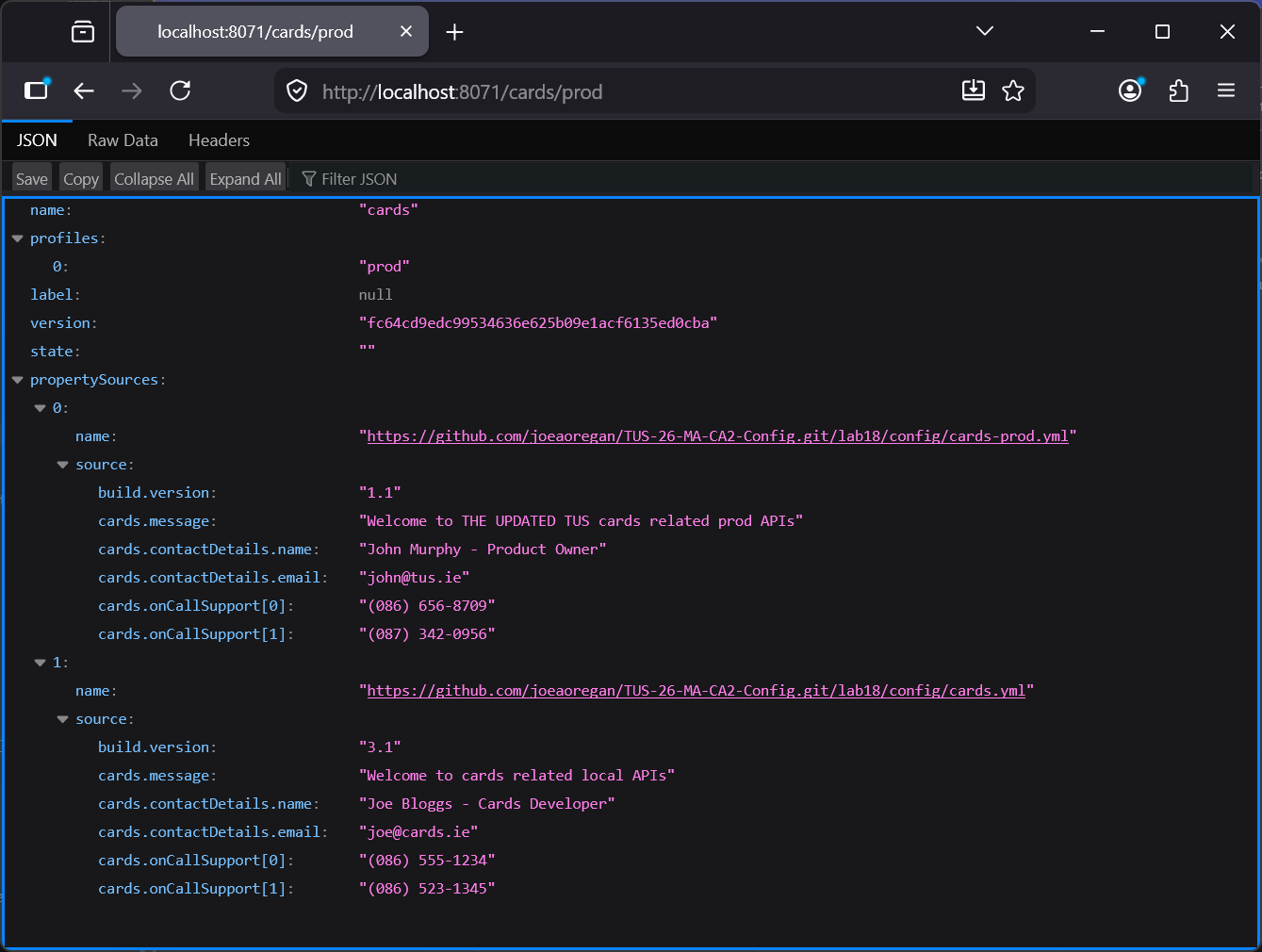
Figure 2. Check Config Server Values
7. Old Values Still in Contact Details
Step#7 Now the microservices should be able to read the latest values, but the services only communicate with the config server at startup. If I look at the properties in the microservice it still has the old values
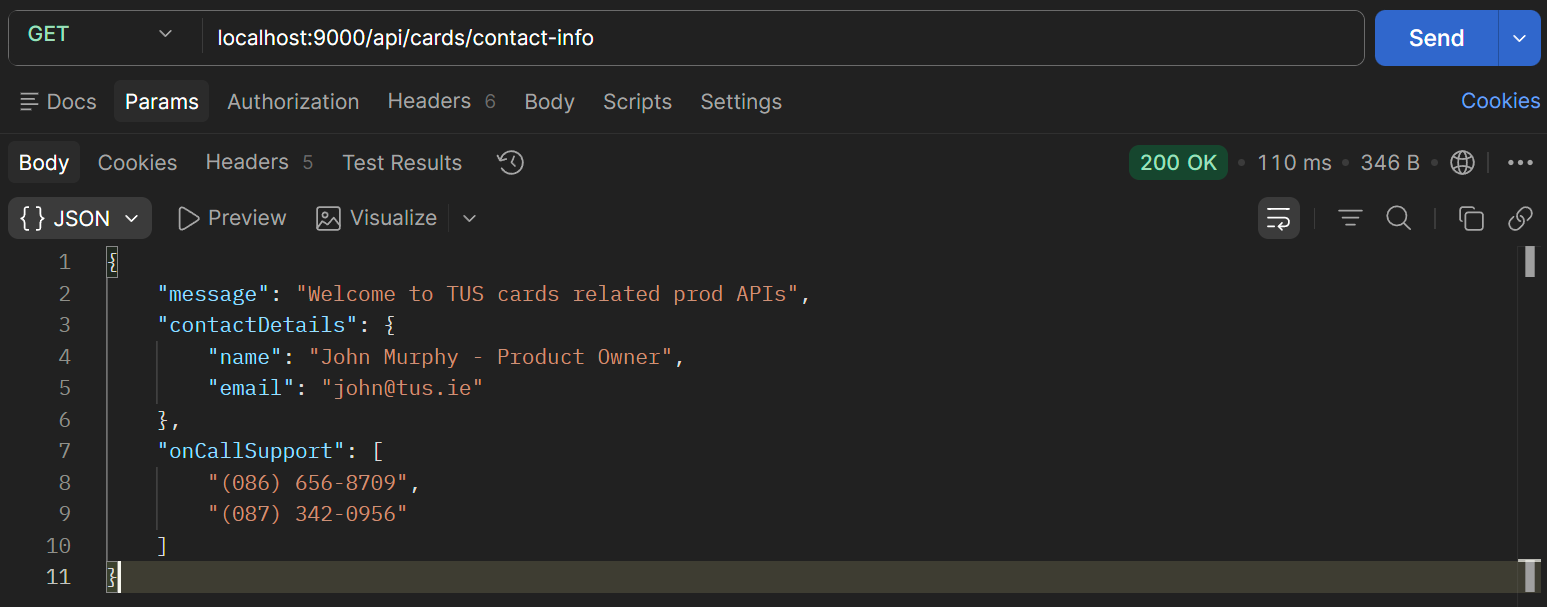
Figure 3. Old Cards Contact Details Values
8. Actuator Refresh API
Step#8 We can now go to Postman and invoke the actuator refresh API. Then check the contact-info again.
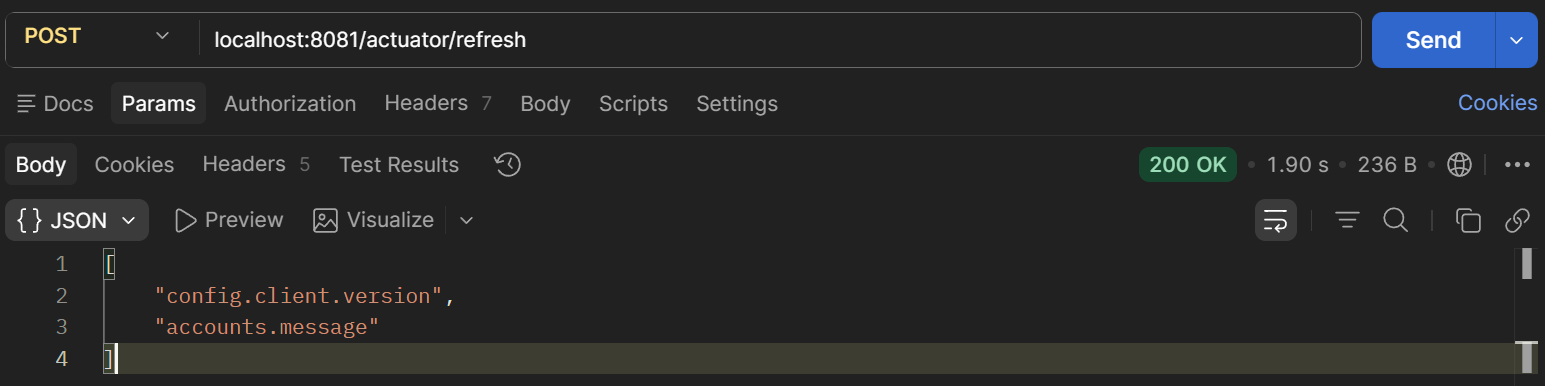
Figure 4. Actuator Refresh API
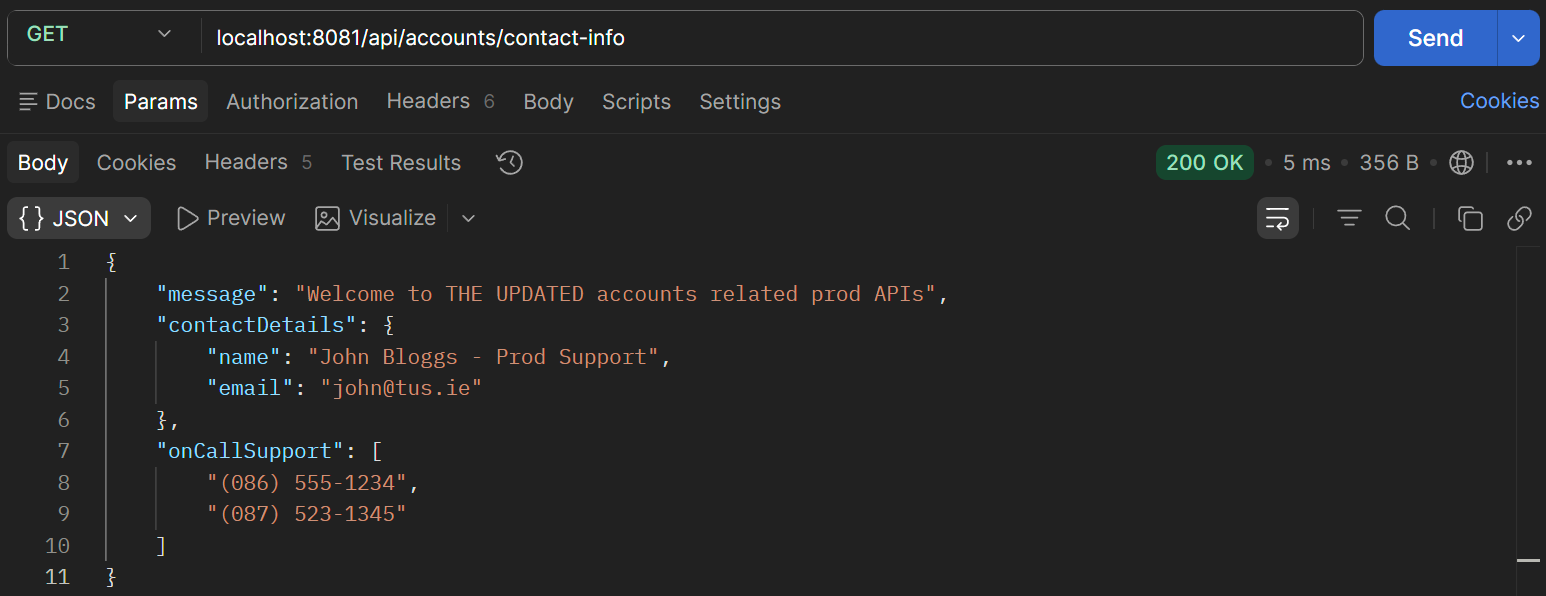
Figure 5. New Accounts Contact Details Values
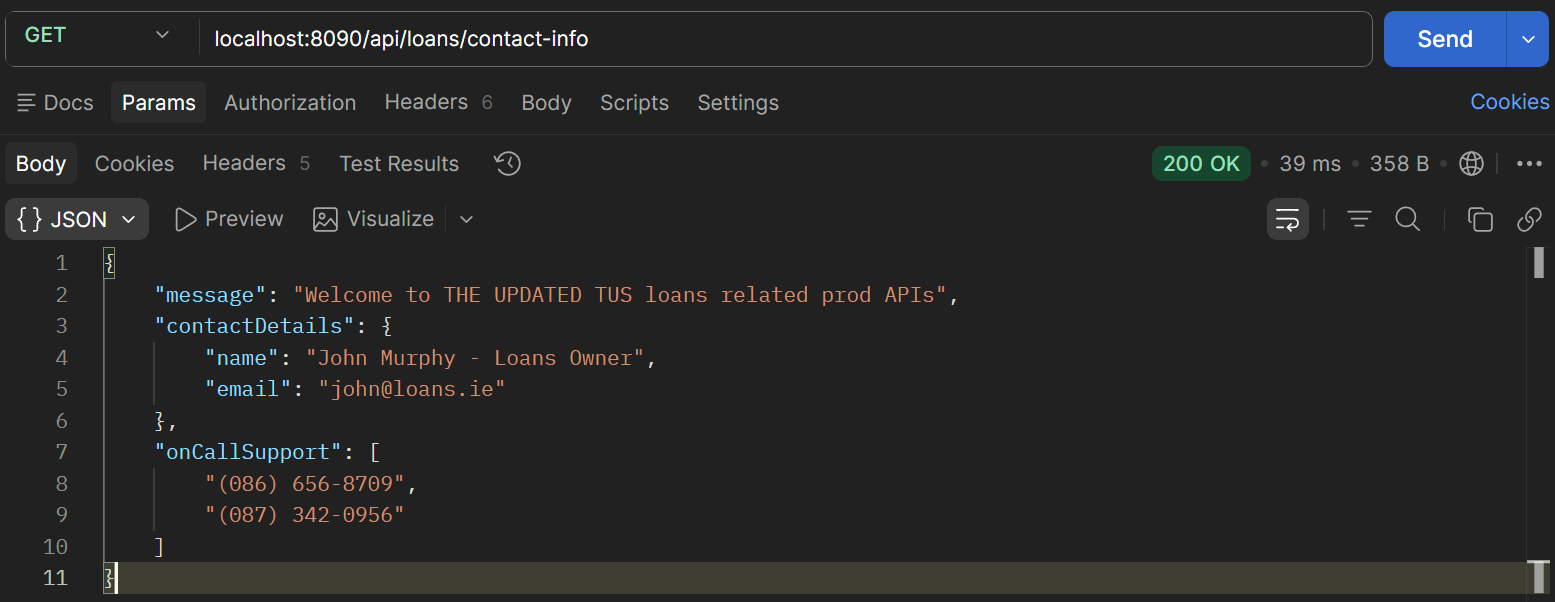
Figure 6. New Loans Contact Details Values
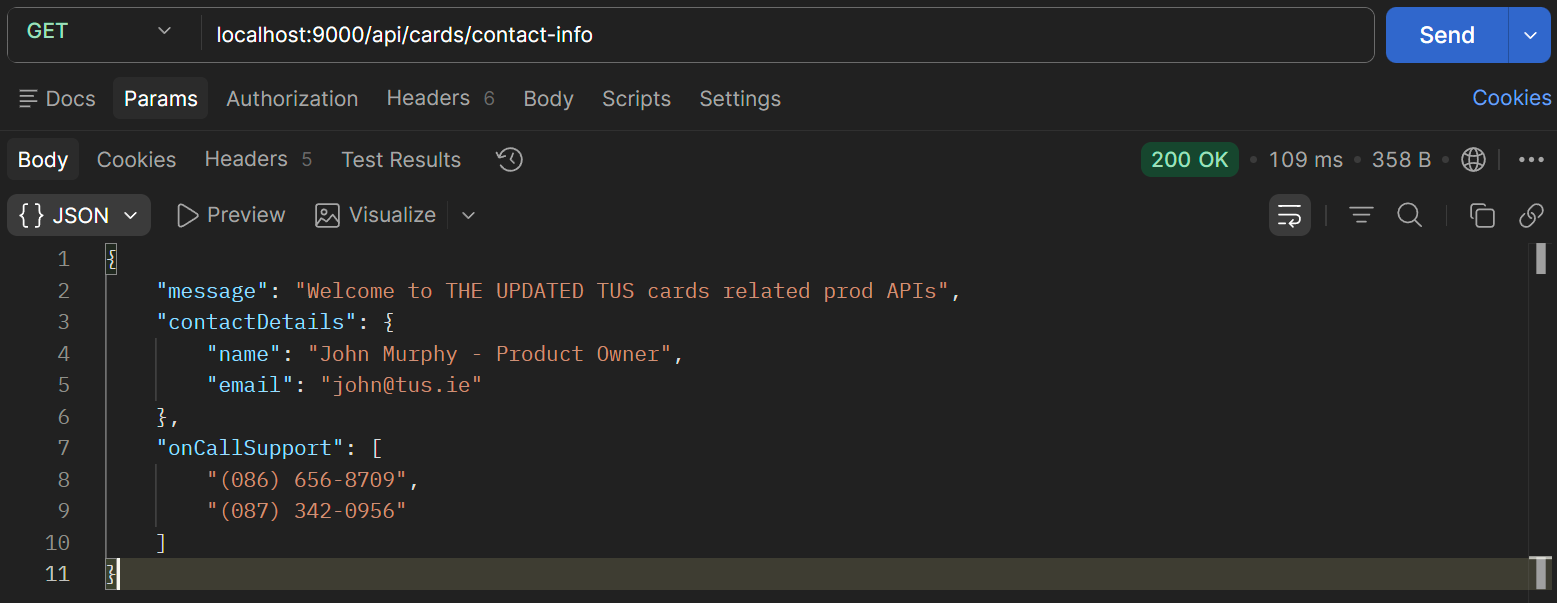
Figure 7. New Cards Contact Details Values