RESTful API Lab 8
Steps and Files
Given:
- schema.sql
- constants/LoanConstants.java
- service/ILoansService.java
- service/impl/LoansServiceImpl.java
- mapper/LoansMapper.java
- Creating a Loan
- service/impl/LoansServiceImpl.java
- Fetch loan details
- Update Loan details
- dto/LoansDto.java
- DELETE Mapping
Lab#8 Loans MicroService
In this lab we will create a loans microservice, similar to the accounts service.
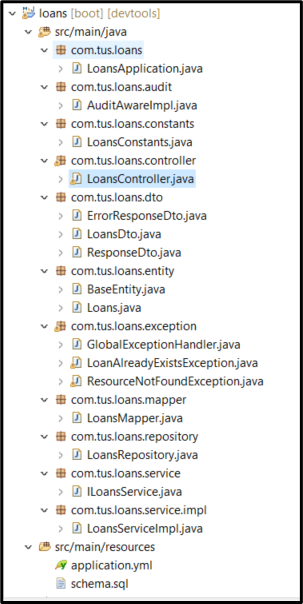
Figure 1: Project Layout
Schema.sql, LoansConstants, ILoansService and LoansServiceImpl and LoansMapper files are given. Use port 8090 in the .yml file.
Creating a Loan
First create a customer as before using the accounts microservice.
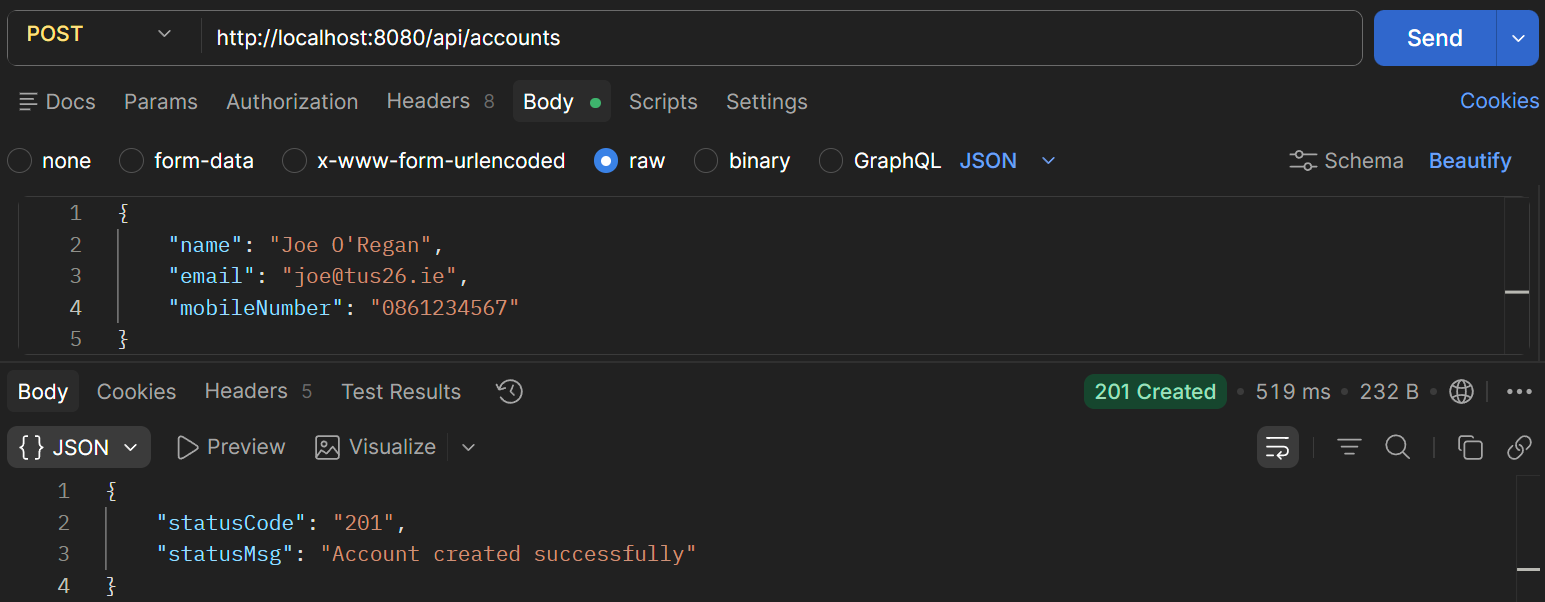
Fig. 2 Create a customer
Now using the same mobile number create a loan. The mobile number supplied must be 10 digits long. A loan cannot already exist for the customer with given mobile number.
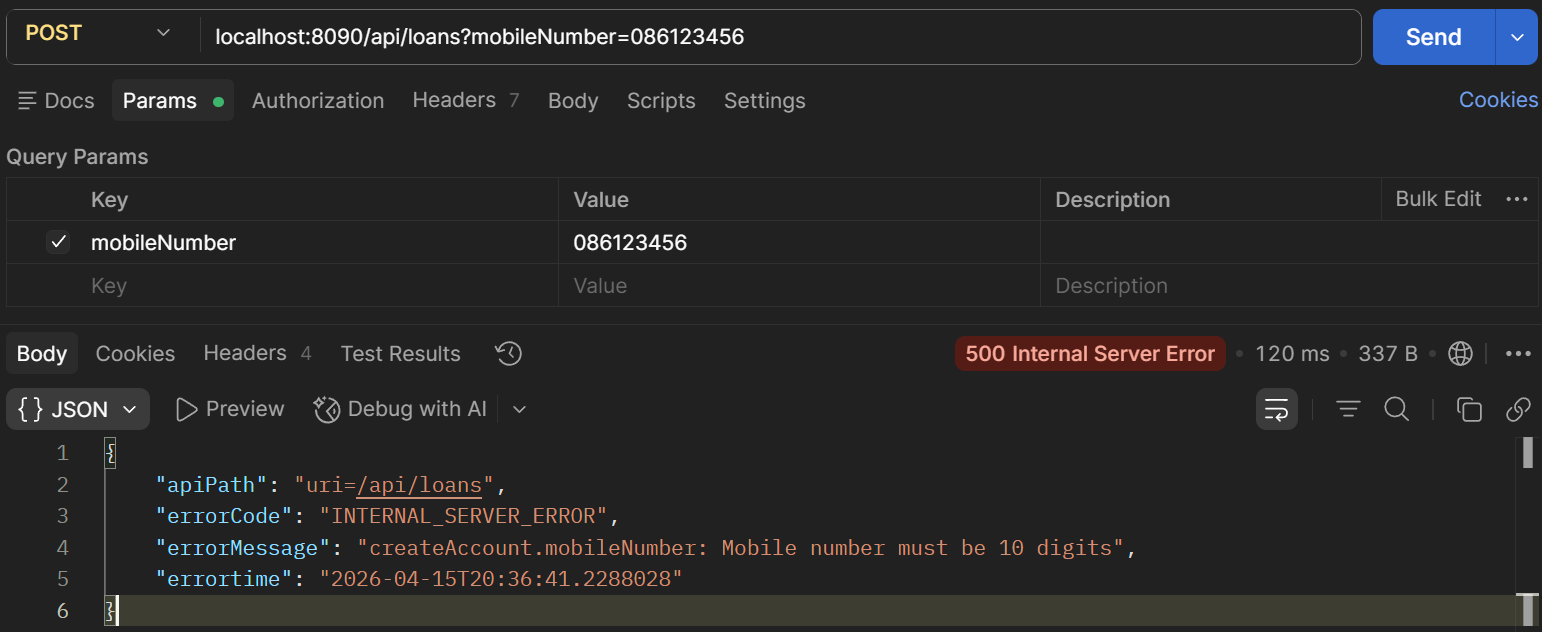
Fig. 3 Create a loan - Mobile number too short
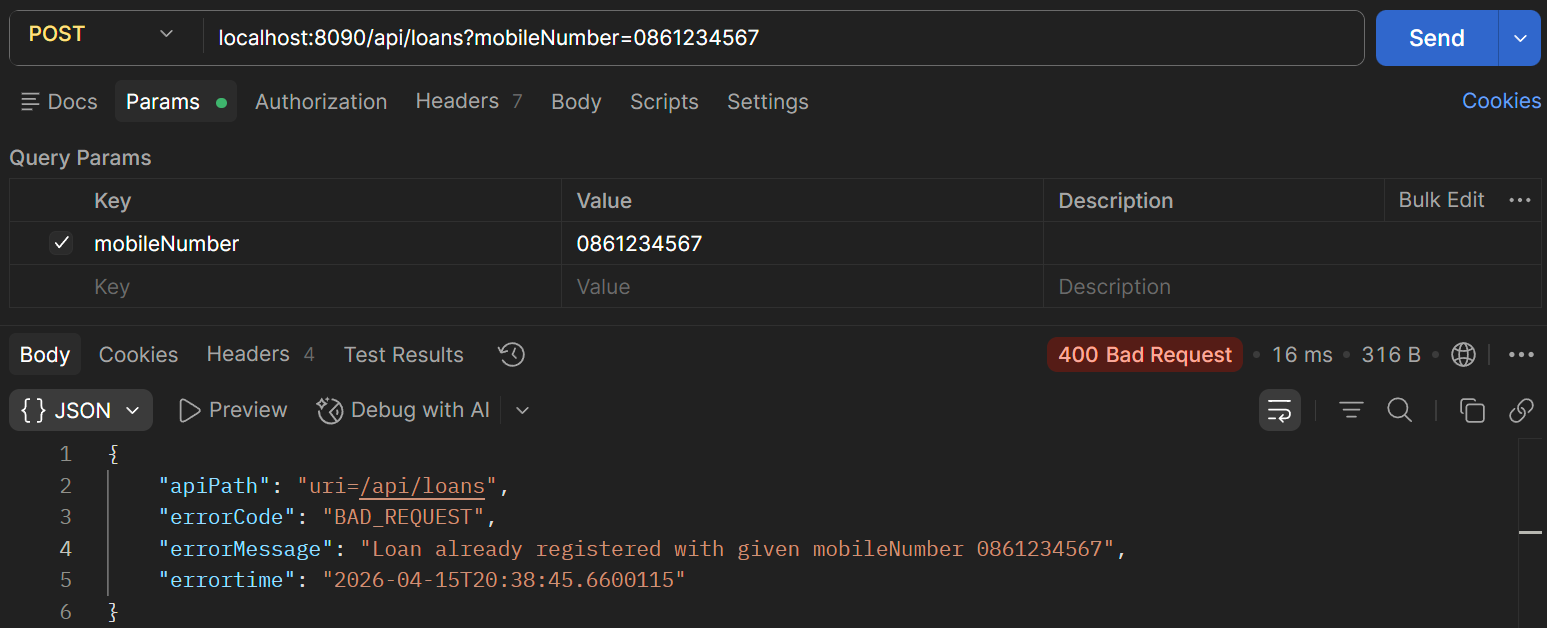
Fig. 4 Create a loan - Loan already exists for customer
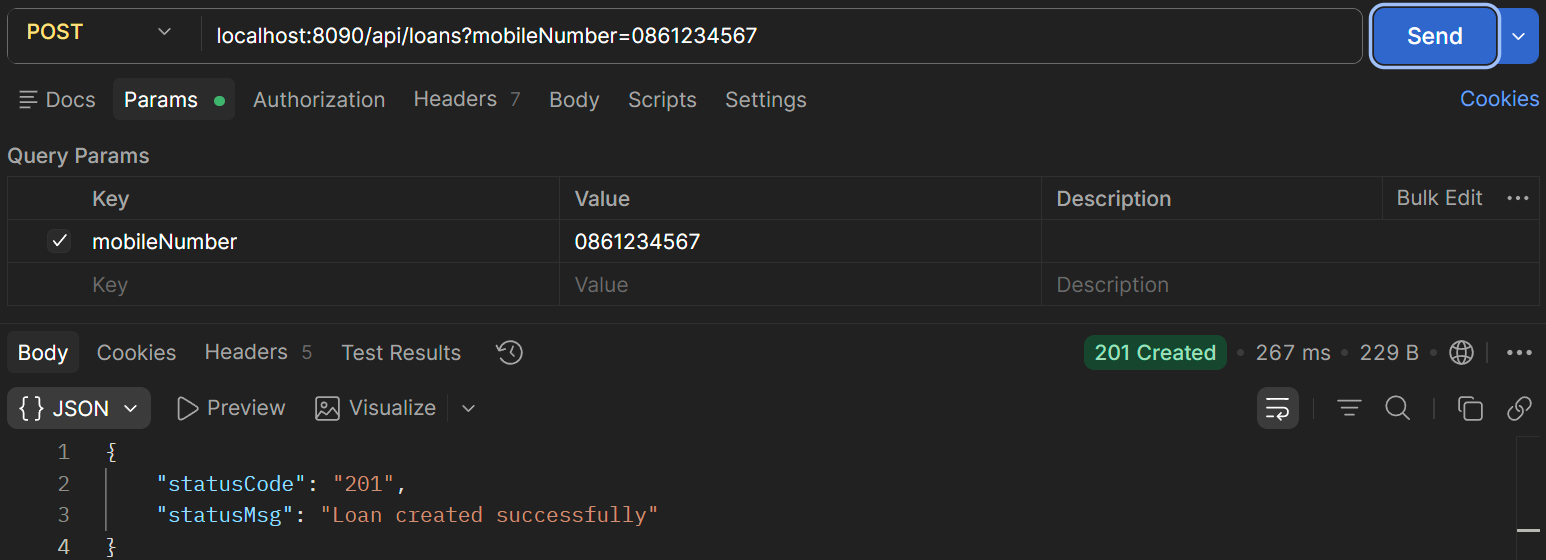
Fig. 5 Loan created success.
| Creating a loan – code in LoansServiceImpl | |
|---|---|
33 34 35 36 37 38 39 40 41 42 43 | |
The loan is create using default values as shown and the number is generated as shown
Fetch loan details
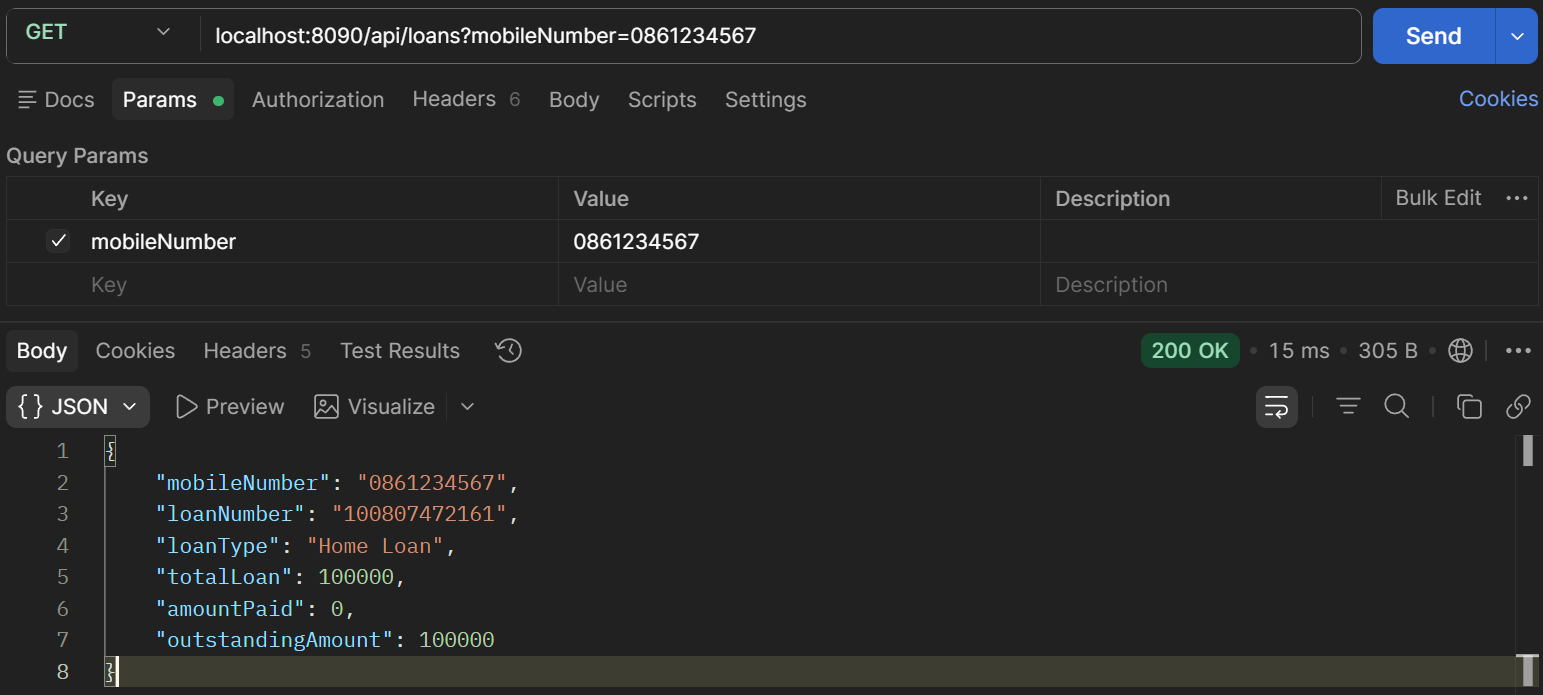
Fig. 6 Fetching loan details - success
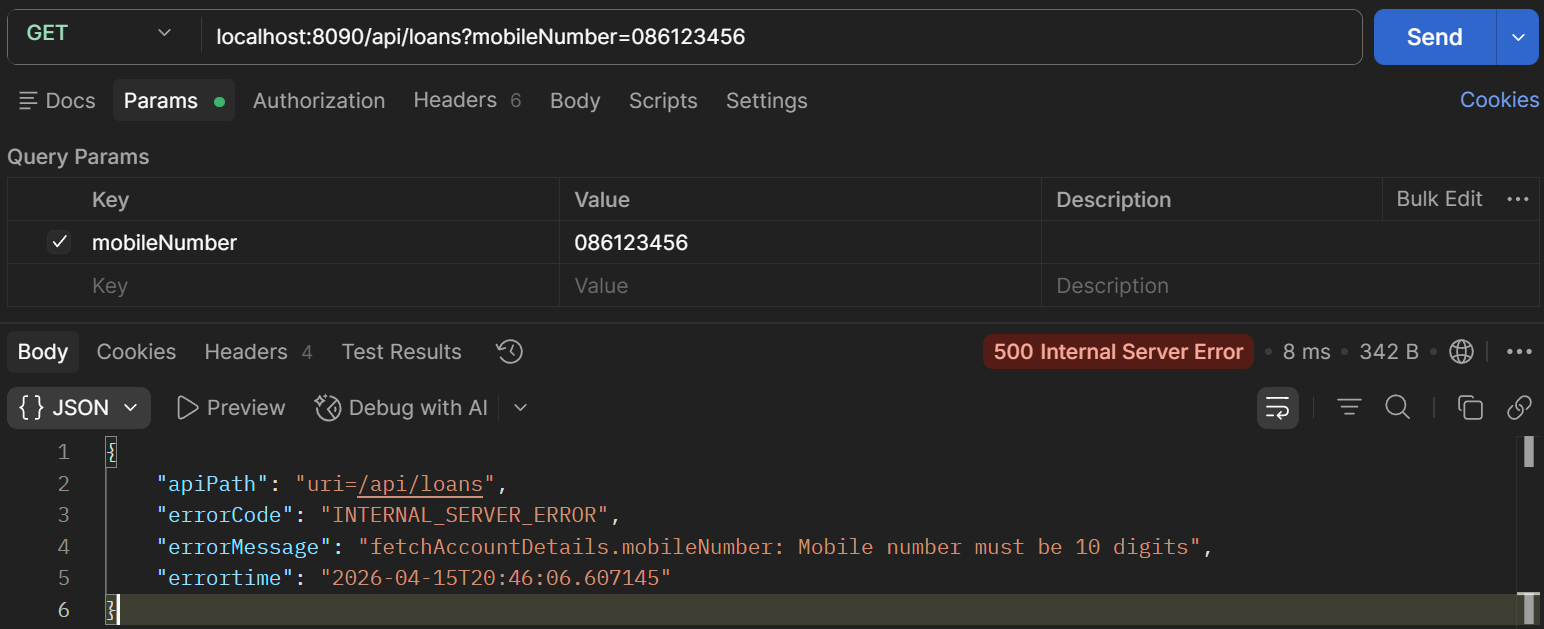
Fig. 7 Fetching loan - mobile number not 10 digits
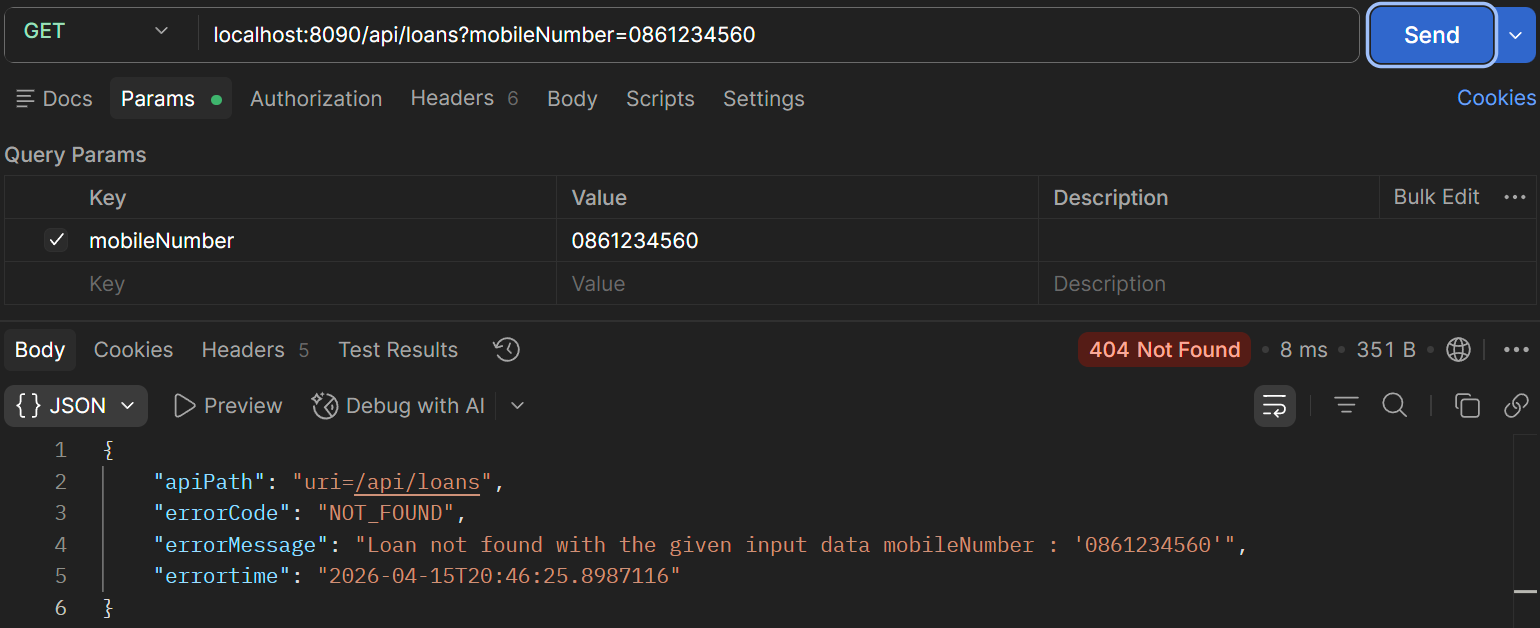
Fig. 8 Fetching loan – no loan for given mobile number
Update Loan details
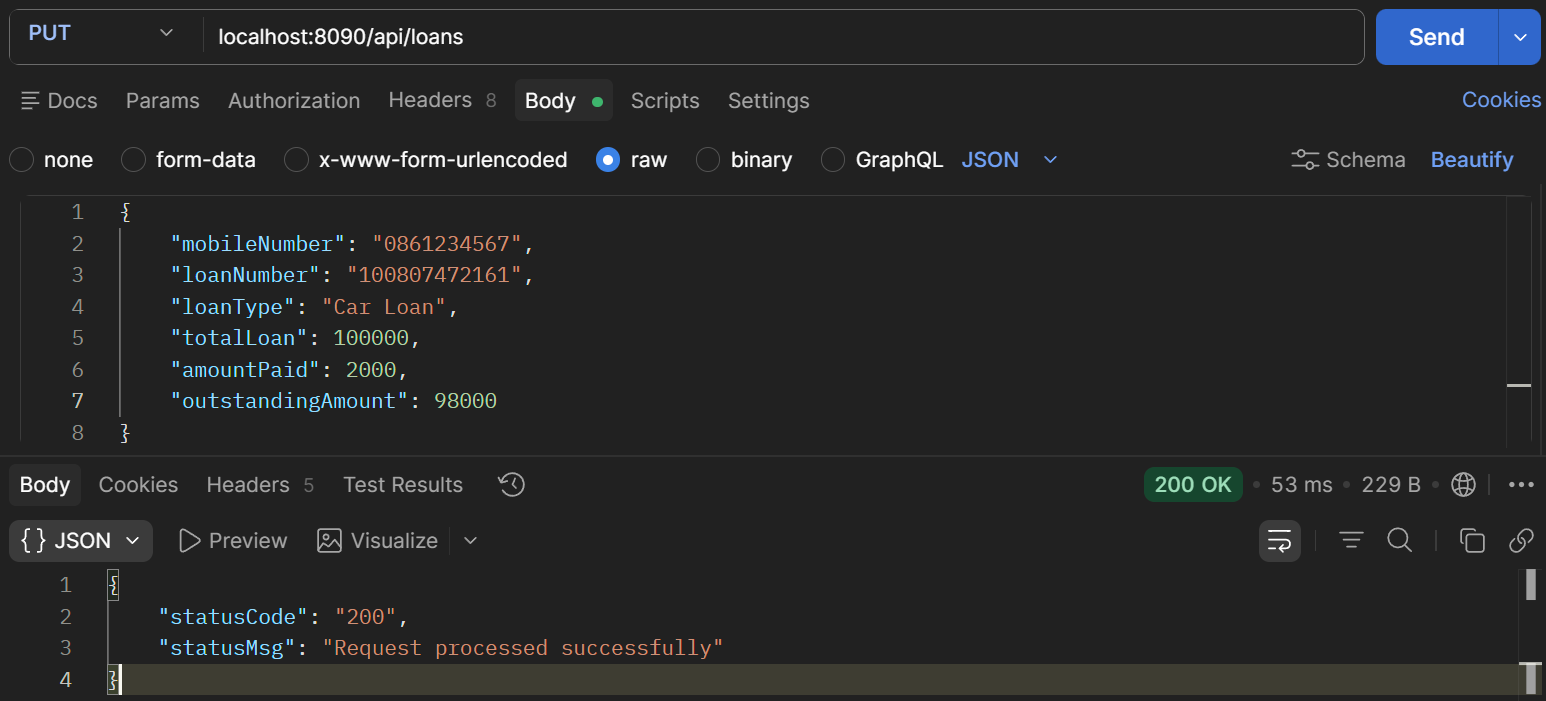
Fig. 9 Updating loan –loan details updated successfully
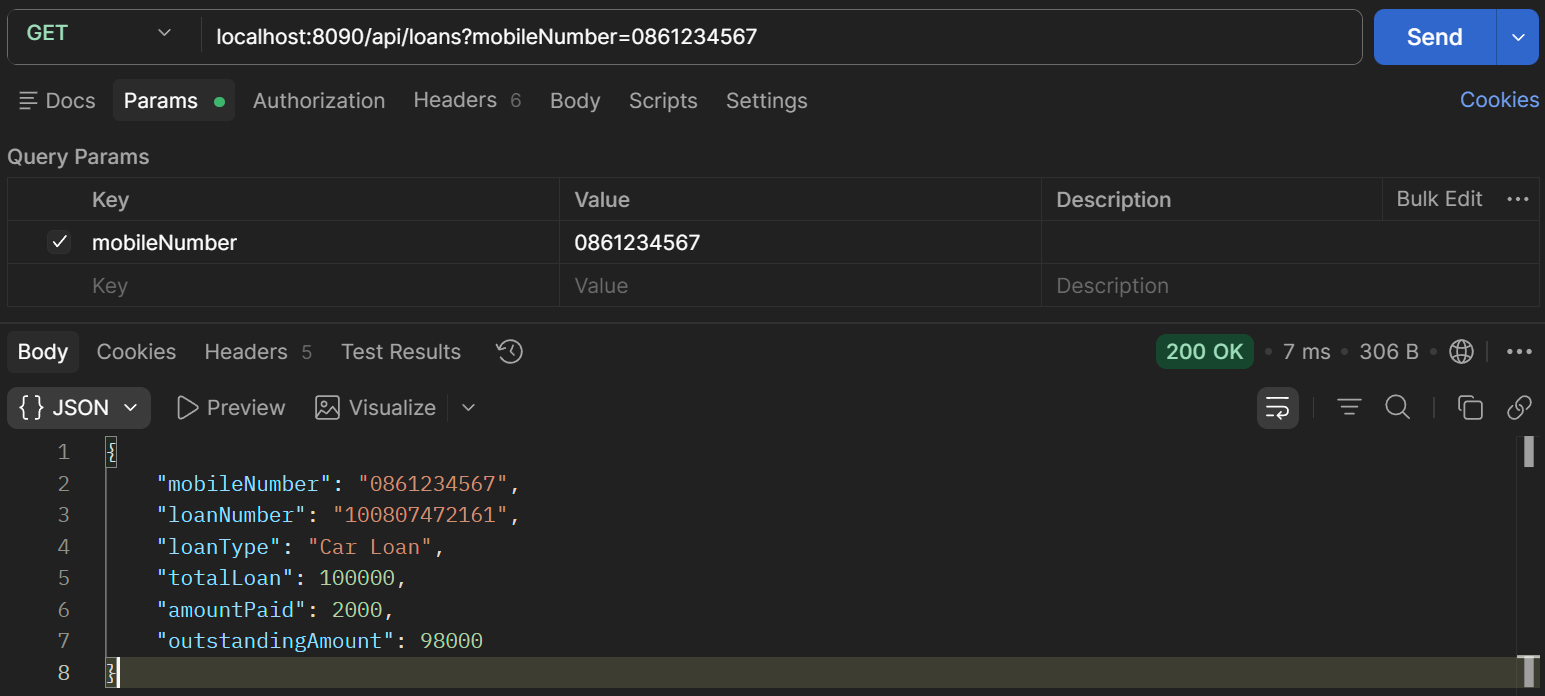
Fig. 10 Fetch updated values – loan details updated
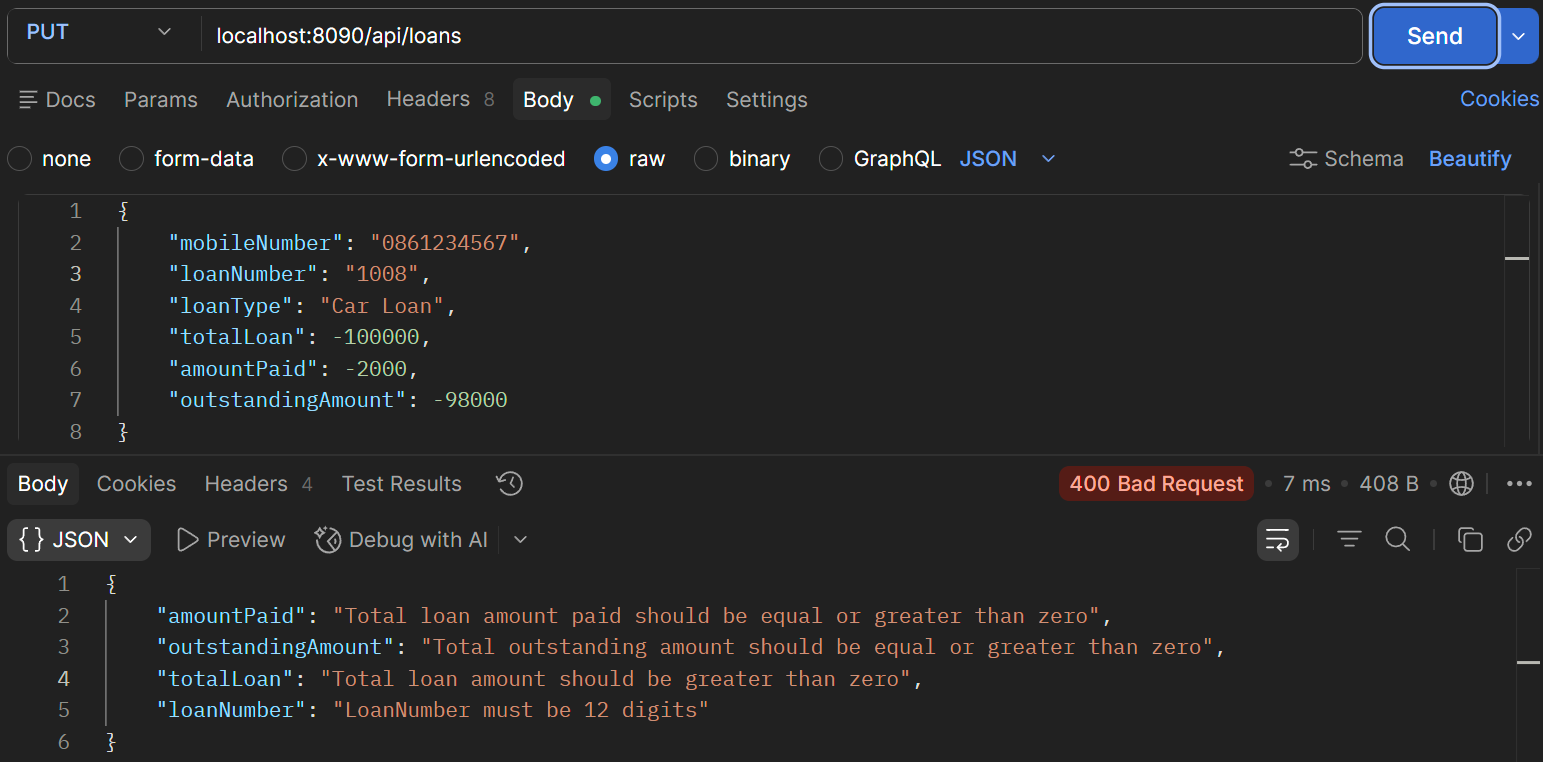
Fig. 11 Updating loan –validation errors in data
See LoansDto for error example
| Handling errors in LoansDto - LoansDto.java | |
|---|---|
9 10 11 12 13 14 15 16 17 18 19 20 21 22 23 24 25 26 27 28 29 30 | |
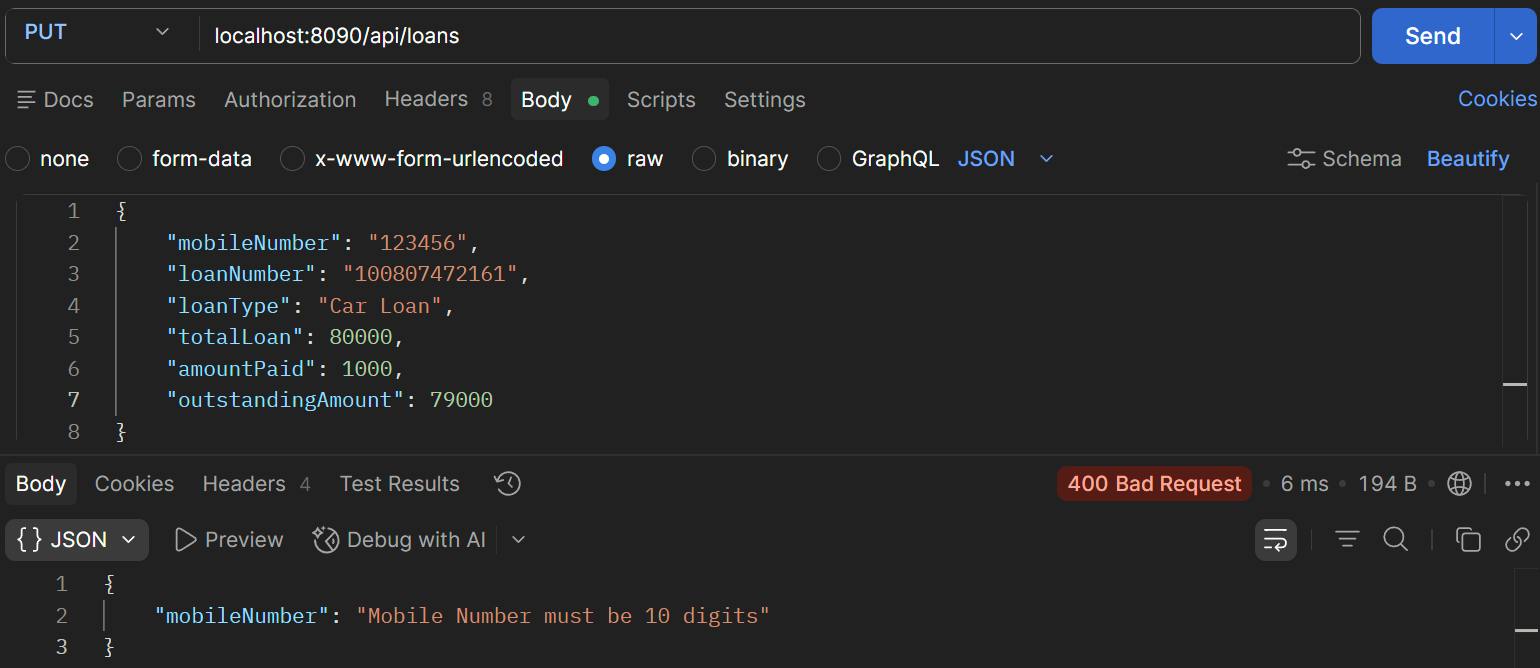
Fig. 12 Update loan - Mobile number not 10 digits
DELETE Mapping
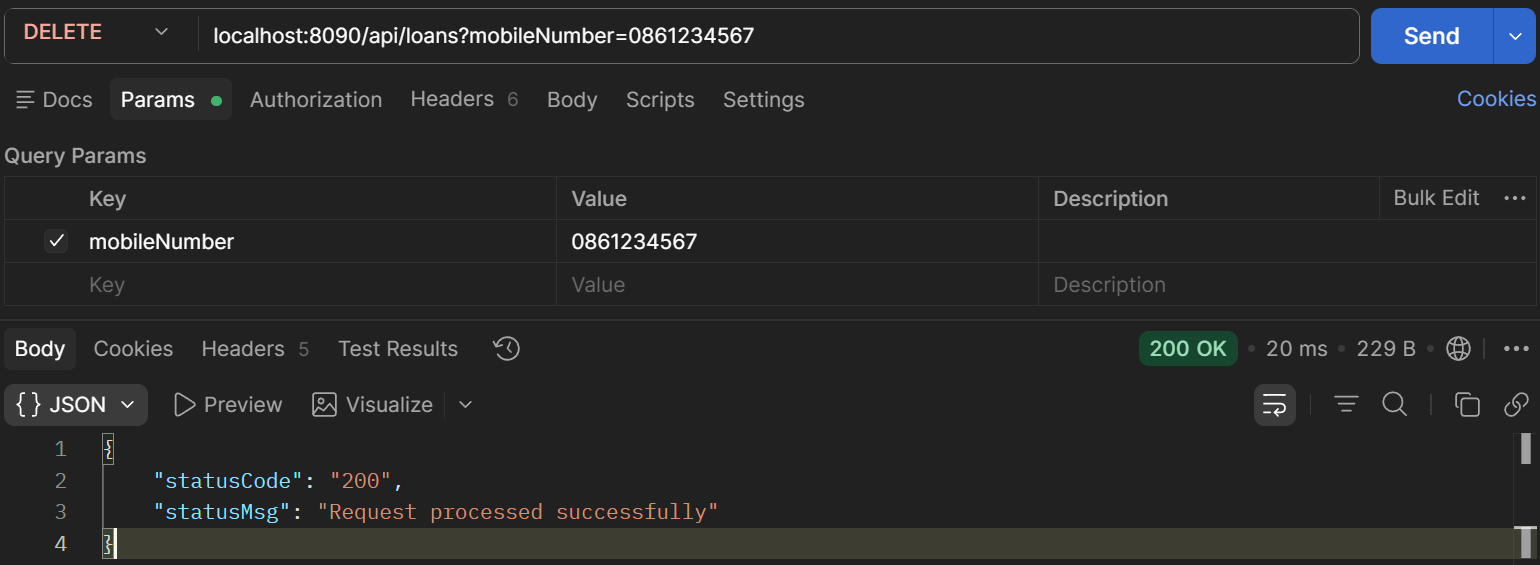
Fig. 13 Deleting a loan
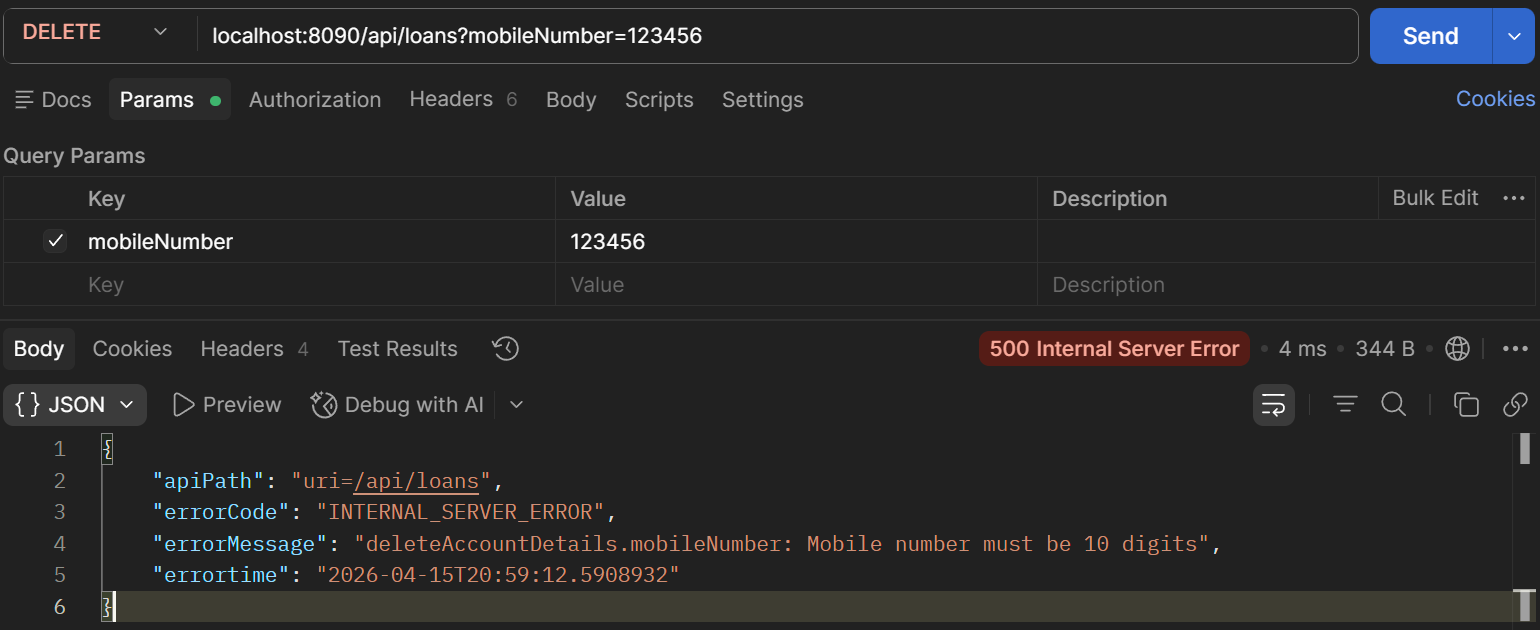
Fig. 14 Deleting a loan – mobile number too short
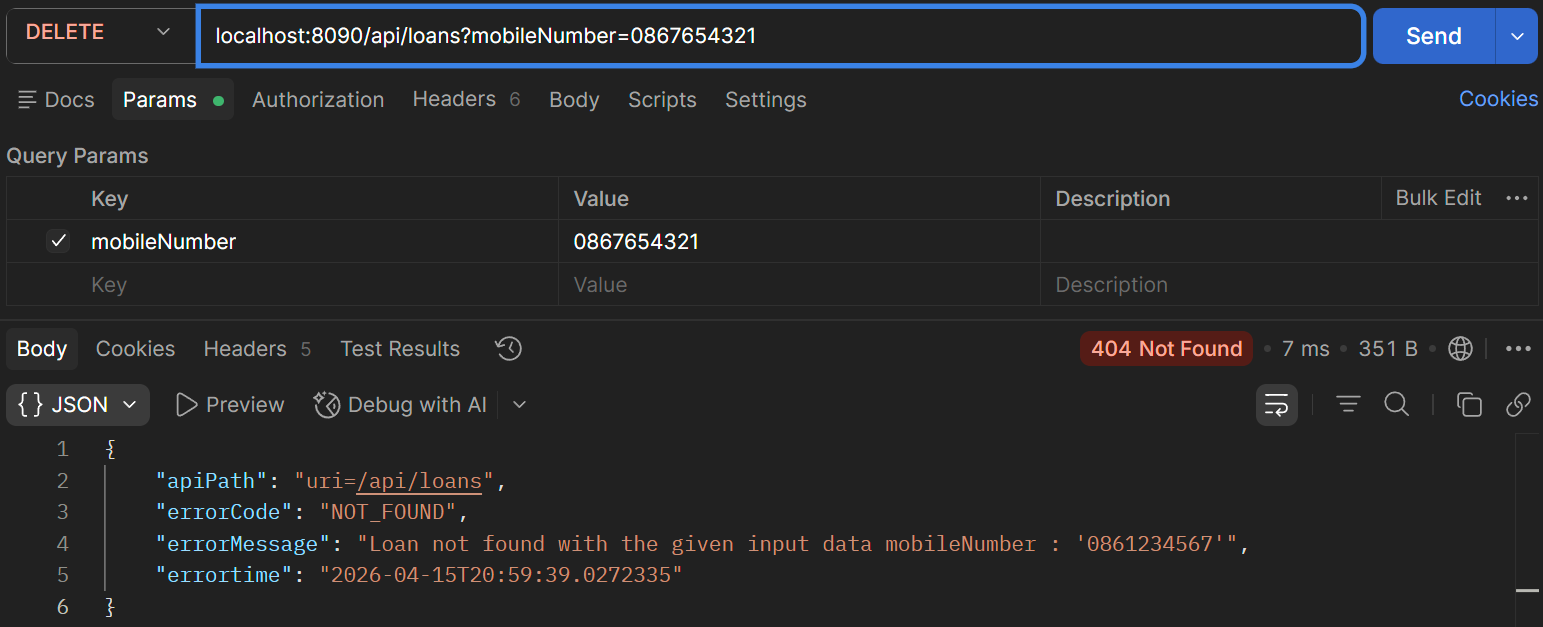
Fig. 15 Deleting a loan – loan with mobile number not found