Lab#26 Building a Gateway with Spring Cloud.
In this lab we will create a Gateway Server.
Step#1 Use Spring Initializer to create a project with dependencies as shown
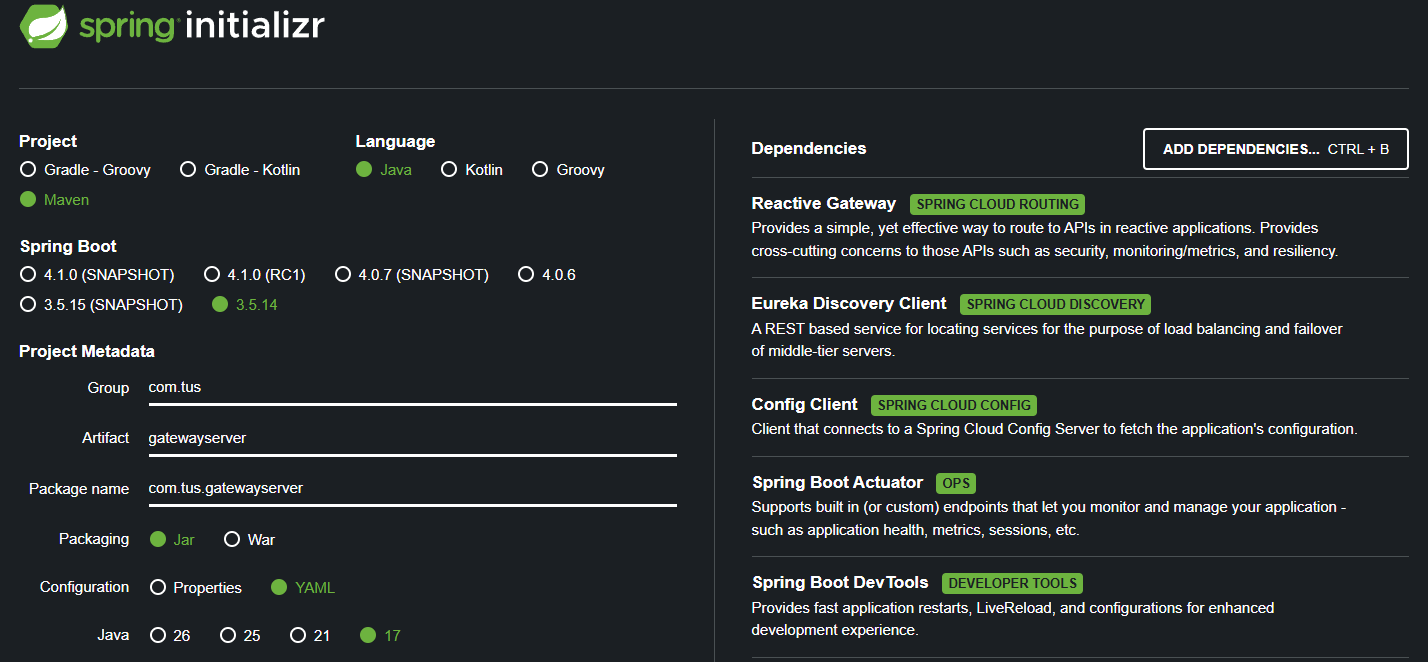
Figure 1. Spring Initialiser
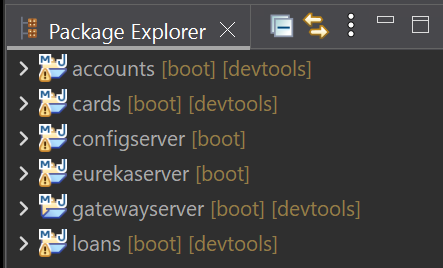
Figure 2. Gateway Server in Package Explorer
Step#2 Update the application.yml (from application.properties)
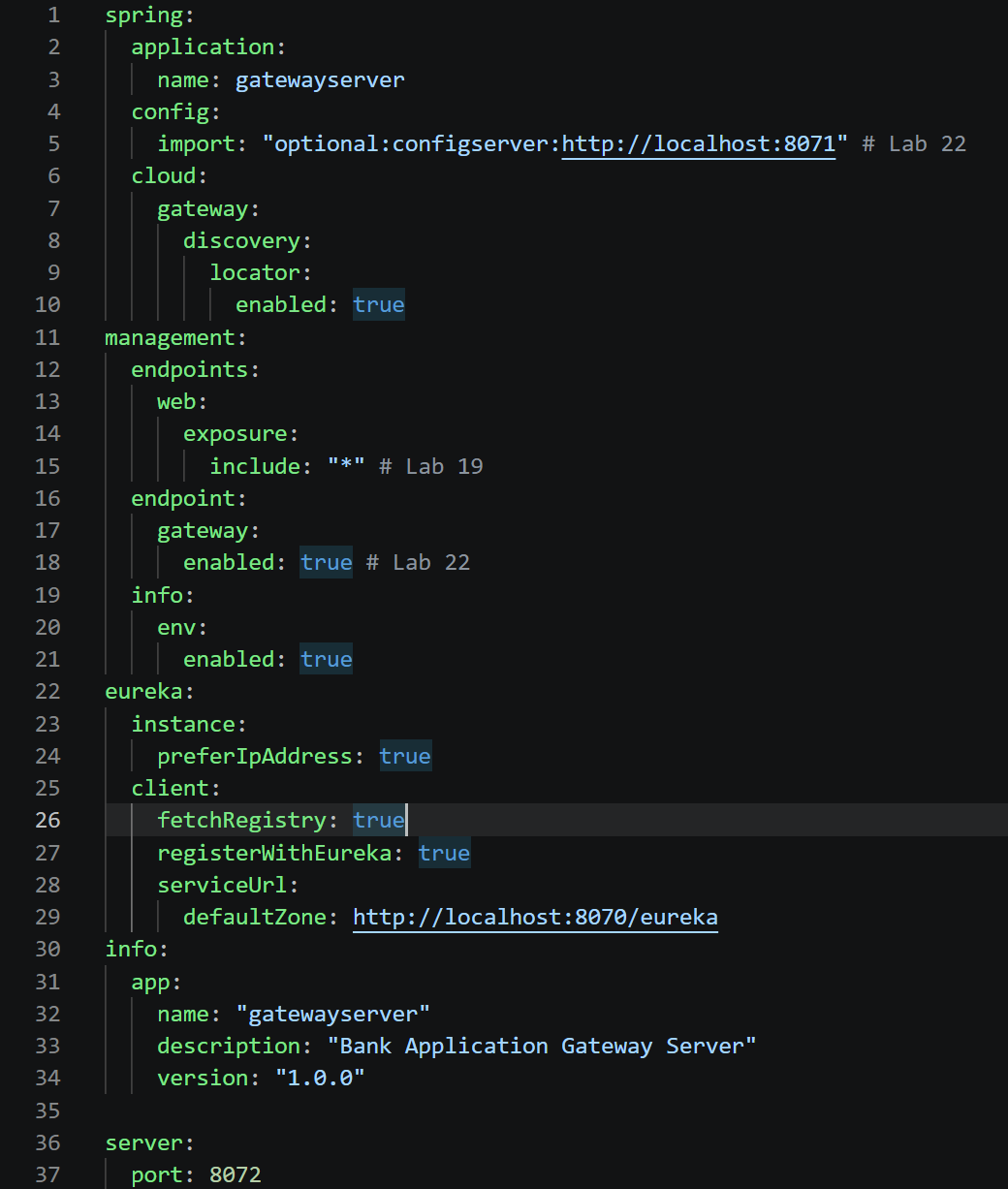
Figure 3. application.yml
Step#3 Start the services in the following order: config, eureka, accounts/loans/cards and finally the gateway. Check Eureka.
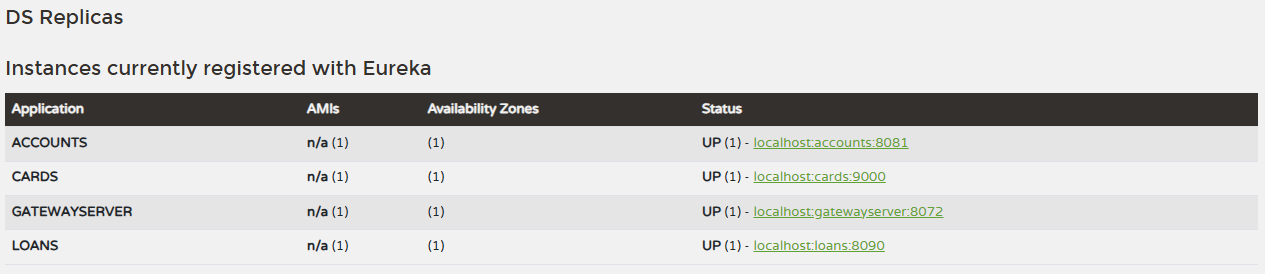
Figure 4. Eureka dashboard
Step#4 Check the endpoints using actuator and routes
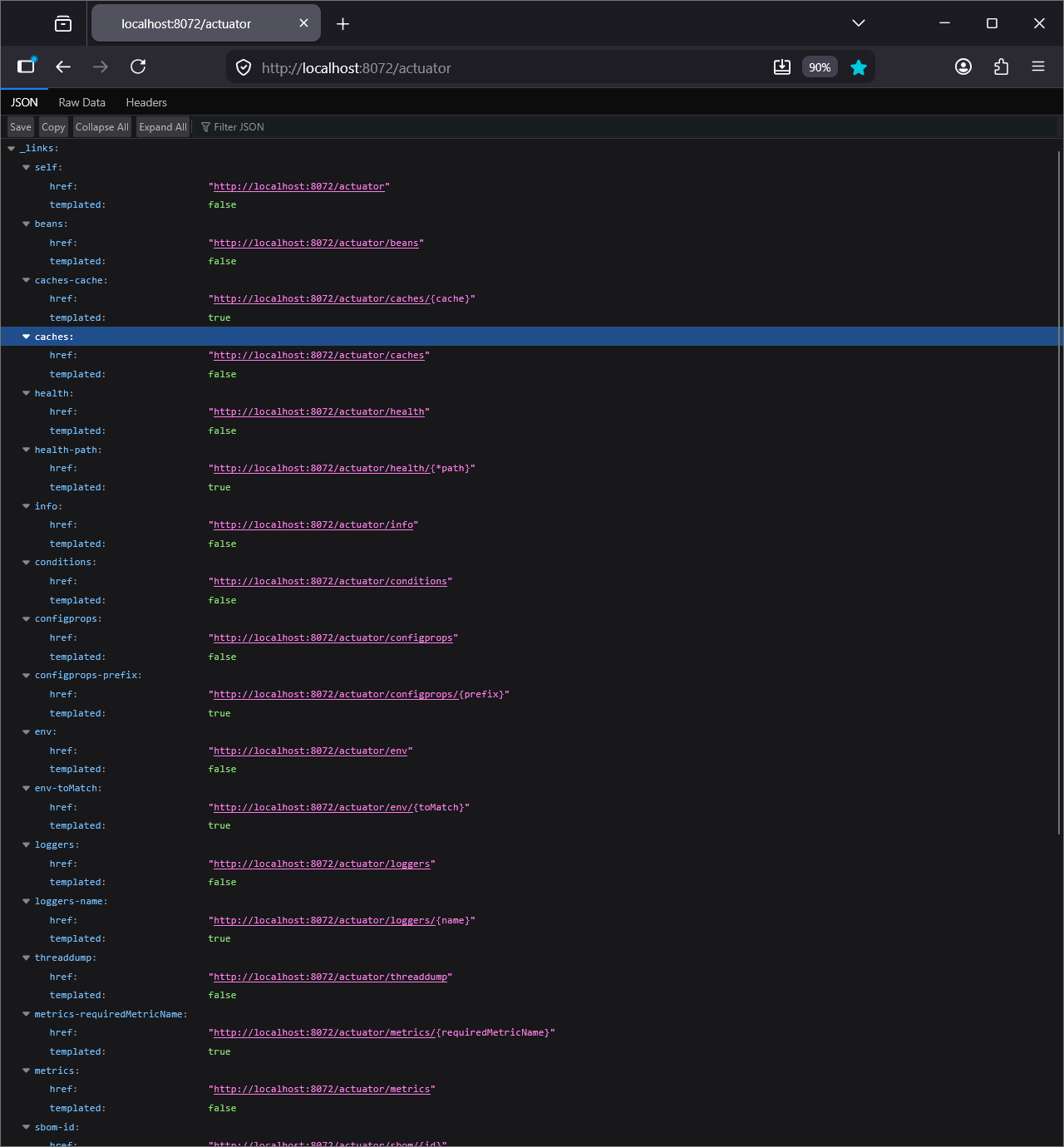
Figure 5. Check endpoints with Actuator and routes
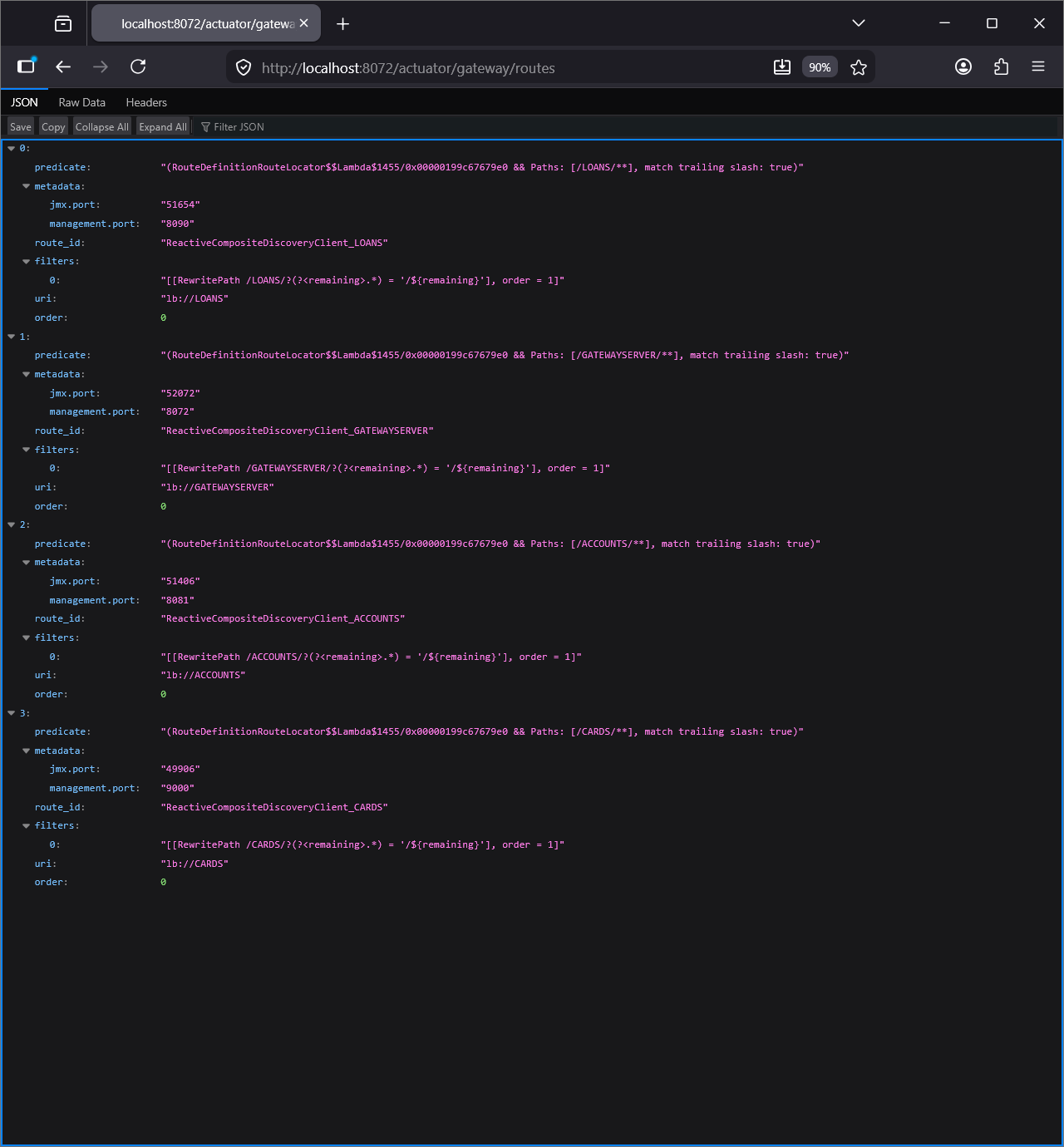
Figure 6. Gateway Routes
Step#5 Send request to the accounts application via the Gateway. Note the service name is in uppercase letters. Even though the name is lowercase in the application.yml.

Figure 7. Service name in Uppercase Letters
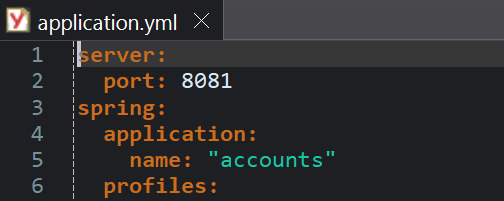
Figure 8. Service name lowercase in application.yml
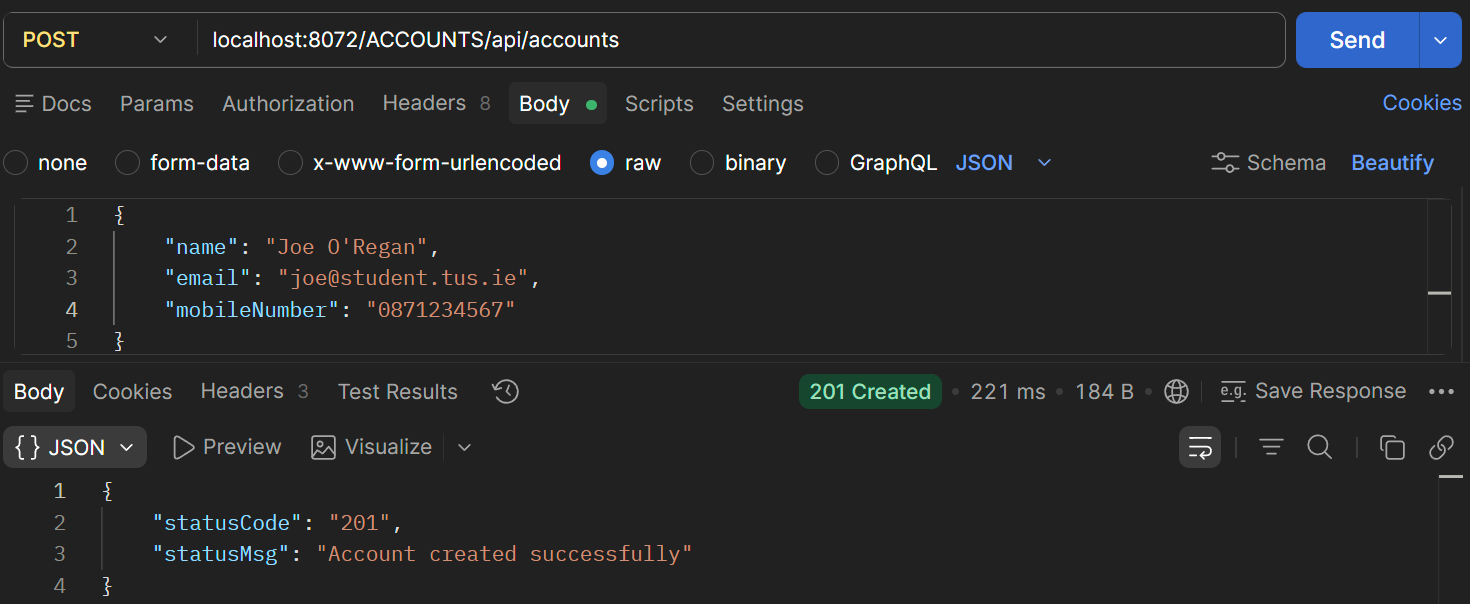
Figure 9. POST Account
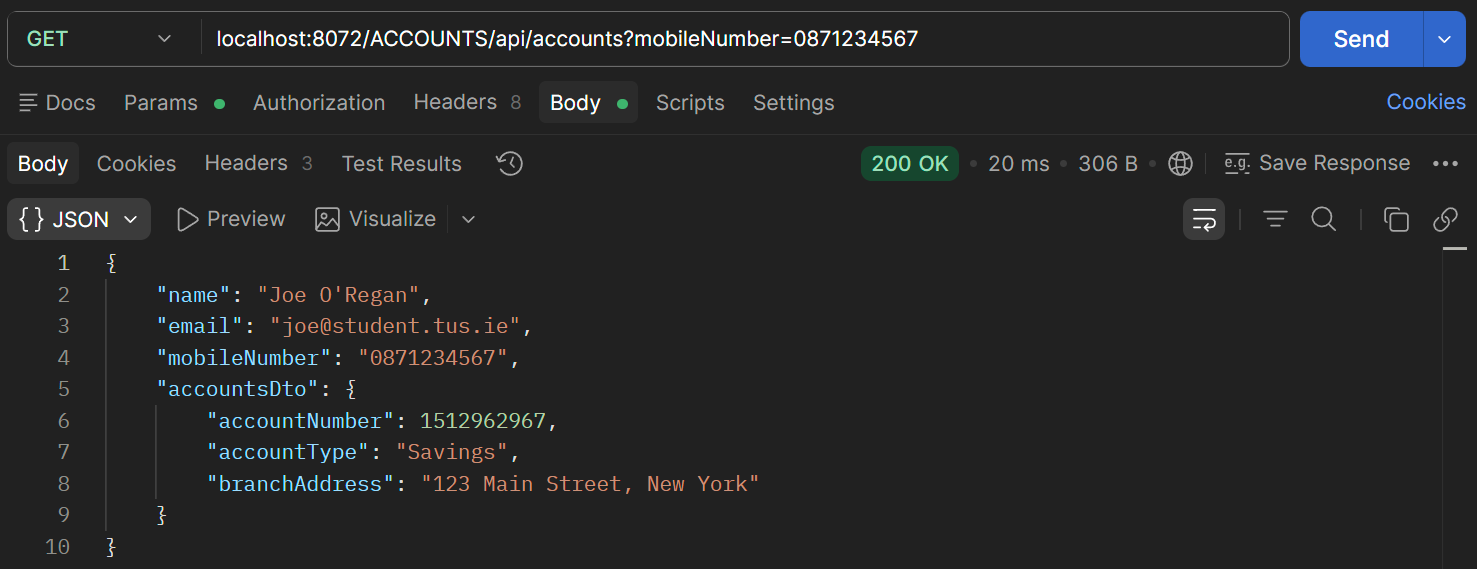
Figure 10. GET Account
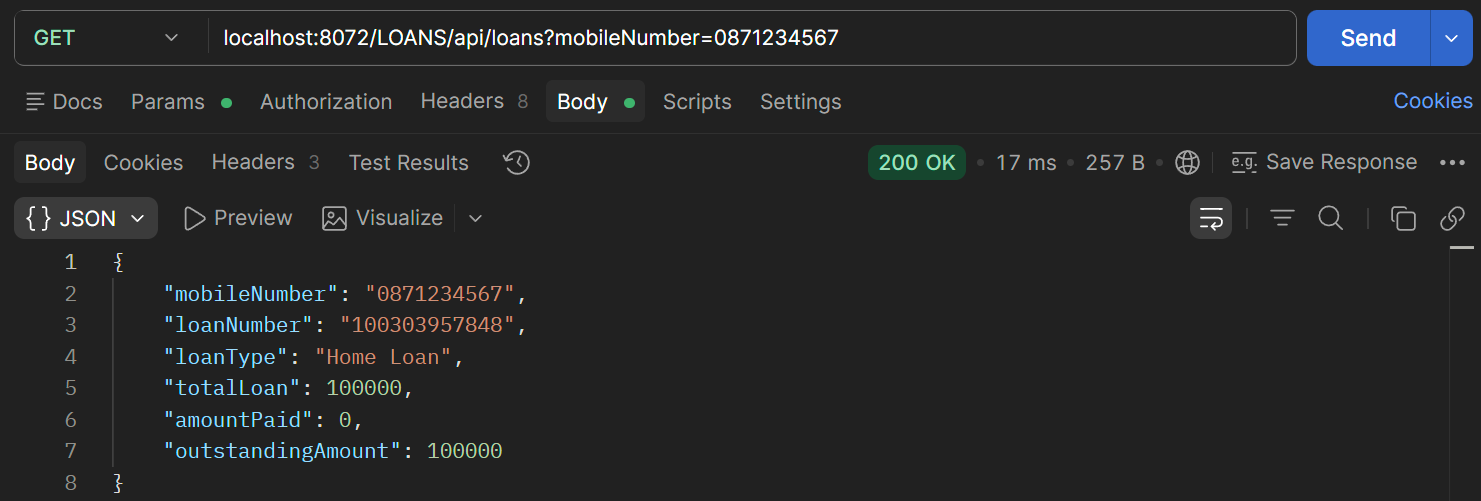
Figure 11. GET Loan