Lab#27 Making changes inside the gateway server.
In this lab we will make some changes inside the gateway. The first one is to accept lowercase letters in the url for the service name. We will also add some custom routing. Step#1 Update the application.yml for the gateway to add the property shown and restart the gatewayserver. This means that the gateway will accept service names in lowercase.
| Gateway Server: application.yml | |
|---|---|
3 4 5 6 7 8 9 10 11 12 13 | |
Step#2 Test using Postman
POST localhost:8072/loans/api/loans?mobileNumber=0871234567
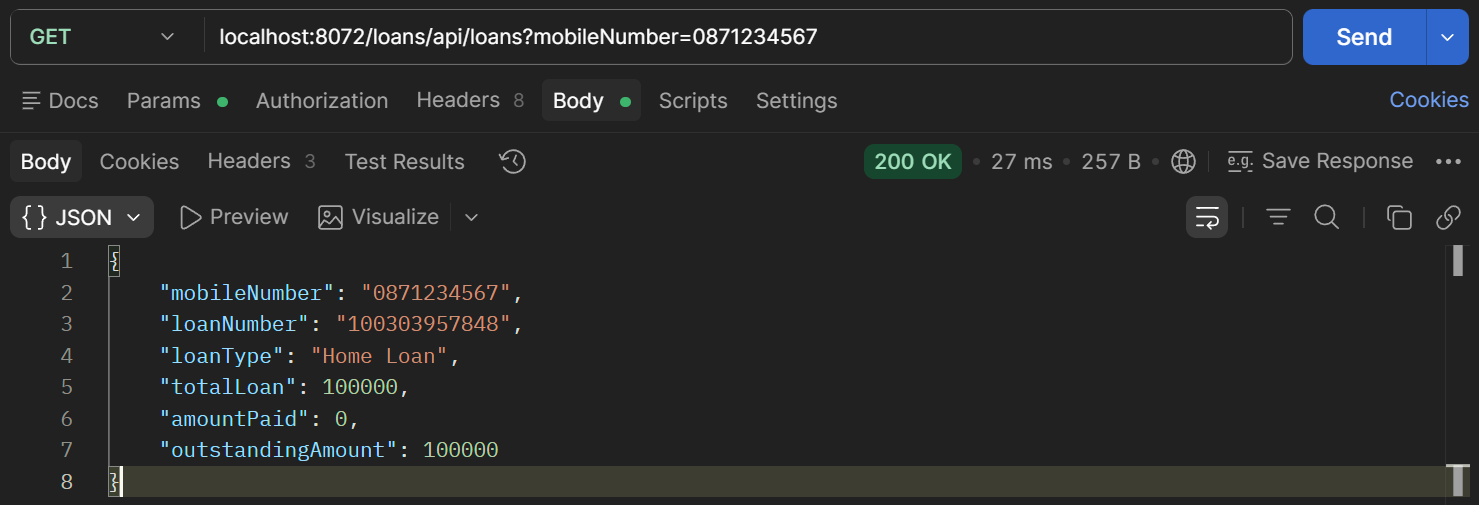
Figure 1: Test lowercase letters, e.g. /loans/api/loans, Using Postman
Step#3 To demonstrate custom routing we will include “tusbank” in the url received by the gateway and map it to the appropriate url. See examples below.
http://localhost:8072/tusbank/accounts/api/account  ->http://localhost:8072/accounts/api/account
http://localhost:8072/tusbank/loans/api/loans. -> http://localhost:8072/loans/api/loans.
http://localhost:8072/tusbank/cards/api/cards. -> http://localhost:8072/cards/api/cards
Create a Bean inside the main application class in the gatewayserver – given. This defines the routing location configurations. This invokes a filter to re-write paths.
| Gateway Server: GatewayserverApplication.java | |
|---|---|
11 12 13 14 15 16 17 18 19 20 21 22 23 24 25 26 27 28 29 30 31 32 33 34 35 36 37 | |
Step 4: Test the API so that the new url is invoked.
POST localhost:8072/tusbank/accounts/api/accounts
{
    "name": "Joe O'Regan",
    "email": "joe@student.tus.ie",
    "mobileNumber": "0871234567"
}
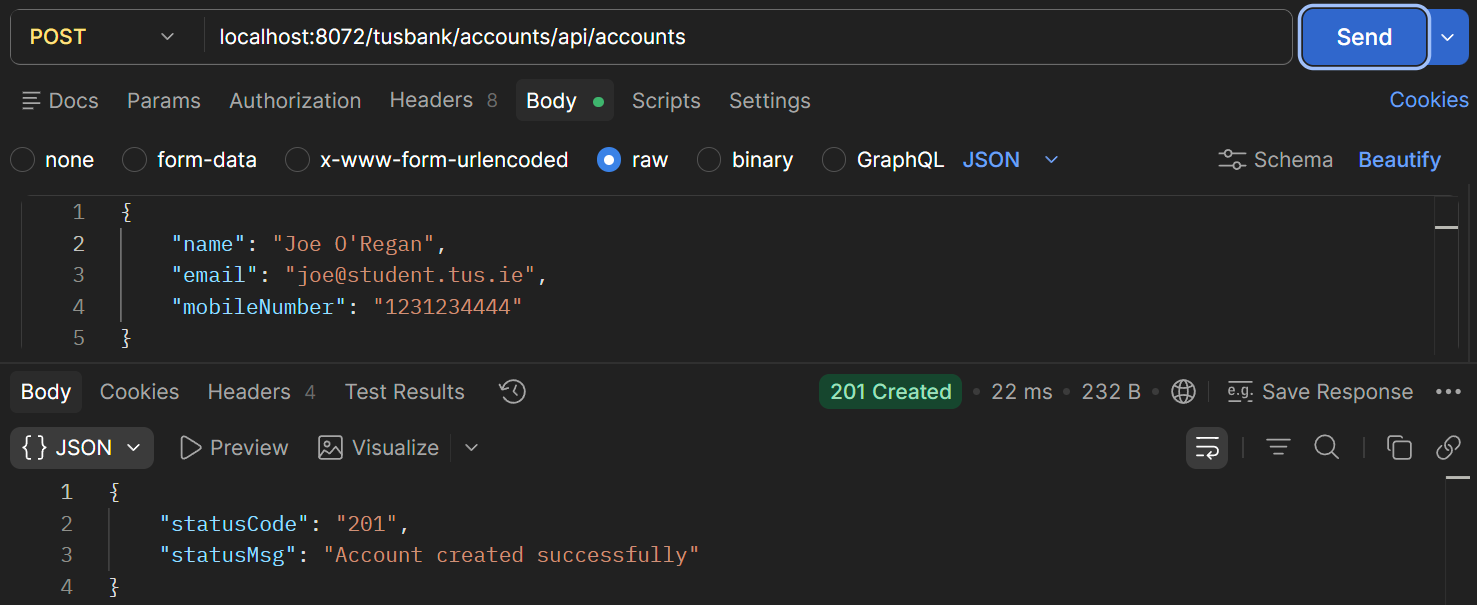
Figure 2: tusbank/accounts
Step 5: Check the actuator endpoints and routes. You will see that all routes from the default configuration are available and can still be called.
http://localhost:8072/actuator/
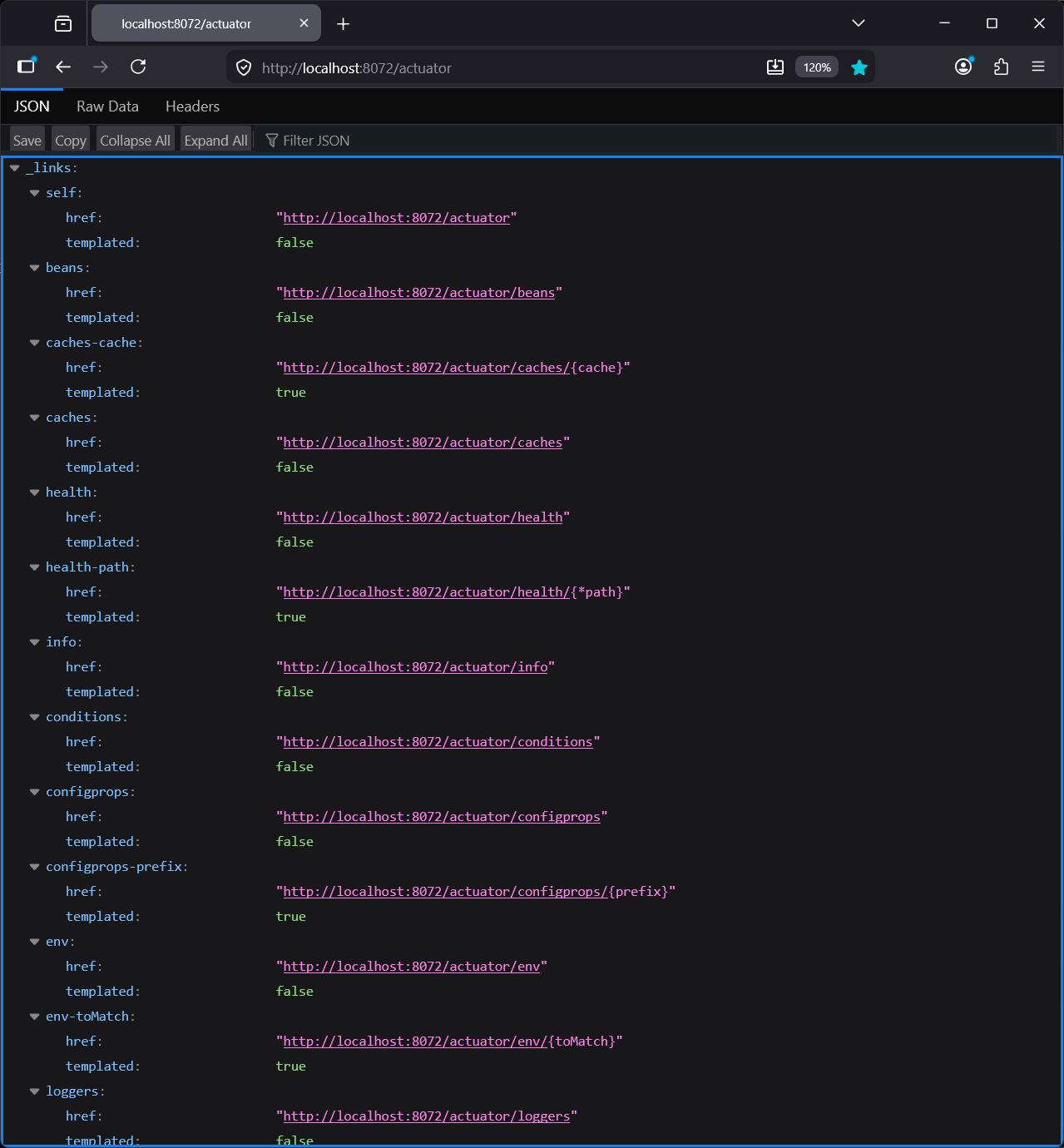
Figure 3: actuator
http://localhost:8072/actuator/gateway/routes
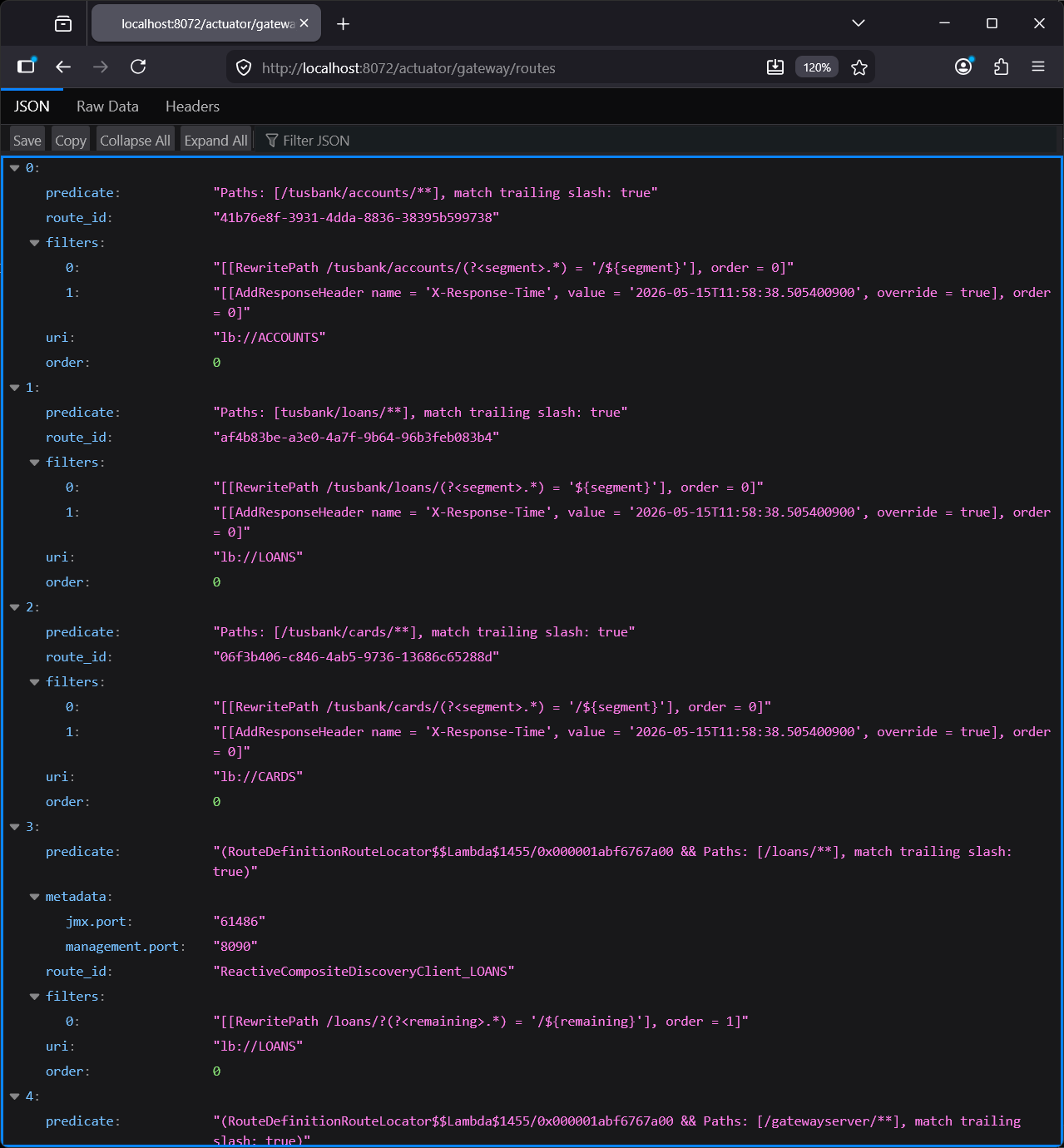
Figure 4: actuator gateway routes
Both the default and the custom routes are available.
GET localhost:8072/accounts/api/accounts?mobileNumber=1231234444
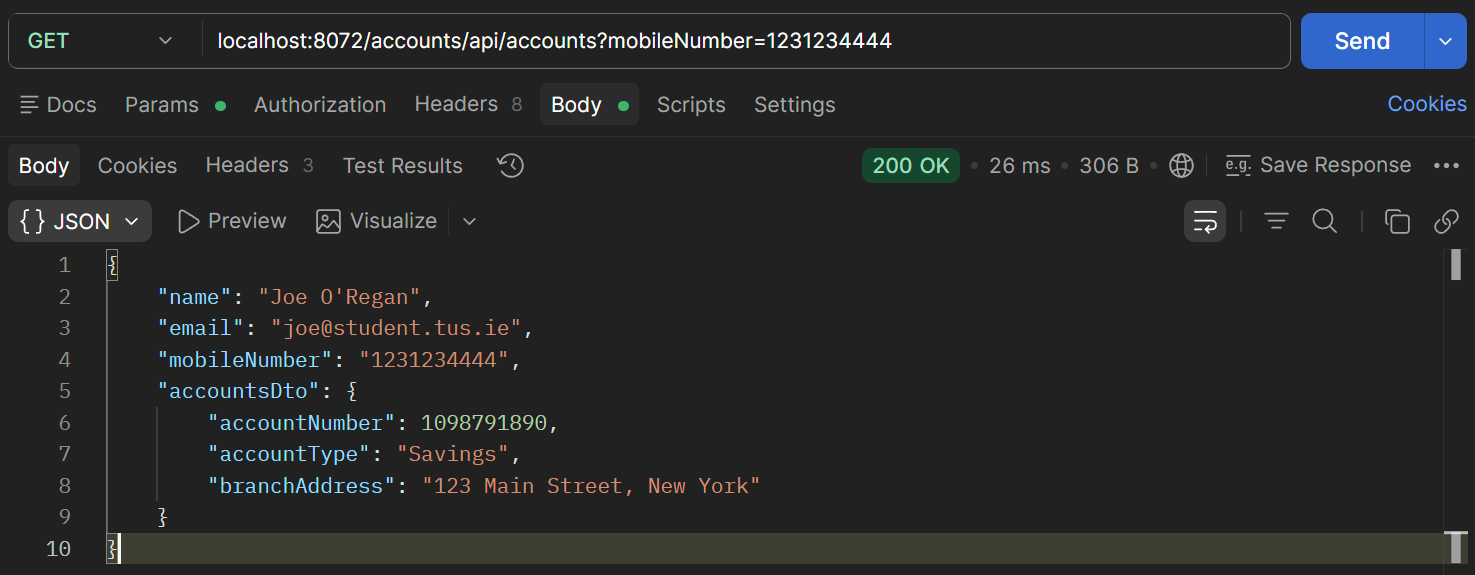
Figure 5: /accounts route
GET localhost:8072/tusbank/loans/api/loans?mobileNumber=0871234567
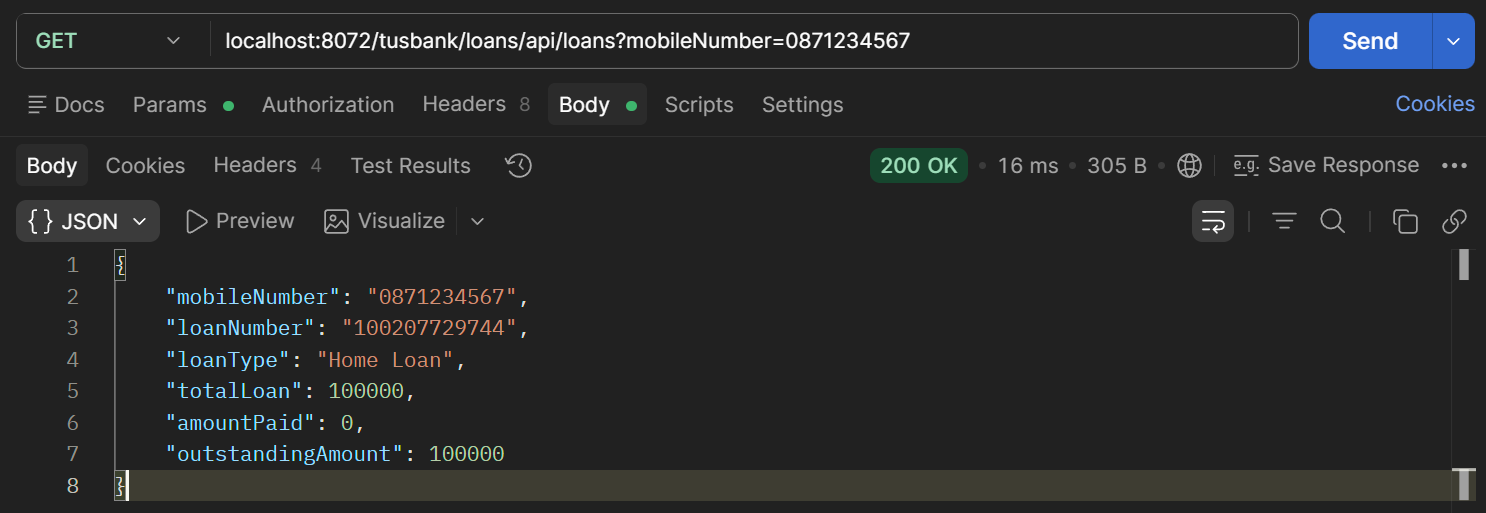
Figure 6: /tusbank/loans route
Step 6: To disable all the default routes and avoid confusion, update the application.yml to set gateway.discovery.locator.enabled to false. Now we only have the 3 scenarios remaining and default behaviour is disabled.
| Gateway Server: application.yml | |
|---|---|
3 4 5 6 7 8 9 10 11 12 13 | |
http://localhost:8072/actuator/gateway/routes
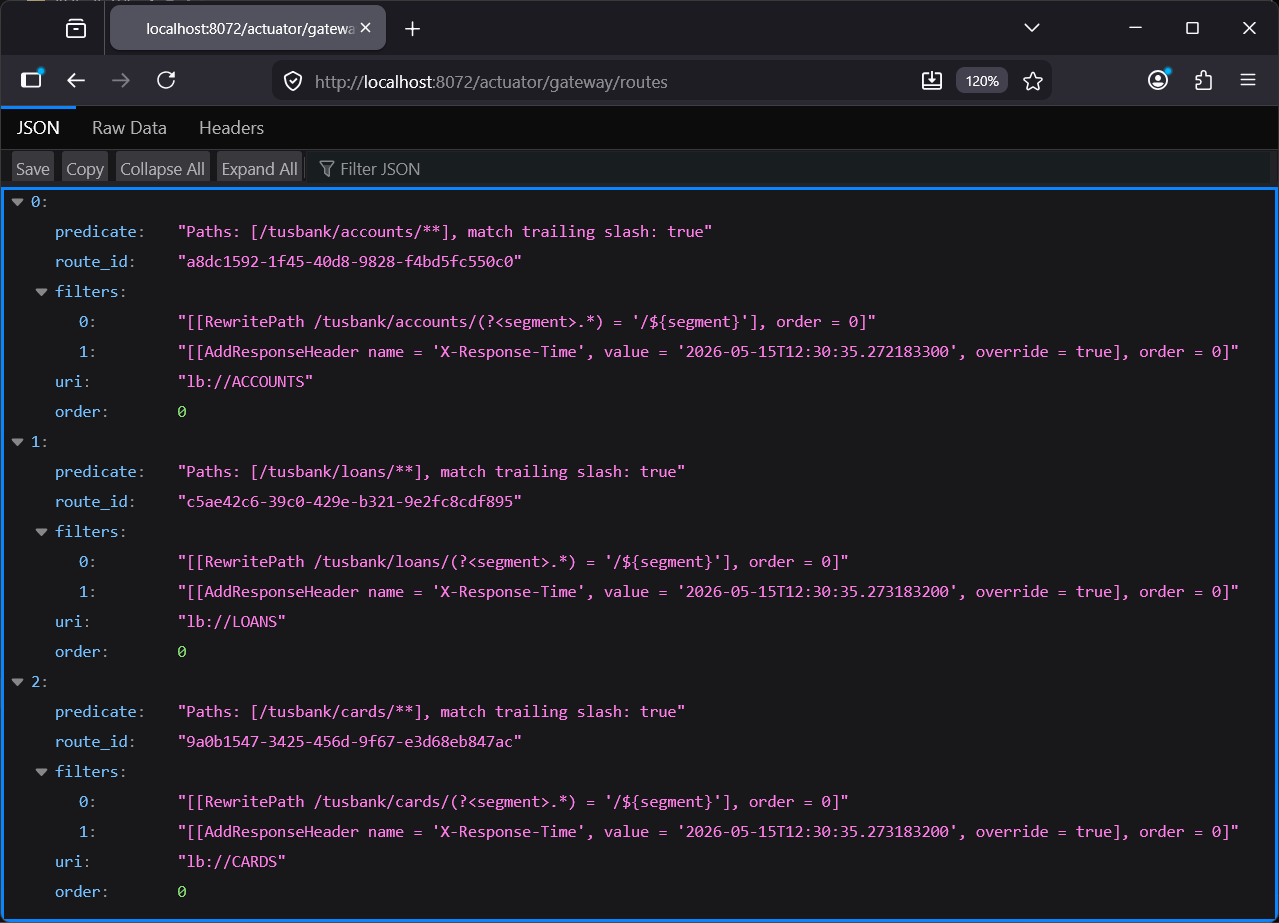
Figure 7: Actuator Gateway Routes
GET localhost:8072/tusbank/accounts/api/accounts?mobileNumber=0871234567
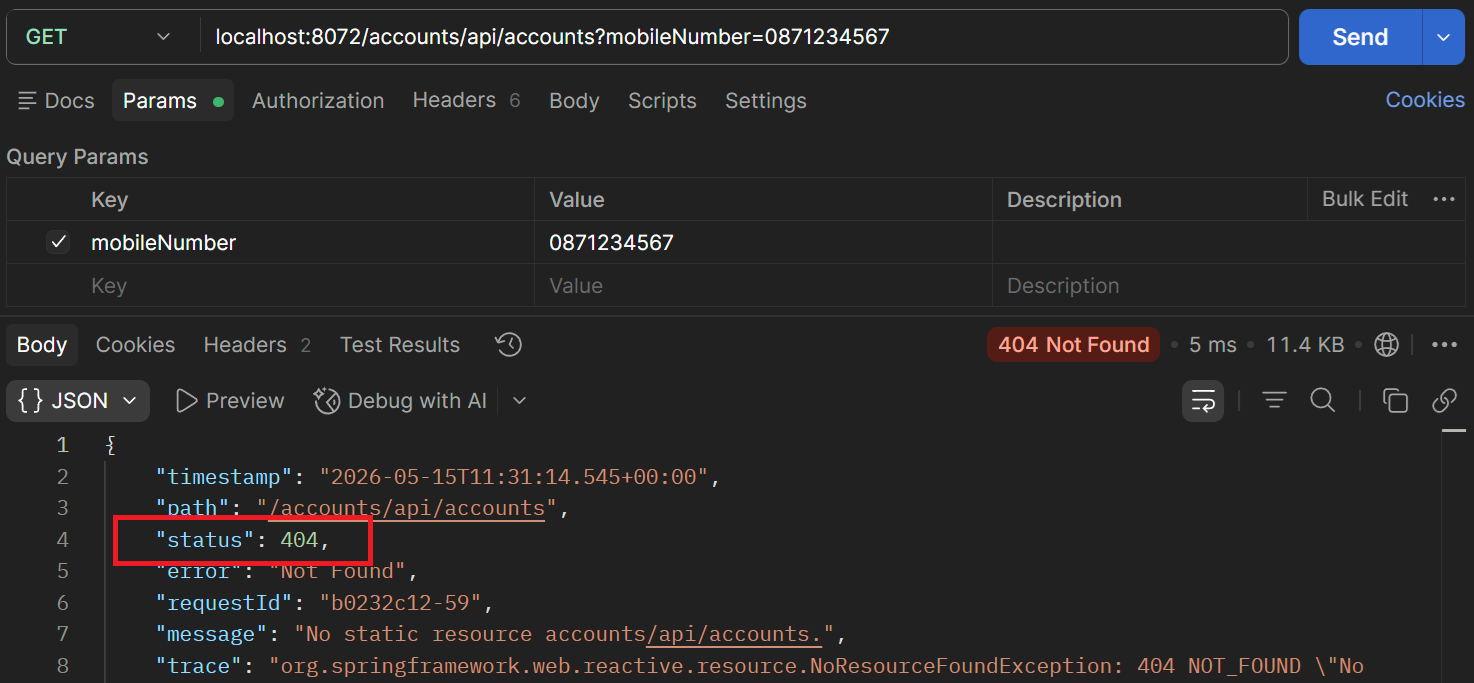
Figure 8: Status 404
Default behaviour disabled – just using custom paths Step 7: In the bean we have also have the code or filter to add a header in the response. Check the response headers in Postman.
| Gateway Server: GatewayserverApplication.java | |
|---|---|
18 19 20 21 22 23 24 | |
GET localhost:8072/tusbank/loans/api/loans?mobileNumber=0871234567
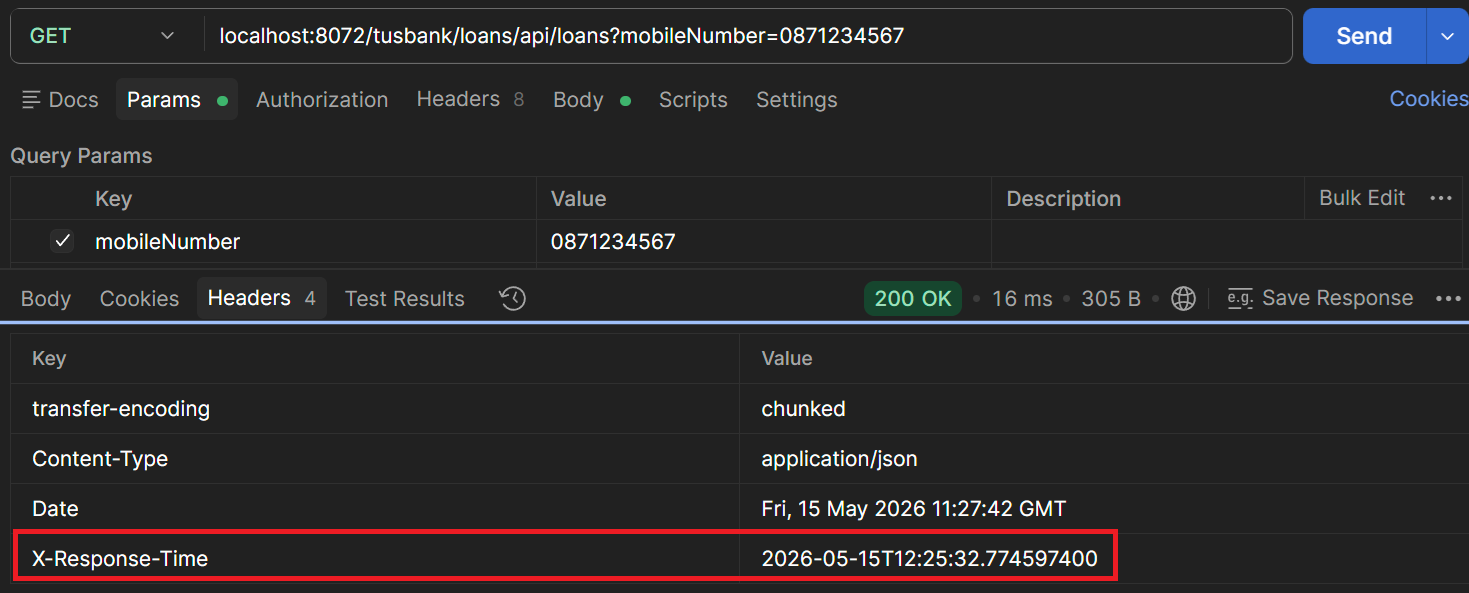
Figure 9: X-Response-Time