Lab#31 Circuit Breaker With Feign client
In this lab we implement the circuit breaker inside the accounts microservice. The accounts microservice uses Feign client to invoke cards and loans microservice.
If Spring Cloud CircuitBreaker is on the classpath and spring.cloud.openfeign.circuitbreaker.enabled=true, Feign will wrap all the methods with a circuit breaker.
Step#1 In the pom in the accounts microservice, add the dependency and change the version of spring-cloud.
| Accounts: pom.xml (existing) | |
|---|---|
4 5 6 7 8 9 10 11 12 13 14 15 16 17 18 19 | |
Note: Changed in all services for compatibility reasons
| Accounts: pom.xml | |
|---|---|
40 41 42 43 44 45 46 47 48 | |
And in application.yml
| Accounts: application.yml | |
|---|---|
21 22 23 24 25 26 | |
Add in the parameters for the circuit breaker in the application.yml for the accounts service.
| Accounts: application.yml | |
|---|---|
63 64 65 66 67 68 69 | |
Step#2 Implementing the fallbacks. Create a new class called LoansFallback in the accounts microservice
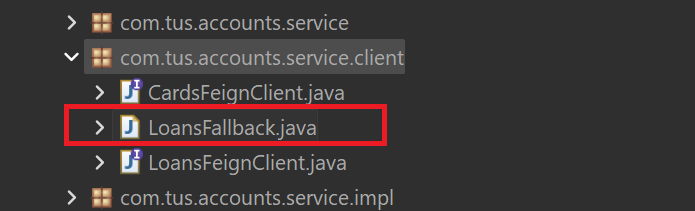
Figure 1. Loans Fallback
| Accounts: LoansFallback.java | |
|---|---|
1 2 3 4 5 6 7 8 9 10 11 12 13 14 15 | |
Step#3 Create a similar class called CardsFallback
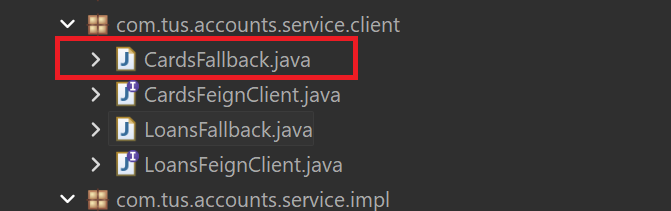
Figure 2. Cards Fallback
| Accounts: CardsFallback.java | |
|---|---|
1 2 3 4 5 6 7 8 9 10 11 12 13 14 15 | |
Update the LoansFeignClient interface and the CardsFeignClient interface.
| Accounts: LoansFaignClient.java | |
|---|---|
11 12 13 14 15 16 | |
| Accounts: CardsFeignClient.java | |
|---|---|
11 12 13 14 15 16 | |
Add the if statements in the CustomersServiceImpl class.
| Accounts: CustomersServiceImpl.java | |
|---|---|
45 46 47 48 49 50 51 52 53 54 | |
Step#3 Start all the services, config, eureka, accounts, cards and loans followed by gateway.
- Eureka Dashboard: http://localhost:8070/
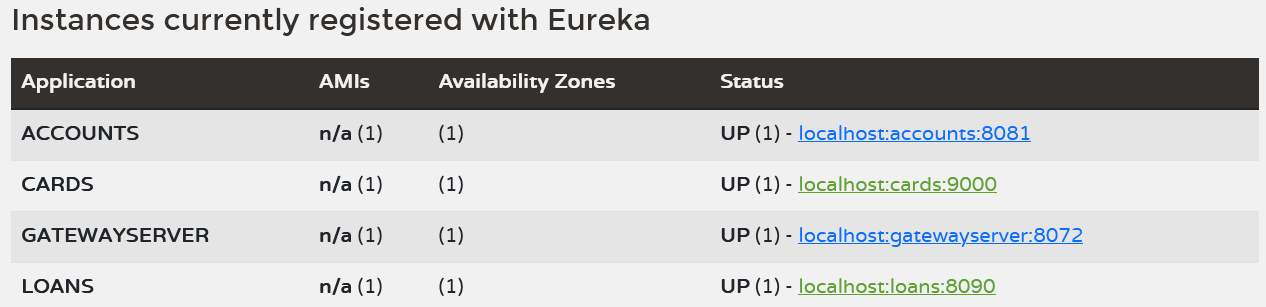
Figure 3. Eureka Dashboard
Open the actuator of accounts microservice. First make sure that the actuator endpoints are enabled by checking the application.yml
| Accounts: application.yml | |
|---|---|
29 30 31 32 33 34 35 36 37 | |
- Accounts Actuator Endpoints: http://localhost:8081/actuator
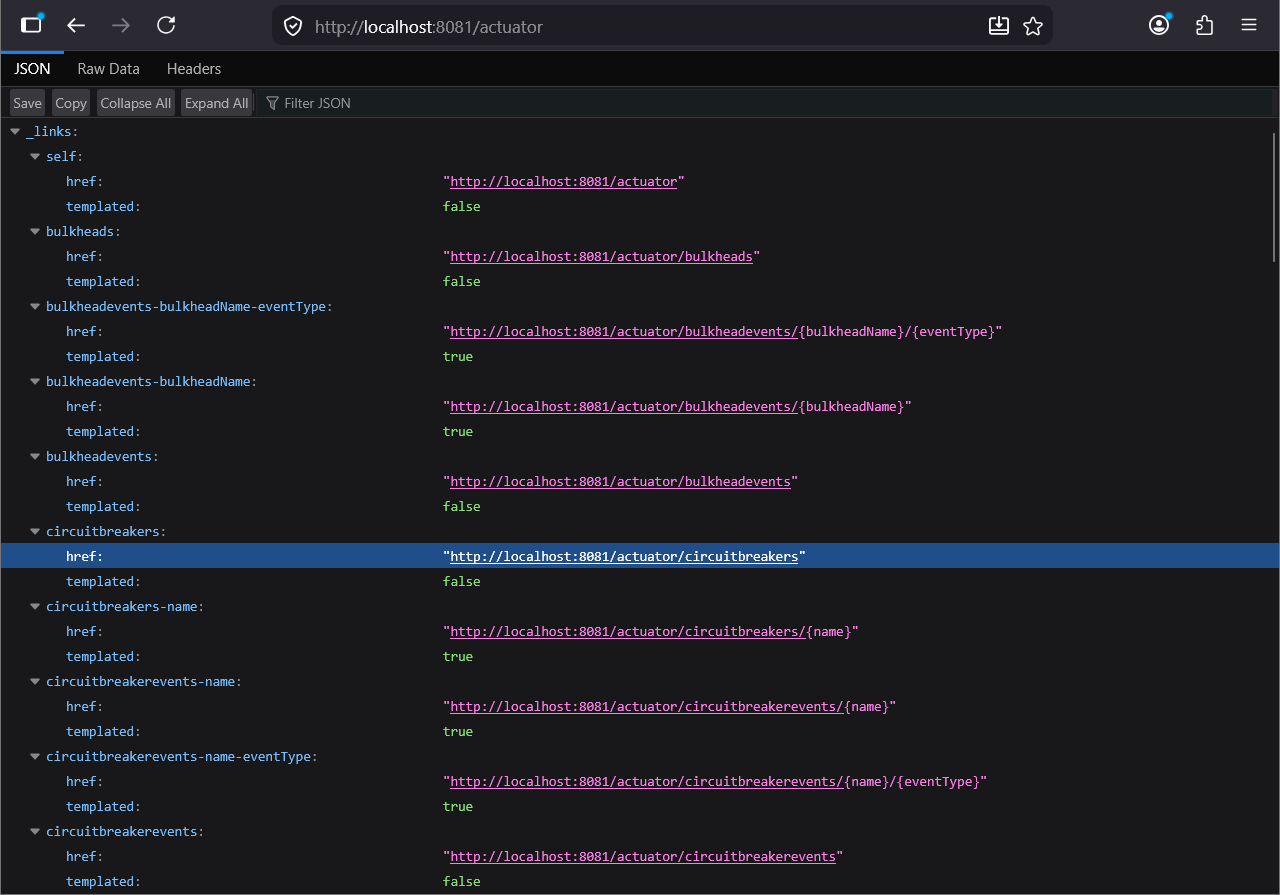
Figure 4. Actuator Endpoints
Check the circuit breakers link. Right now there are no circuit breakers because we did not send any request yet.
- Circuit Breakers: http://localhost:8081/actuator/circuitbreakers

Figure 5. Actuator Circuitbreakers
Call the fetch customer details endpoint.
- Fetch Customer Details Endpoint: http://localhost:8072/tusbank/accounts/api/customers?mobileNumber=1234567899
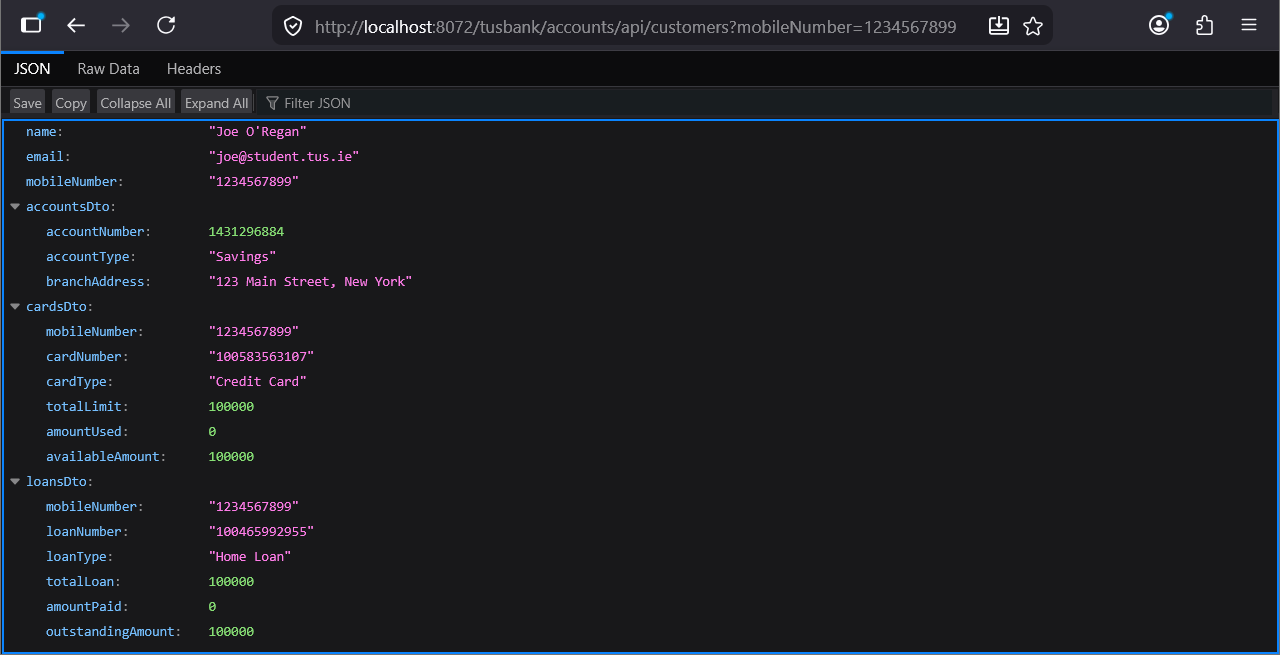
Figure 6. Accounts Fetch Customer Details Endpoint
Note: account, loan and card previously created for this mobile number.
POST localhost:8072/tusbank/accounts/api/accounts
{
    "name": "Joe O'Regan",
    "email": "joe@student.tus.ie",
    "mobileNumber": "1234567899"
}
POST localhost:8072/tusbank/loans/api/loans?mobileNumber=1234567899
{
    "email": "joe@student.tus.ie",
    "loanType": "Home Loan",
    "totalLoan": 100000,
    "amountPaid": 0,
    "outstandingAmoutn": 100000
}
POST localhost:8072/tusbank/cards/api/cards?mobileNumber=1234567899
{
    "name": "Joe O'Regan",
    "email": "joe@student.tus.ie",
    "mobileNumber": "0871234567"
}
Now refresh the actuator end point
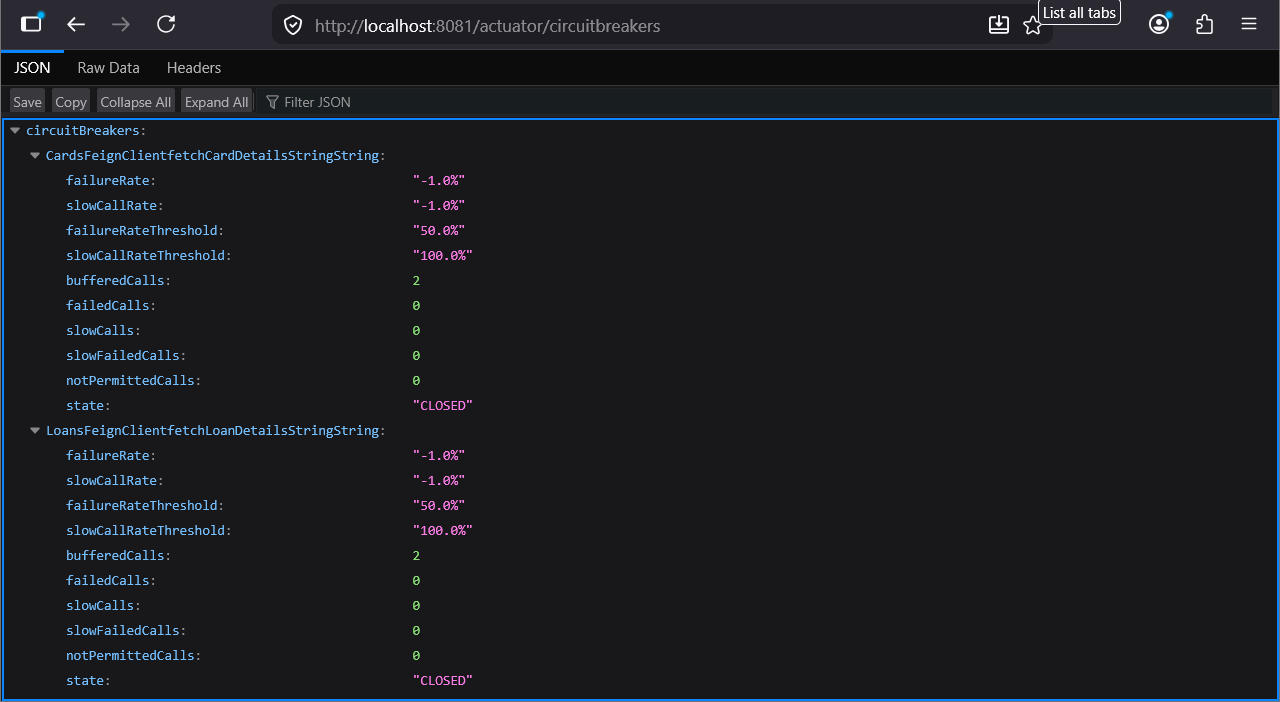
Figure 7. Actuator Circuitbreakers
And look at the circuit breaker events.
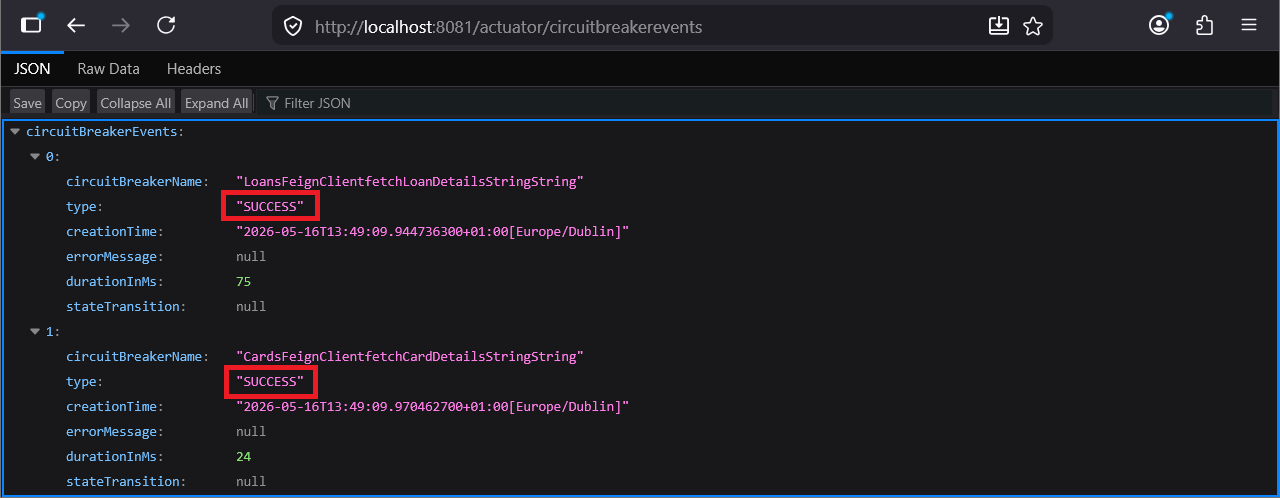
Figure 8. Actuator Circuitbreaker Events
Step#4 To look at the negative situation, first stop the loans microservice from the springboot dashboard
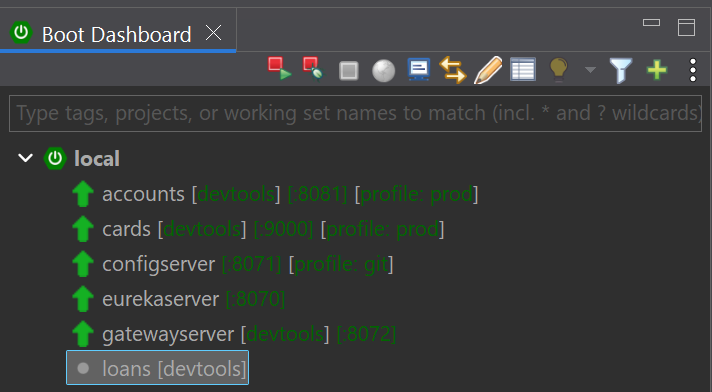
Figure 9. Stop Loans Microservice
Call the fetch customer details endpoint again
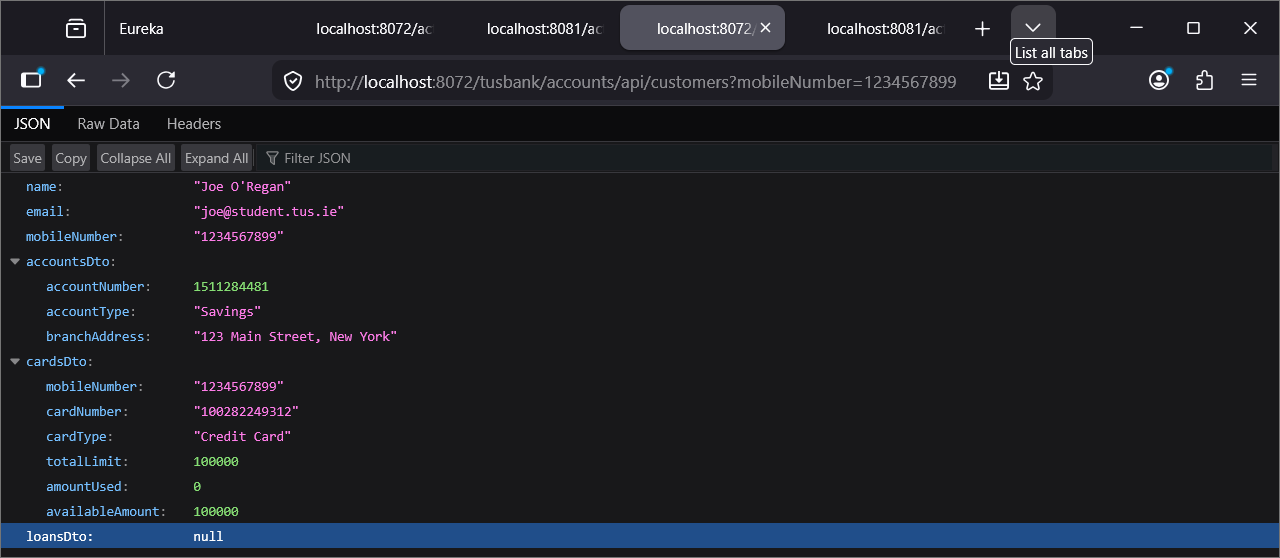
Figure 10. Call Fetch Customer Details Endpoint
Try calling the endpoint a number of times and the circuit breaker will move to the open state.
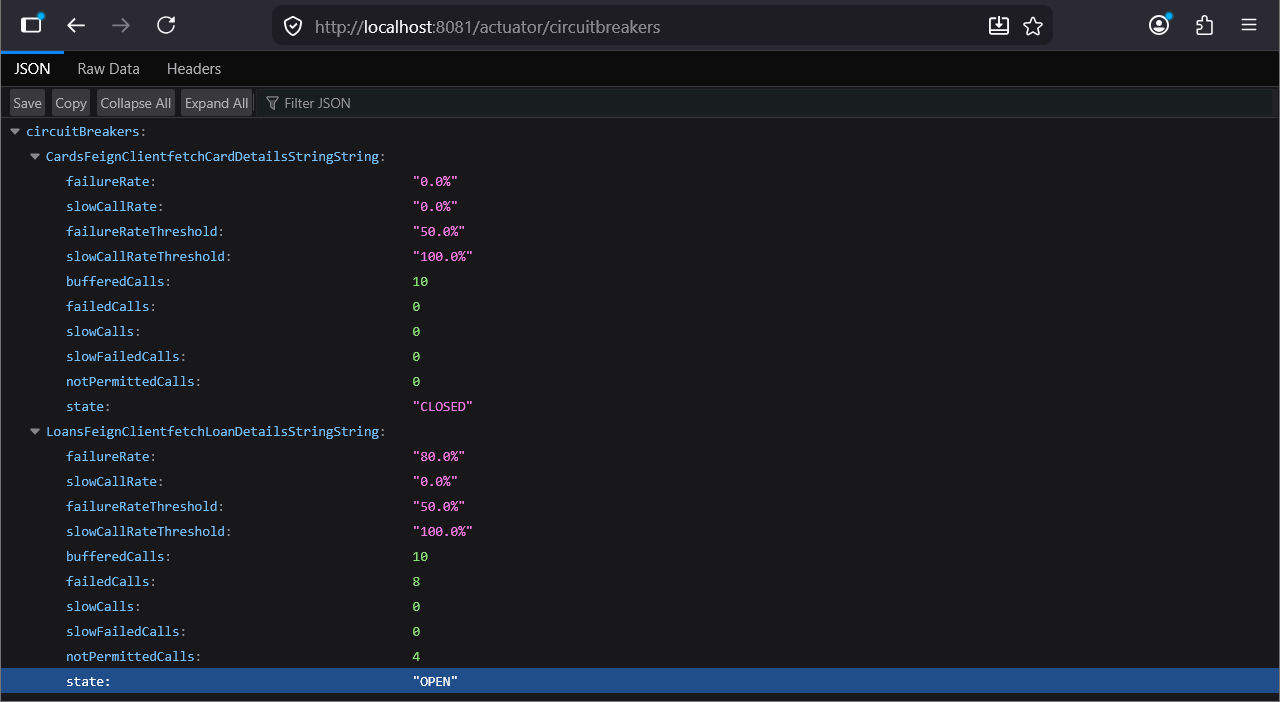
Figure 11. Circuit Breaker Moves To Open State
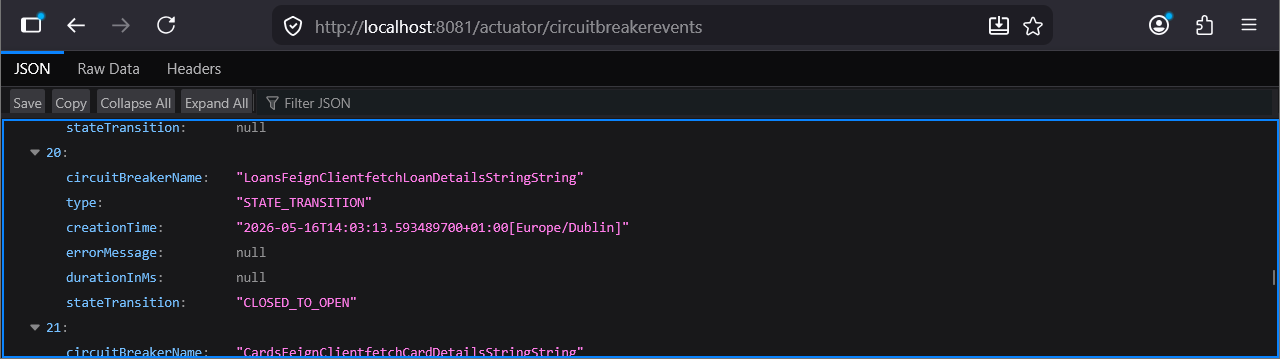
Figure 12. Closed to Open State