Lab 12
Steps and Files
- Contact Details Properties
- application.yml
- DTO Records Pojo
- AccountsContactInfoDto.java
- Add @EnableConfigurationProperties Annotation
- AccountsApplication.java
- Add Constructor Injection
- AccountsController.java
- Test
- Postman GET /contact-info
Lab#12 Configuration with @ConfigurationProperties
This method is useful when a number of properties need to be read.
1. Contact Details Properties
Step#1 Add the following properties to the application.yml file in the accounts microservice. This could represent contact details for example a support engineer.
| application.yml | |
|---|---|
14 15 16 17 18 19 20 21 22 23 24 25 26 | |
2. DTO Records Pojo
Step#2 Add a dto POJO using Records.
AccountsContactInfoDto() record
package com.tus.accounts.dto;
import java.util.List;
import java.util.Map;
import org.springframework.boot.context.properties.ConfigurationProperties;

@ConfigurationProperties(prefix = "accounts")
public record AccountsContactInfoDto(String message, Map<String, String> contactDetails, List<String> onCallSupport) {

}
3. Add @EnableConfigurationProperties Annotation
Step#3 In the main class add the annotation
AccountsApplication.java
package com.tus.accounts;

import org.springframework.boot.SpringApplication;
import org.springframework.boot.autoconfigure.SpringBootApplication;
import org.springframework.data.jpa.repository.config.EnableJpaAuditing;
import org.springframework.boot.context.properties.EnableConfigurationProperties;
import com.tus.accounts.dto.AccountsContactInfoDto;

@SpringBootApplication
@EnableJpaAuditing(auditorAwareRef = "auditAwareImpl")
@EnableConfigurationProperties(value = { AccountsContactInfoDto.class })
public class AccountsApplication {

    public static void main(String[] args) {
        SpringApplication.run(AccountsApplication.class, args);
    }
}
4. Add Constructor Injection
Step#4 Update the REST API to return the contact info.
AccountsController.java - add missing constructor injection
    private AccountsContactInfoDto accountsContactInfoDto;

    // Inject AccountsContactInfoDto using constructor injection
    public AccountController(IAccountsService iAccountsService, AccountsContactInfoDto accountsContactInfoDto) {
        this.iAccountsService = iAccountsService;
        this.accountsContactInfoDto = accountsContactInfoDto;
    }
    @GetMapping("/contact-info")
    public ResponseEntity<String> getContactInfo() {
        return ResponseEntity.status(HttpStatus.OK).body(accountsContactInfoDto);
    }
5. Test
Step #5 Test using Postman
GET: http://localhost:8081/api/contact-info
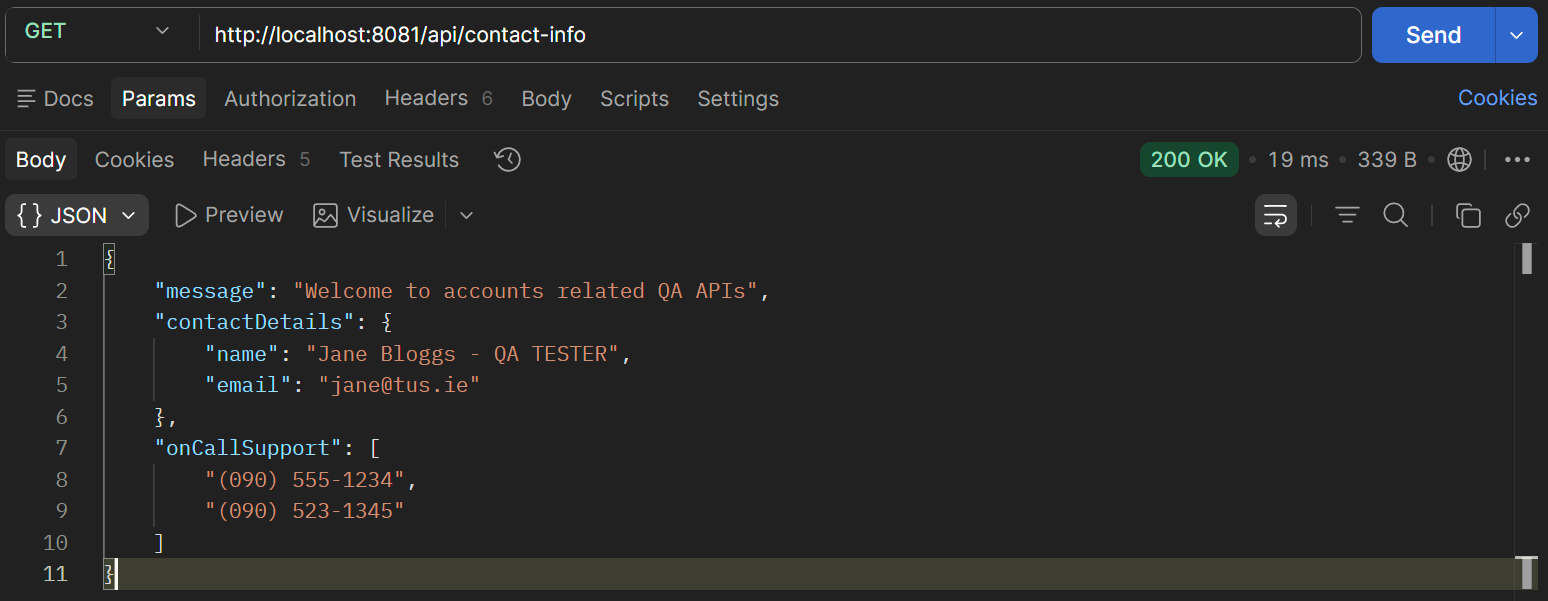
Figure 1. GET /contact-info