Lab 13
Steps and Files
- Add YAML Profile Files
- application_qa.yml
- application_prod.yml
- application.yml spring.config
- application.yml
- Run App
- Profile Switching
- application.yml
- Final application.yml
- application.yml
Lab#13 Springboot Profiles
Springboot profiles are useful for different environments e.g dev, qa, prod
1. Add YAML Profile Files
Step #1 Add two more .yml files named as shown in the accounts microservice. Files are given.
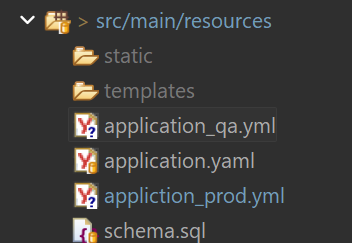
Figure 1: Add YAML Files
2. application.yml spring.config
Step#2 Update the application.yml in the accounts microservice with the following spring.config properties.
| application.yml spring.config | |
|---|---|
11 12 13 14 15 16 17 18 19 20 21 22 23 24 | |
3. Run App
Step#3 Run the application. You will see default profile is used by checking contact-info.
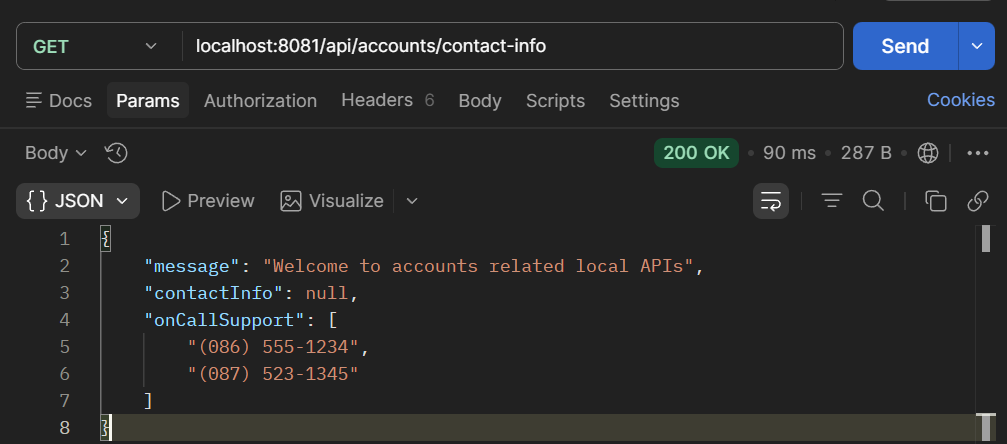
Figure 2: Default Profile
4. Profile Switching
Step#4 Update the application.yml to change the active profile to qa. Check the contact info again in Postman. Now you will see the information is read from the application_qa.yml
| application.yml change active profile to qa | |
|---|---|
17 18 19 20 21 22 23 24 25 26 27 | |
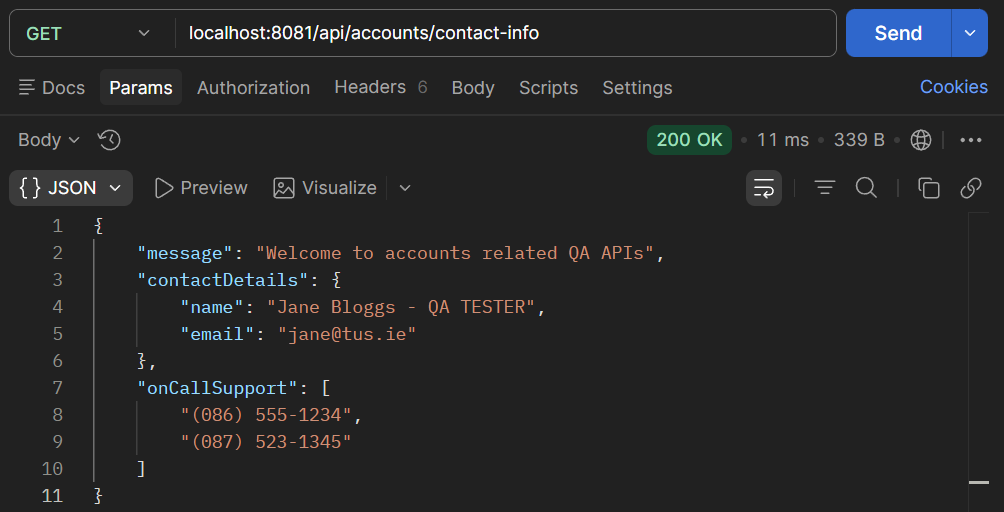
Figure 3: QA Profile
5. Final application.yml
Final application.yml, with profile switching
applicaiton.yml with profile switching
server:
  port: 8081
spring:
  profiles:
    active: "qa"  # Profile to use
  datasource:
    url: jdbc:h2:mem:testdb
    driverClassName: org.h2.Driver
    username: sa
    password: ''
  h2:
    console:
      enabled: true
  jpa:
    database-platform: org.hibernate.dialect.H2Dialect
    hibernate:
      ddl-auto: update
    show-sql: true
build:
  version: "3.0"
# default profile (fall back)
accounts:
  message: "Welcome to accounts related local APIs"
  contactDetails:
    name: "Joe Bloggs - Developer"
    email: "joe@tus.ie"
  onCallSupport:
    - (086) 555-1234
    - (087) 523-1345

# qa profile
---
spring:
  config:
    activate:
      on-profile: "qa"
    import: "application_qa.yml"

# prod profile
---
spring:
  config:
    activate:
      on-profile: "prod"
    import: "application_prod.yml"