Lab 15
Steps and Files
- Config Server
- @EnableConfigServer
- ConfigserverApplication.java
- application.yml
- application.yml
- YAML Config Files
- Accounts YAML
- accounts.yml
- accounts-qa.yml
- accounts-prod.yml
- Cards YAML
- cards.yml
- cards-prod.yml
- cards-qa.yml
- Loans YAML
- loans.yml
- loans-qa.yml
- loans-prod.yml
- Accounts YAML
- Test
Lab#15 Getting started with SpringCloud Config
Some parameters can be read with Springboot alone. However for anymore than trivial cases a Spring Cloud Config server is required. Using Spring Cloud Config, parameters can be read from the classpath, the file system or a git repo.
In this lab we will be reading configurations from classpath location.
1. Config Server
Step#1 Create a new project with artefact name “configserver”. Add configserver and actuator as dependencies.
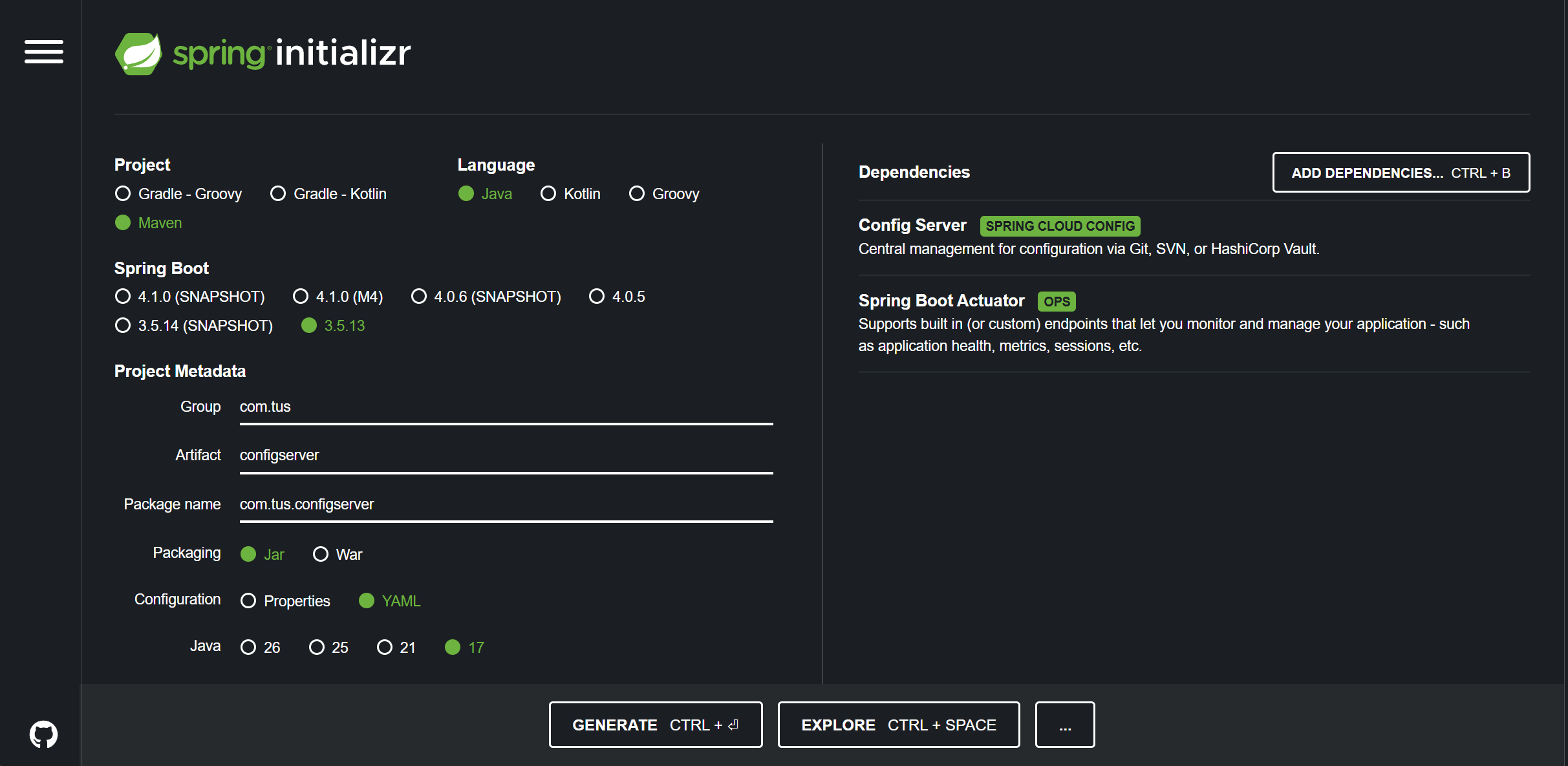
Figure 1. New Project
2. @EnableConfigServer
Step#2 Add the @EnableConfigServer annotation to the Application class.
| ConfigserverApplication.java | |
|---|---|
1 2 3 4 5 6 7 8 9 10 11 12 13 14 15 | |
3. application.yml
Step#3 Update the application.properties for the configserver.
| application.yaml | |
|---|---|
1 2 3 4 5 6 7 8 9 10 11 12 13 | |
4. YAML Config Files
Step#4 Add .yml files for all the microservices to the configserver, named as shown in a folder called config.
Accounts YAML
| accounts.yml | |
|---|---|
1 2 3 4 5 6 7 8 9 10 | |
| accounts-qa.yml | |
|---|---|
1 2 3 4 5 6 7 8 9 10 | |
| accounts-prod.yml | |
|---|---|
1 2 3 4 5 6 7 8 9 10 | |
Cards YAML
| cards.yml | |
|---|---|
1 2 3 4 5 6 7 8 9 10 | |
| cards-qa.yml | |
|---|---|
1 2 3 4 5 6 7 8 9 10 | |
| cards-prod.yml | |
|---|---|
1 2 3 4 5 6 7 8 9 10 | |
Loans YAML
| loans.yml | |
|---|---|
1 2 3 4 5 6 7 8 9 10 | |
| loans-qa.yml | |
|---|---|
1 2 3 4 5 6 7 8 9 10 | |
| loans-prod.yml | |
|---|---|
1 2 3 4 5 6 7 8 9 10 | |
These .yml files only contain the profile specific attributes.
5. Test
Step#5 Run the server and test.
Note: the default values are also returned
Accounts
http://localhost:8071/accounts/prod
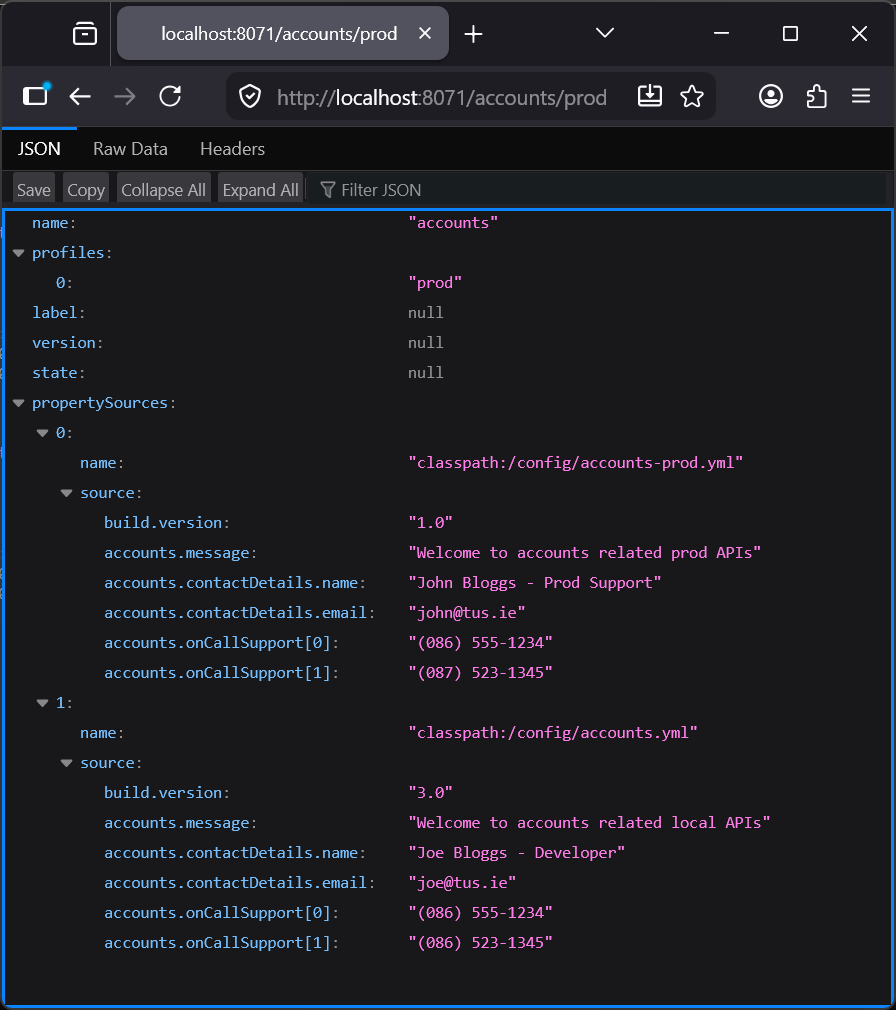
Figure 2. GET http://localhost:8071/accounts/prod
http://localhost:8071/accounts/qa
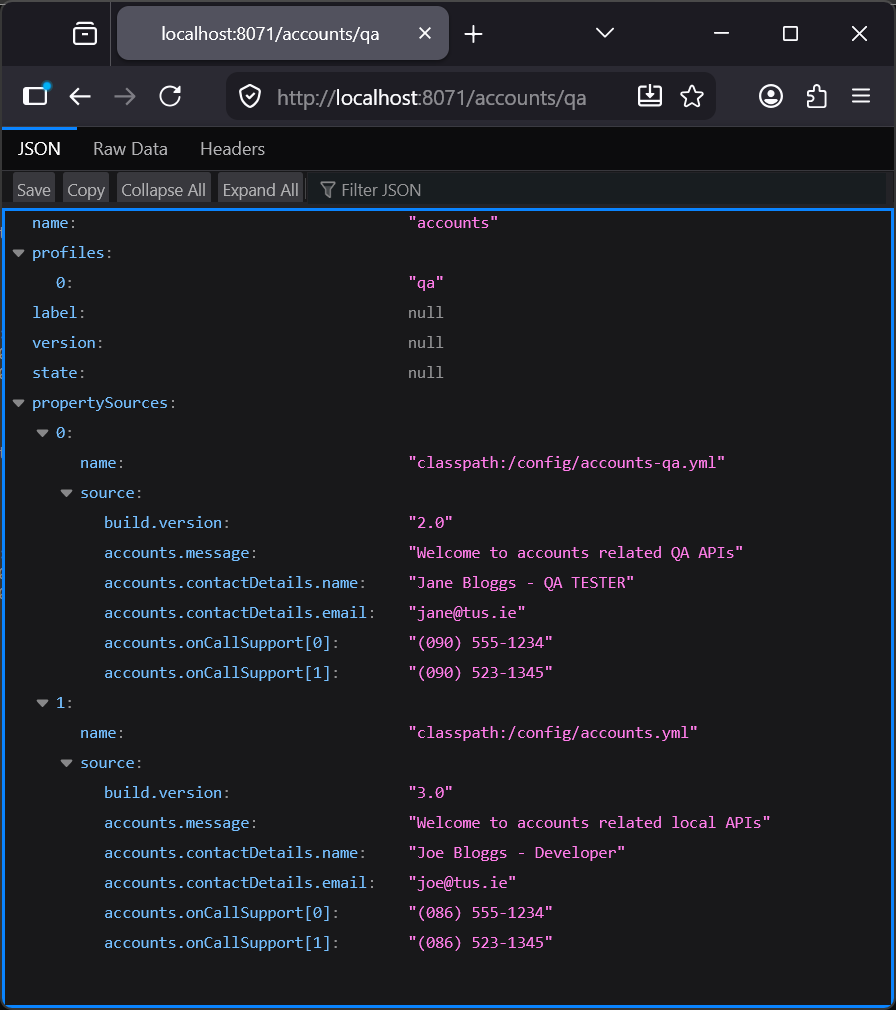
Figure 3. GET http://localhost:8071/accounts/qa
Cards
http://localhost:8071/cards/prod
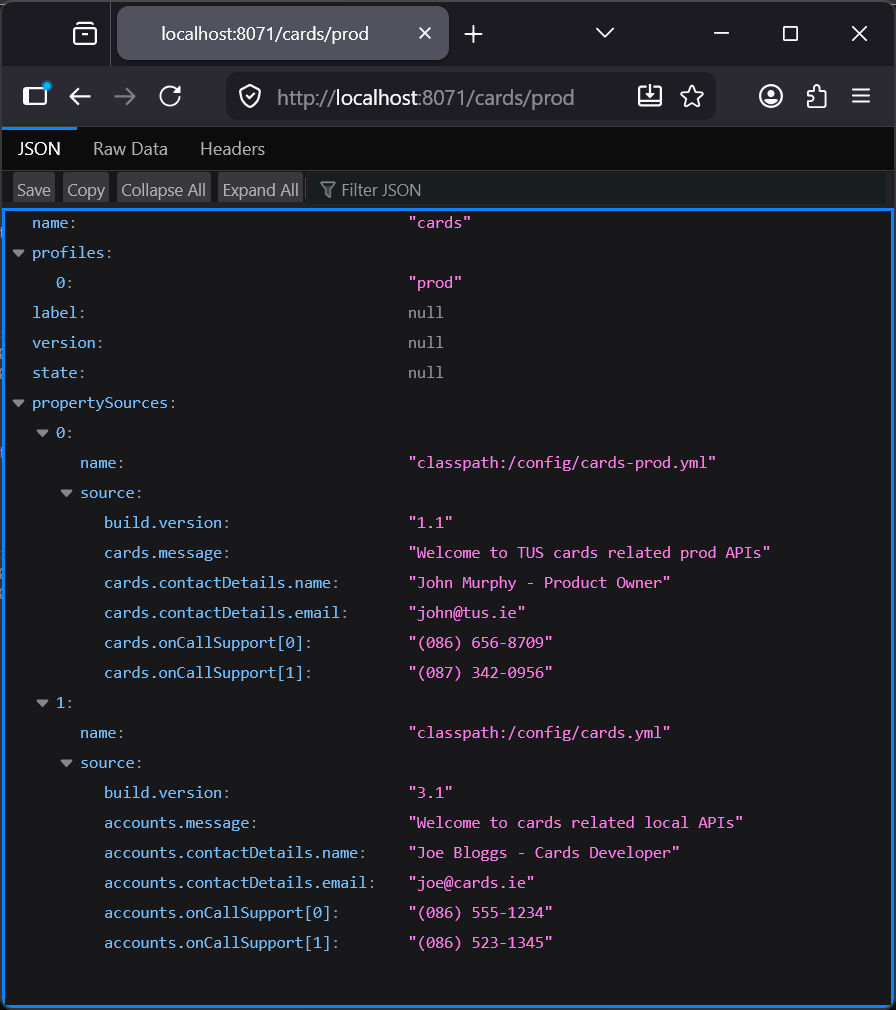
Figure 4. GET http://localhost:8071/cards/prod
http://localhost:8071/cards/default
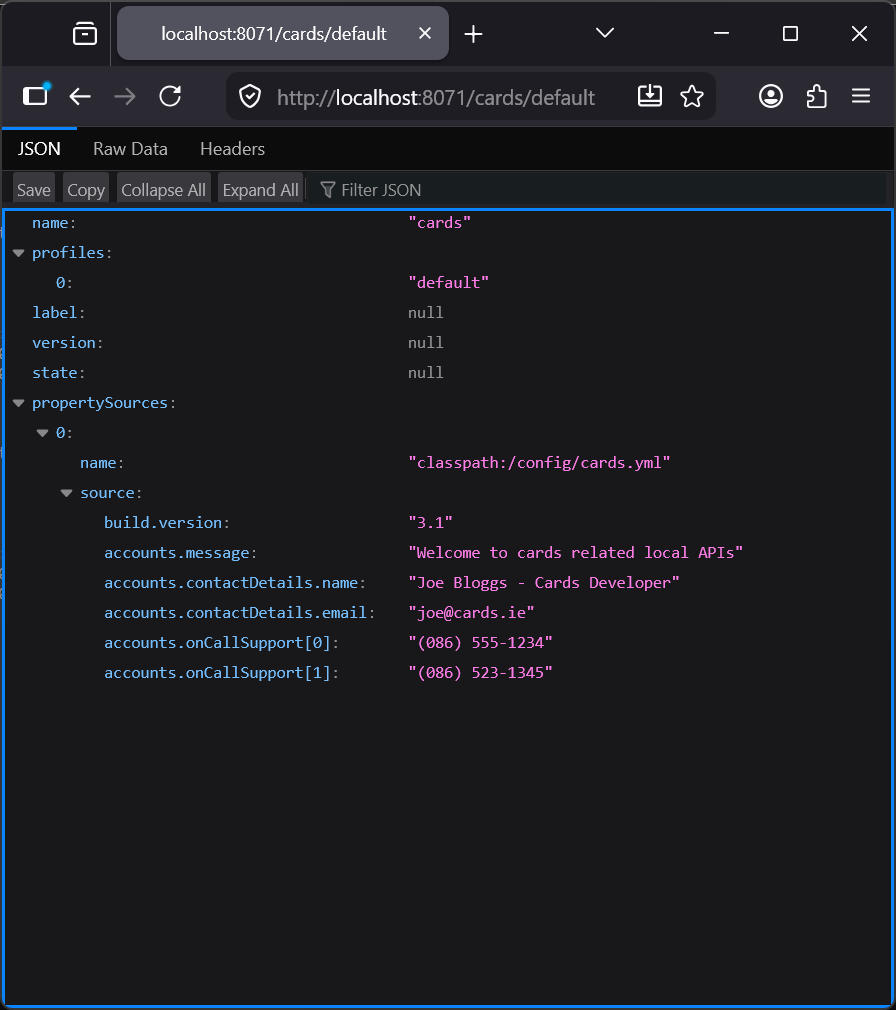
Figure 5. GET http://localhost:8071/cards/default
Loans
http://localhost:8071/loans/prod
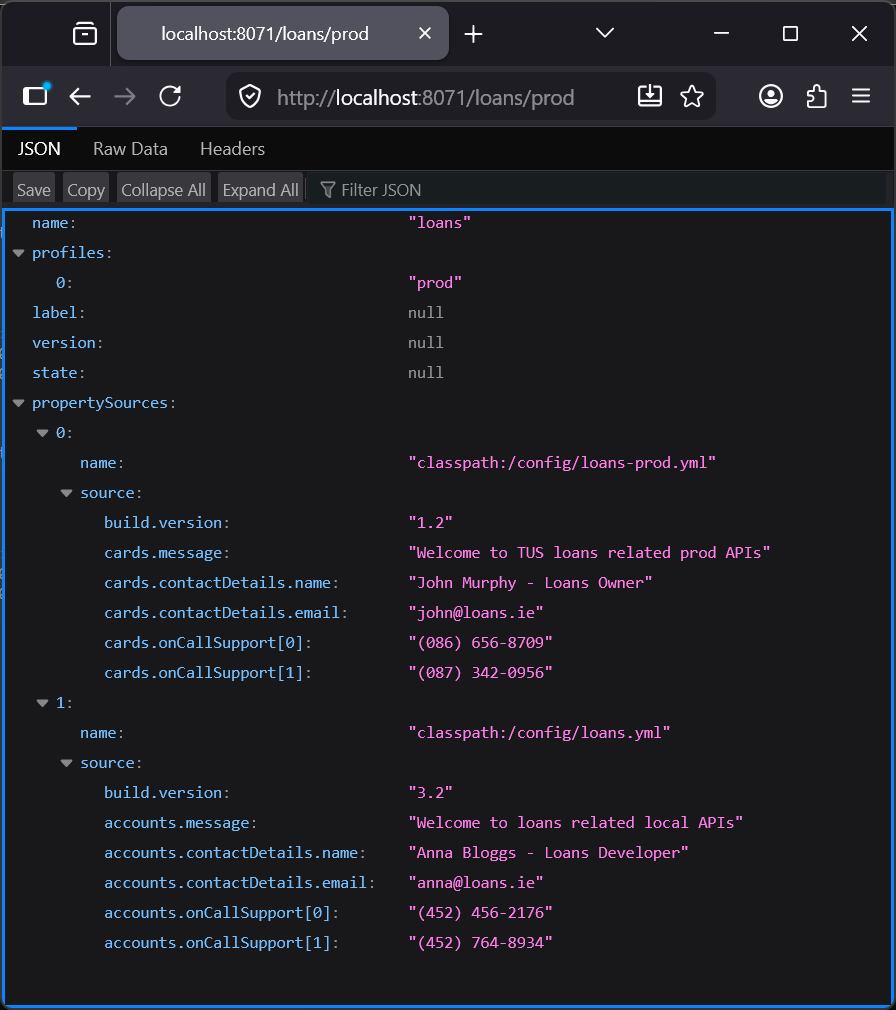
Figure 6. GET http://localhost:8071/loans/prod