Skip to content

Lab#36 Setup AUTH server with KeyCloak

Step#1 You can run Keyclock as a docker container or just directly on jdk17

https://www.keycloak.org/.

To run without docker, see https://www.keycloak.org/getting-started/getting-started-zip

If running as application then.

Download Keycloak

Figure 1. Download Keycloak

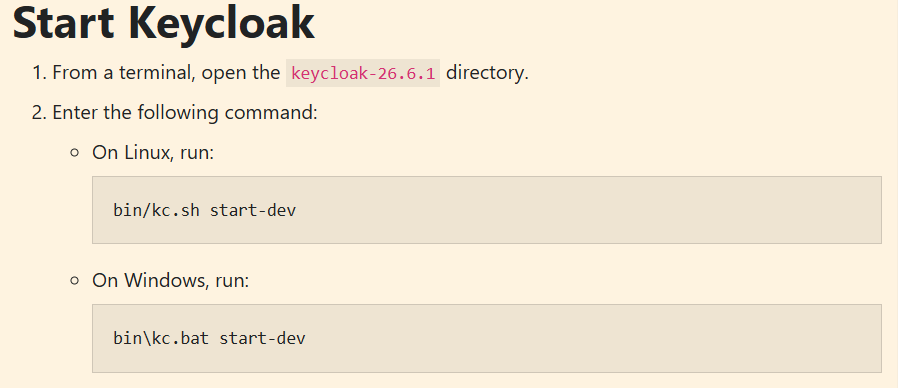
Start Keycloak

Figure 2. Start Keycloak

Start the keycloak server and open the keycloak dashboard.

Keycloak Dashboard:
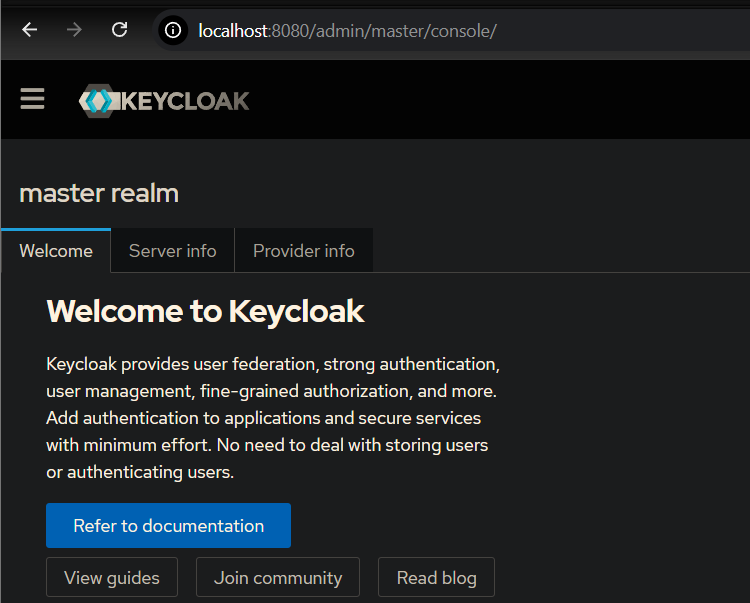
Keycloak Dashboard

Figure 3. Keycloak Dashboard

A realm is a boundary where you can create a set of client or user credentials.
Keycloak Realm

Figure 4. Keycloak Realm

Minimum Java version is 17.


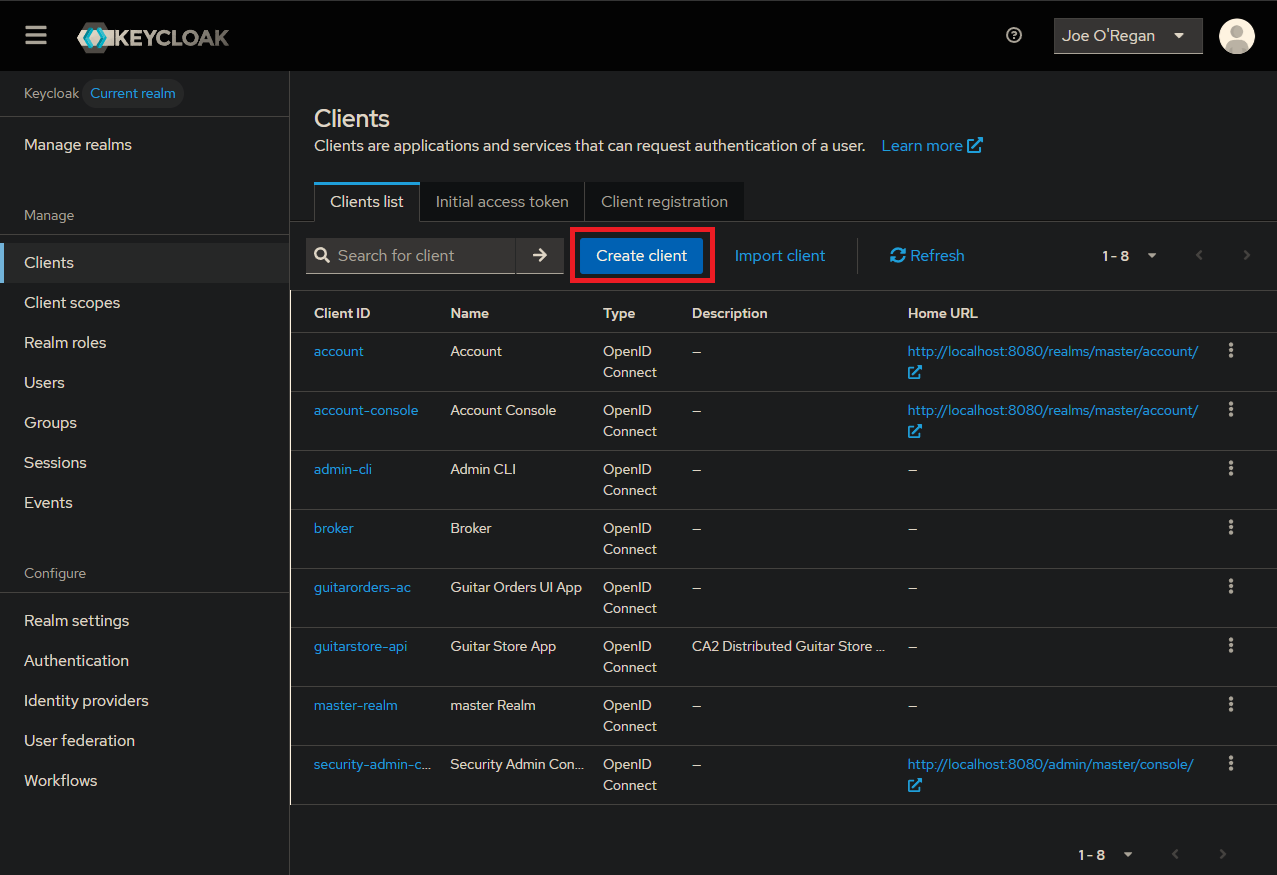
Step#2 Register client details with KeyCloak. Select “Clients” option and “Create Client”
Create Client

Figure 5. Clients > Create Client

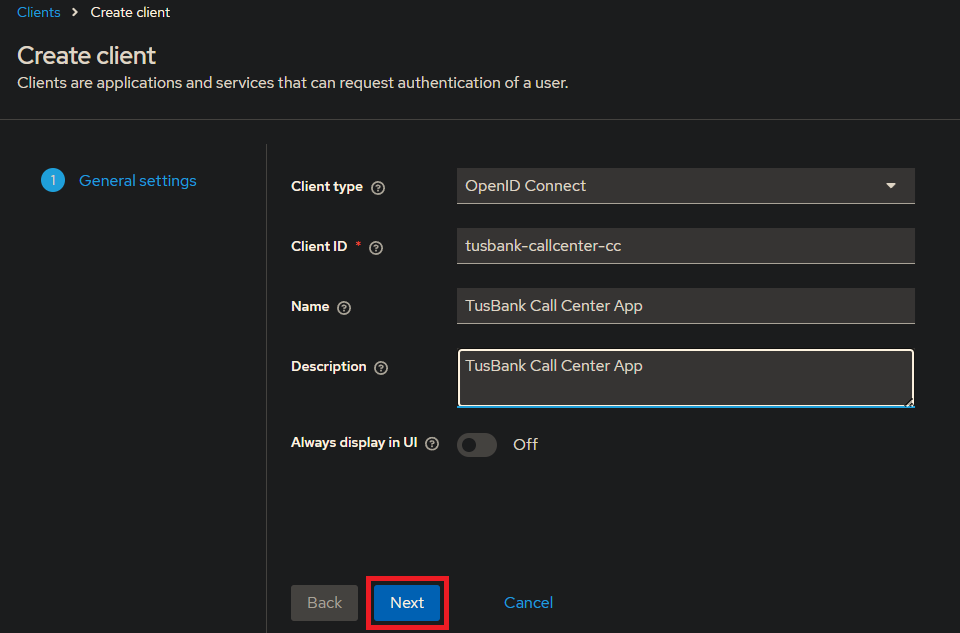
Create Client 1

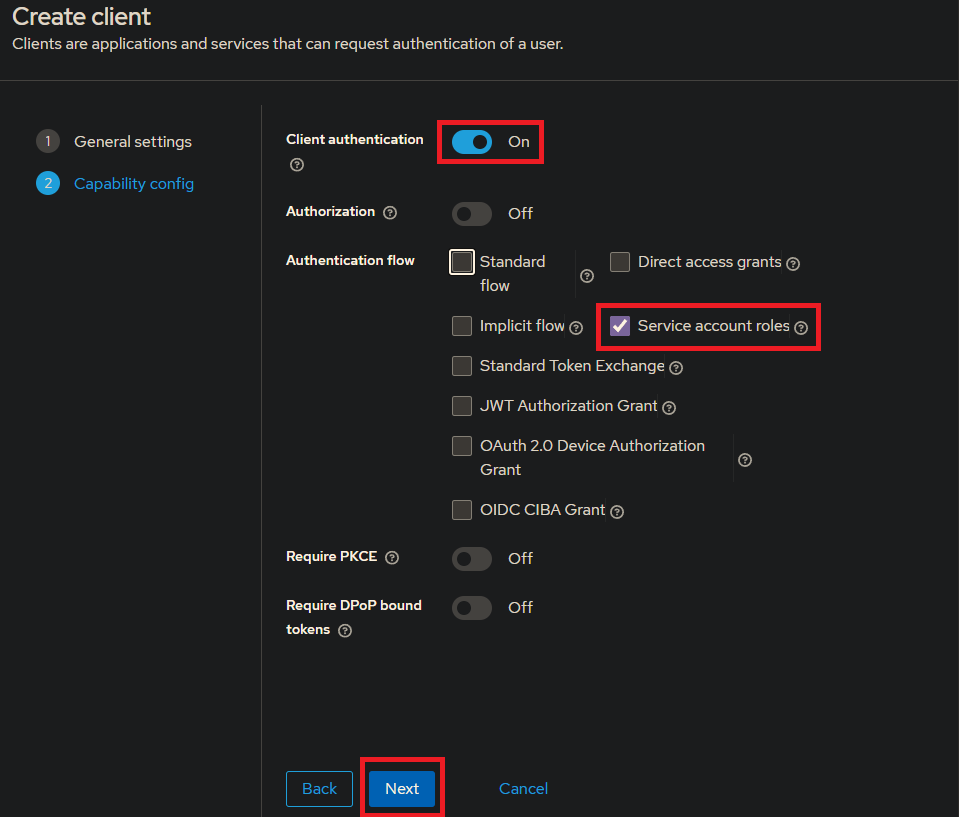
Figure 6. Create Client 1

Create Client 2

Figure 7. Create Client 2

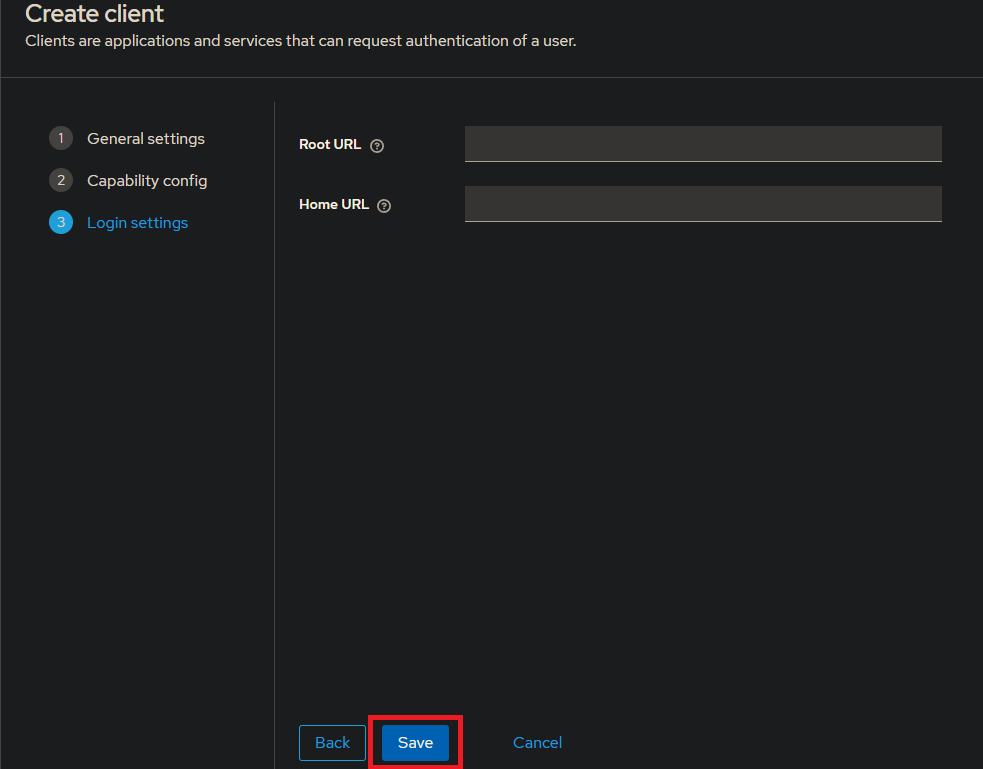
Leave Root URL and Home URL empty and select “Save”
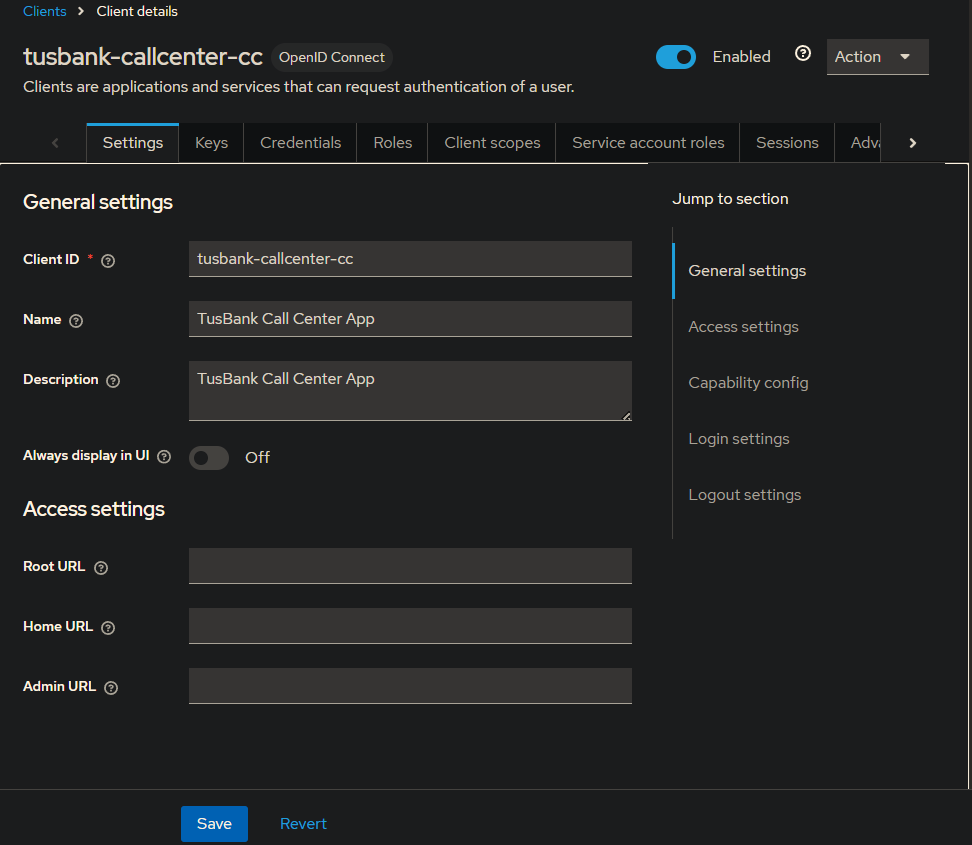
Create Client 3

Figure 8. Create Client 3

Credentials have been generated by KeyCloak and can be seen here.
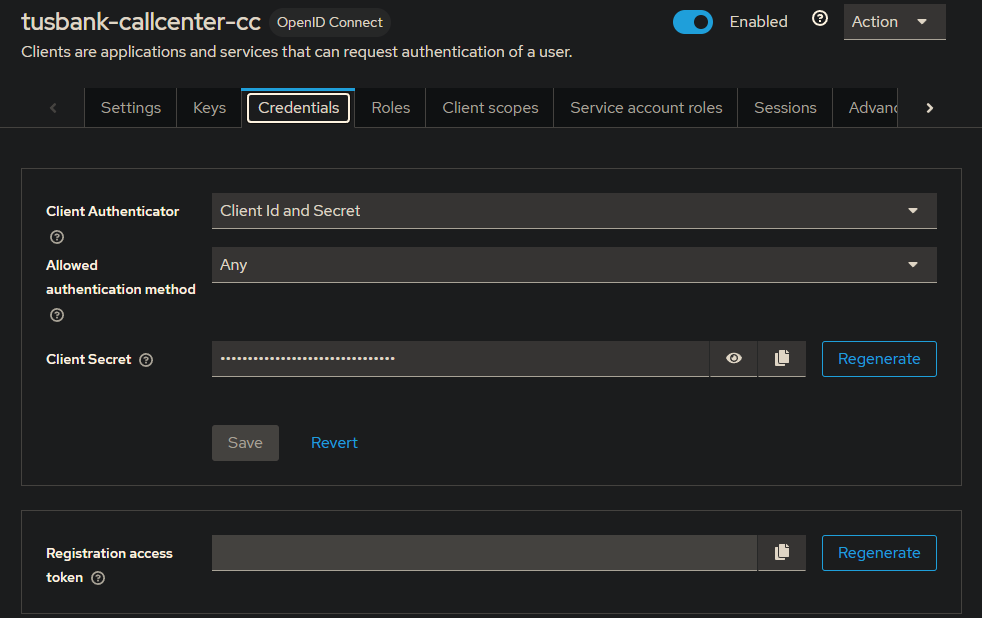
Client Secret

Figure 9. Client Secret

Step#3 Getting an access token using the client details. In the keycloak, click on the realm settings
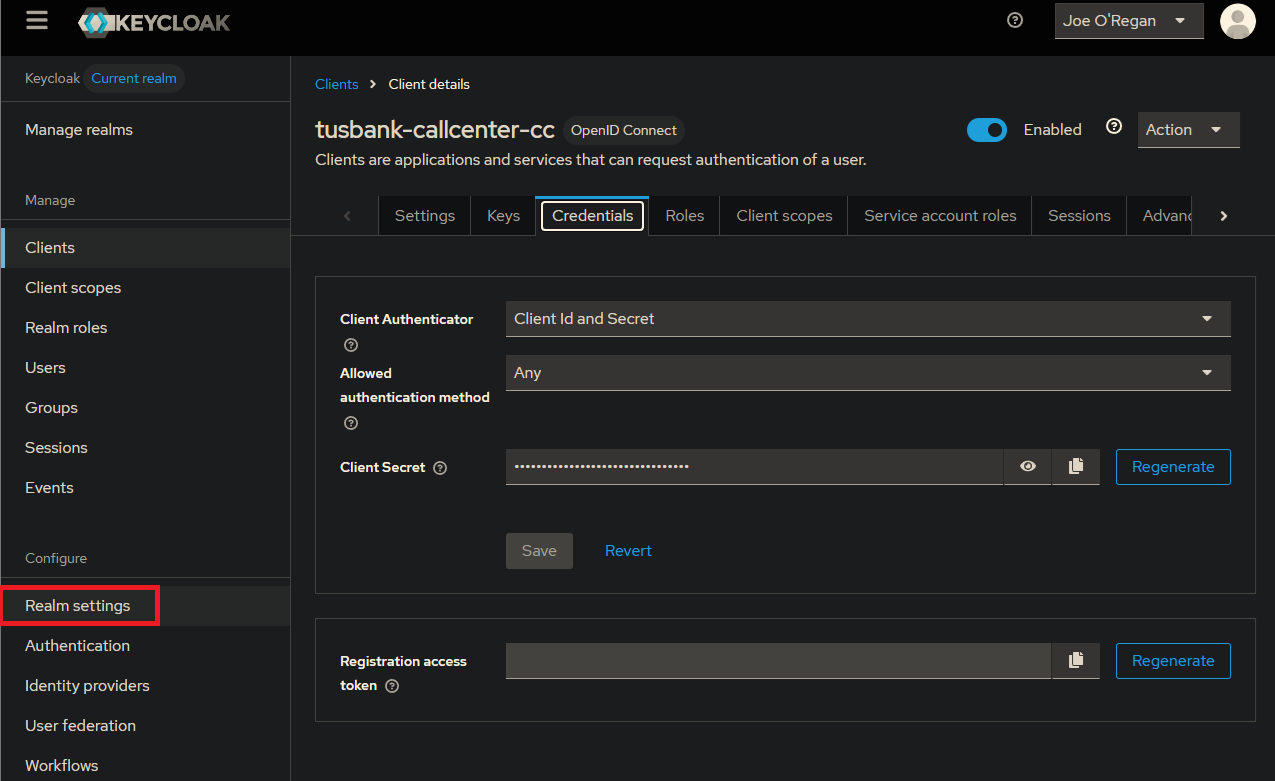
Realm Settings

Figure 10. Realm Settings

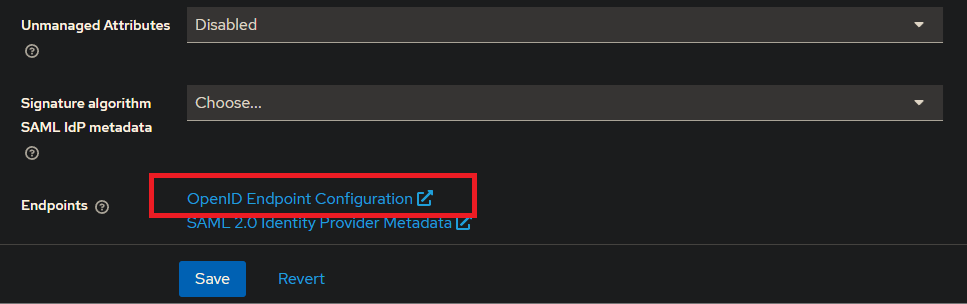
OpenID Endpoint Configuration

Figure 11. OpenID Endpoint Configuration

Find the token endpoint

openid-configuration: http://localhost:8080/realms/master/.well-known/openid-configuration
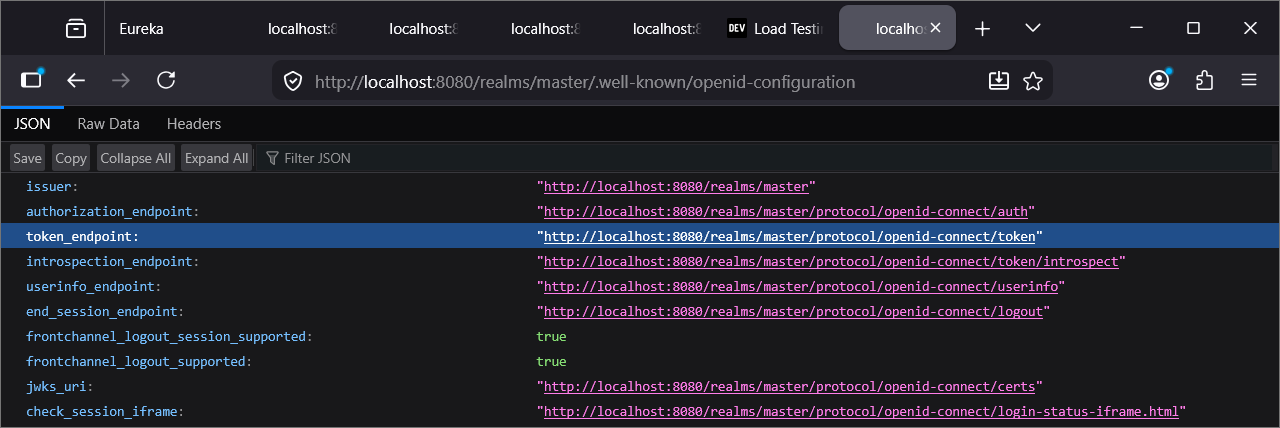
Token Endpoint

Figure 12. Token Endpoint

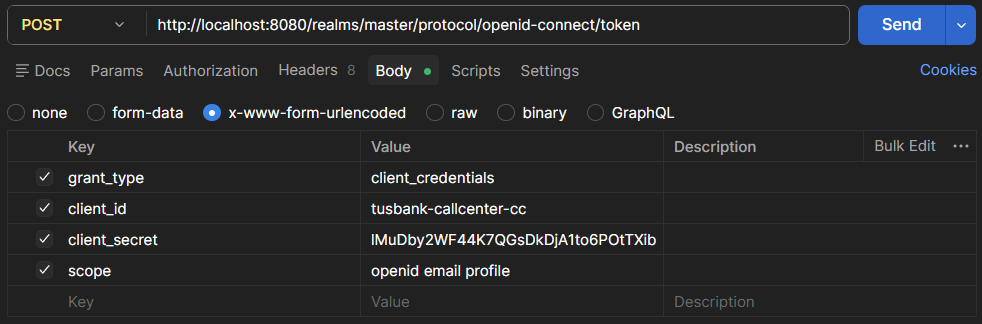
Postman x-www-form-urlencoded

Figure 13. Postman x-www-form-urlencoded
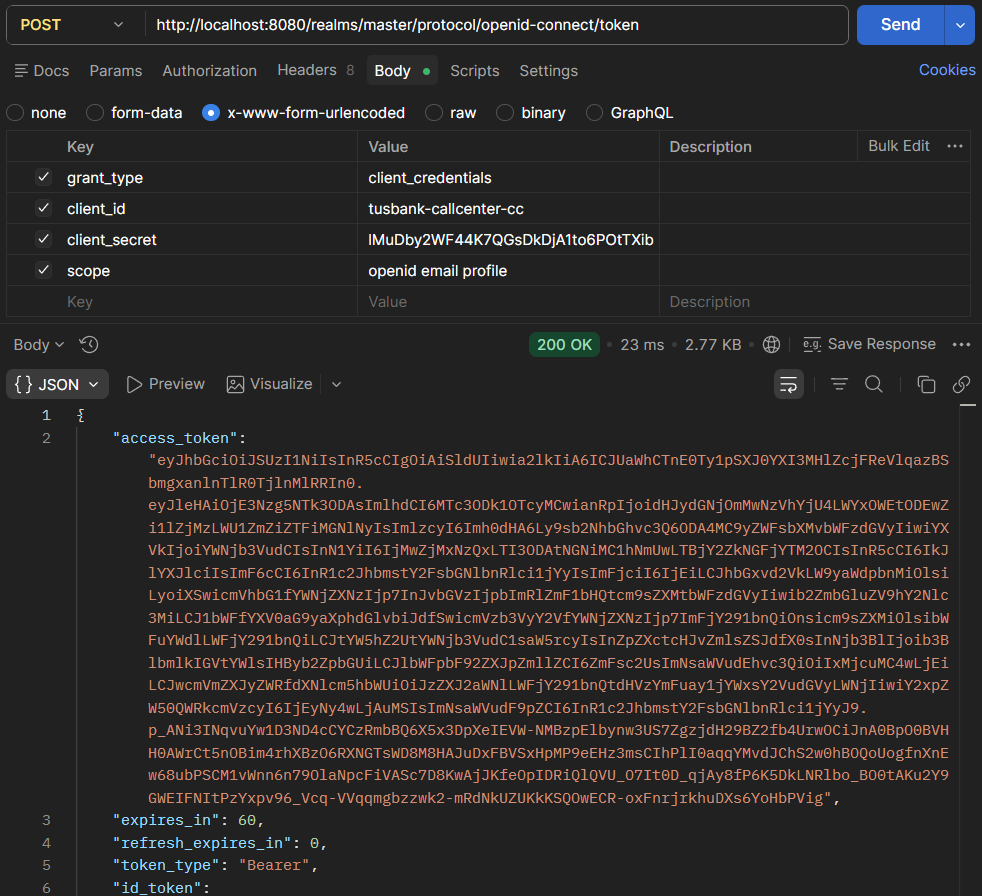
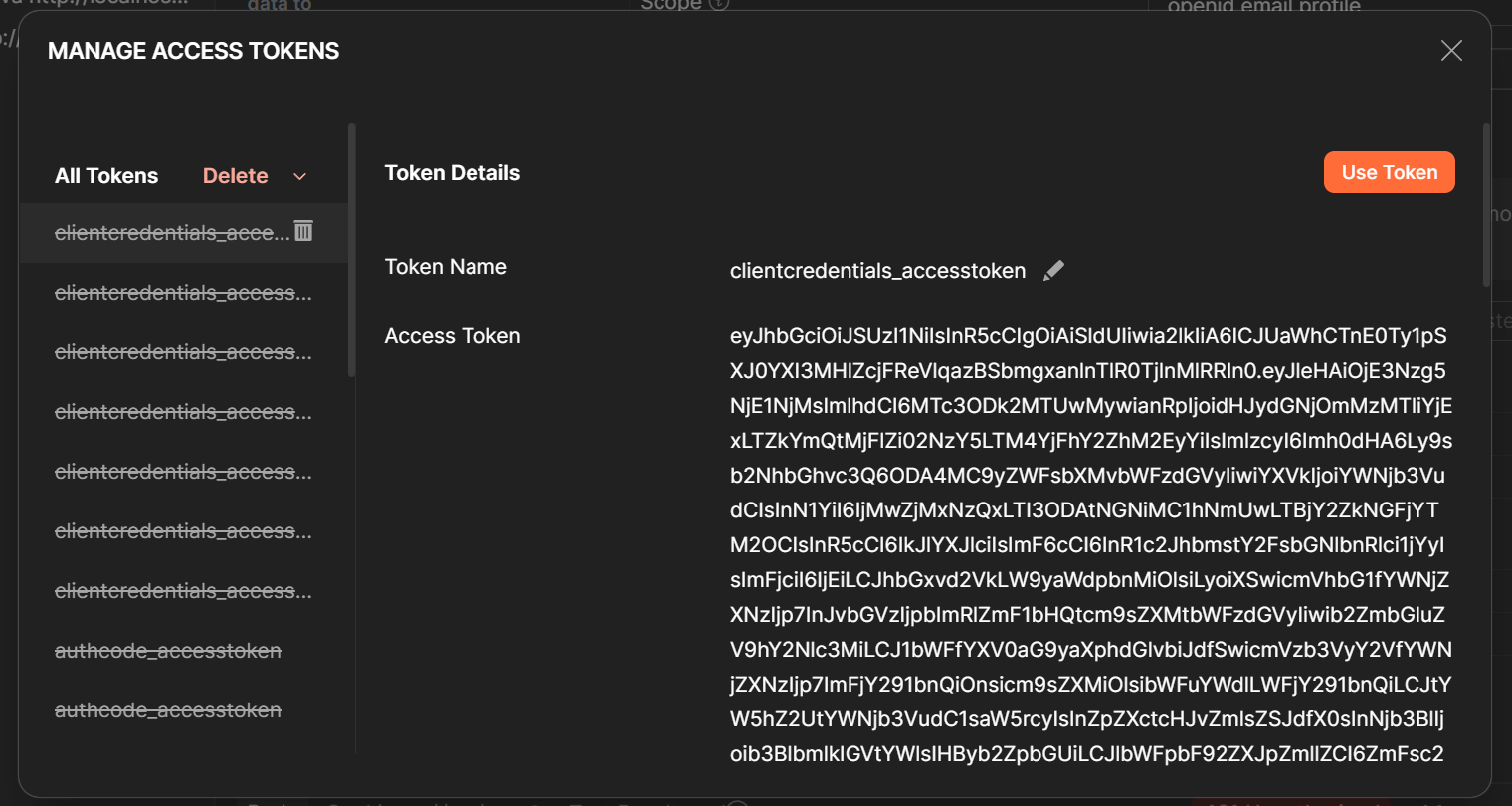
Access Token

Figure 14. Access Token

Token can be decoded. Examine the contents.

JWT.io
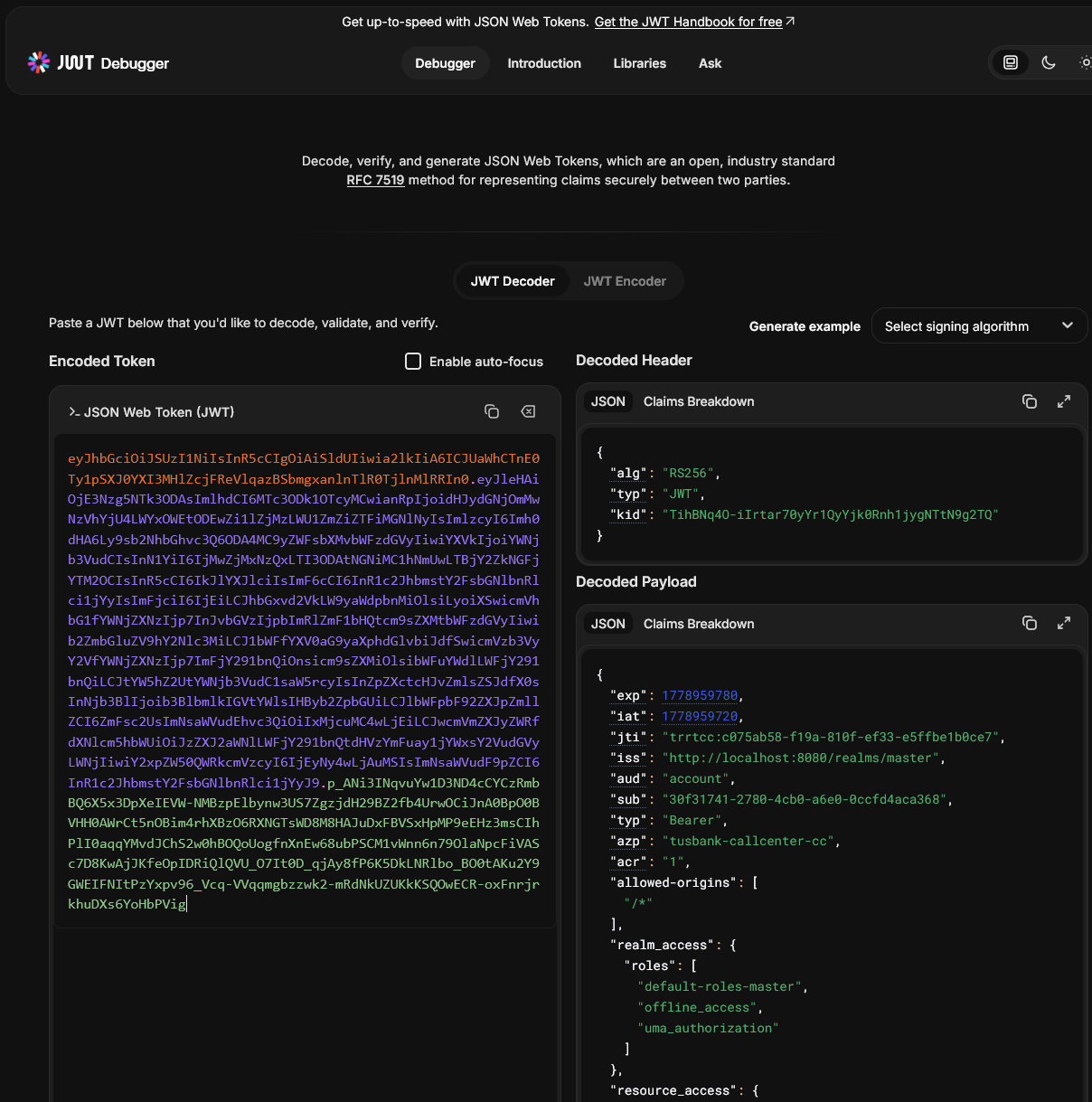
JWT Decoded

Figure 15. JWT Decoded

Step#4 Convert our gateway server to a resource server. Then we should send the access token to the resource server. First three new dependencies are need in the gatewayserver.

Gateway: pom.xml
45
46
47
48
49
50
51
52
53
54
55
56
        <dependency>
            <groupId>org.springframework.boot</groupId>
            <artifactId>spring-boot-starter-security</artifactId>
        </dependency>
        <dependency>
            <groupId>org.springframework.security</groupId>
            <artifactId>spring-security-oauth2-jose</artifactId>
        </dependency>
        <dependency>
            <groupId>org.springframework.security</groupId>
            <artifactId>spring-security-oauth2-resource-server</artifactId>
        </dependency>

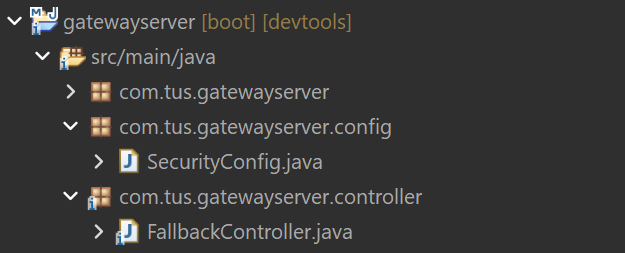
Add a new class in the gateway server

SecurityConfig Class

Figure 16. SecurityConfig Class
SecurityConfig.java
 1
 2
 3
 4
 5
 6
 7
 8
 9
10
11
12
13
14
15
16
17
18
19
20
21
22
23
24
25
26
27
package com.tus.gatewayserver.config;

import org.springframework.context.annotation.Bean;
import org.springframework.context.annotation.Configuration;
import org.springframework.http.HttpMethod;
import org.springframework.security.config.Customizer;
import org.springframework.security.config.annotation.web.reactive.EnableWebFluxSecurity;
import org.springframework.security.config.web.server.ServerHttpSecurity;
import org.springframework.security.web.server.SecurityWebFilterChain;

@Configuration
@EnableWebFluxSecurity
public class SecurityConfig {

    @Bean
    SecurityWebFilterChain springSecurityFilterChain(ServerHttpSecurity serverHttpSecurity) {
        serverHttpSecurity.authorizeExchange(exchanges -> exchanges.pathMatchers(HttpMethod.GET).permitAll()
            .pathMatchers("/tusbank/accounts/**").authenticated()
            .pathMatchers("/tusbank/cards/**").authenticated()
            .pathMatchers("/tusbank/loans/**").authenticated())
            .oauth2ResourceServer(oAuth2ResourceServerSpec -> oAuth2ResourceServerSpec
                .jwt(Customizer.withDefaults()));

        serverHttpSecurity.csrf(csrfSpec -> csrfSpec.disable());
        return serverHttpSecurity.build();
    }
}

And in application.yml add the url for the KeyCloak server.

application.yml
25
26
27
28
29
  security:
    oauth2:
      resourceserver:
        jwt:
          jwk-set-uri: "http://localhost:8080/realms/master/protocol/openid-connect/certs"

Restart the gateway server. Now try a "GET" request and it should be successful. No security expected.

GET localhost:8072/tusbank/accounts/api/contact-info
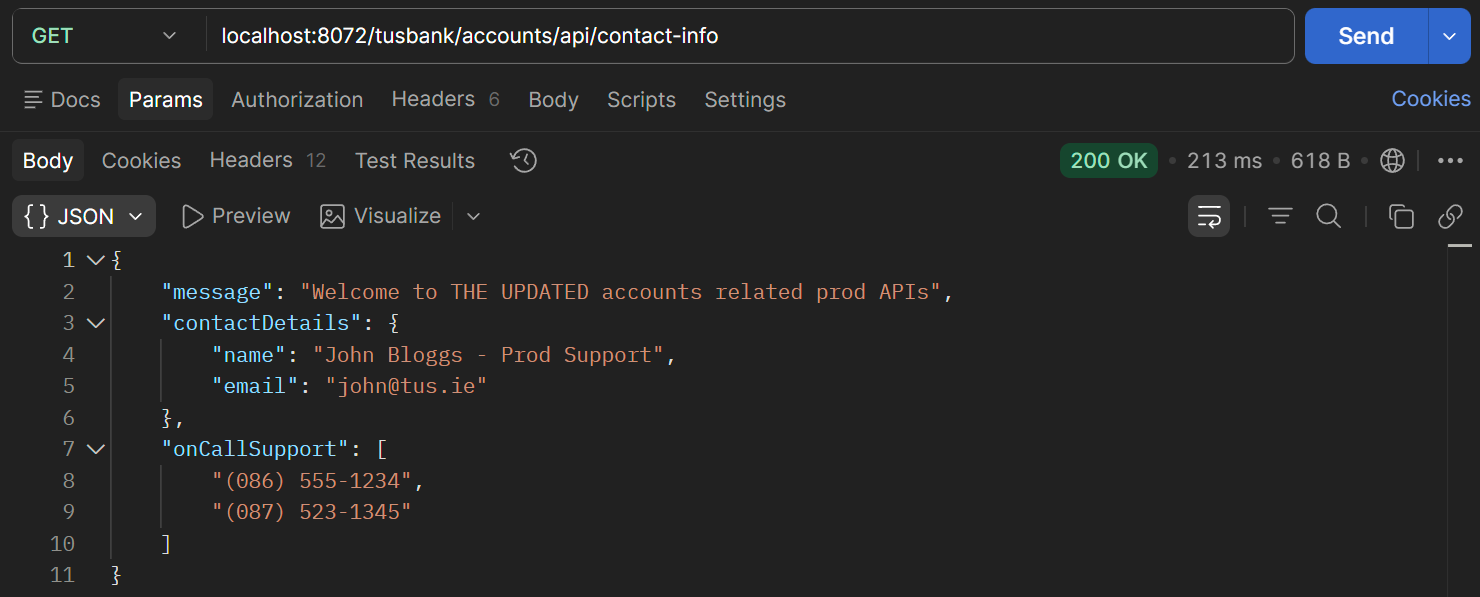
Postman Accounts Contact Info Endpoint

Figure 17. Postman Accounts Contact Info Endpoint

GET localhost:8072/tusbank/cards/api/cards/java-version

Postman Cards Java Version Endpoint

Figure 18. Postman Cards Java Version Endpoint

GET localhost:8072/tusbank/loans/api/build-info

Postman Loans Build Info Endpoint

Figure 19. Postman Loans Build Info Endpoint

Now try a method other than GET – 401 – Unauthorized is returned.

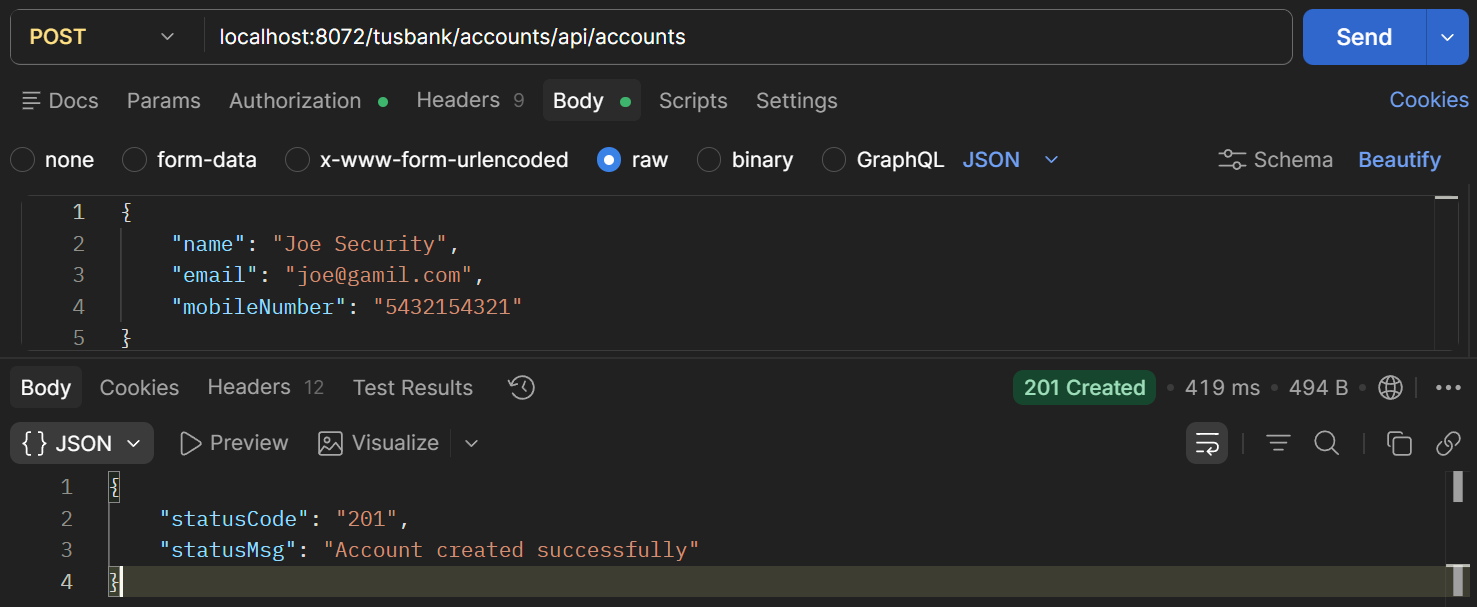
POST localhost:8072/tusbank/accounts/api/accounts

Request body
{
    "name": "Joe Security",
    "email": "joe@gamil.com",
    "mobileNumber": "5432154321"
}
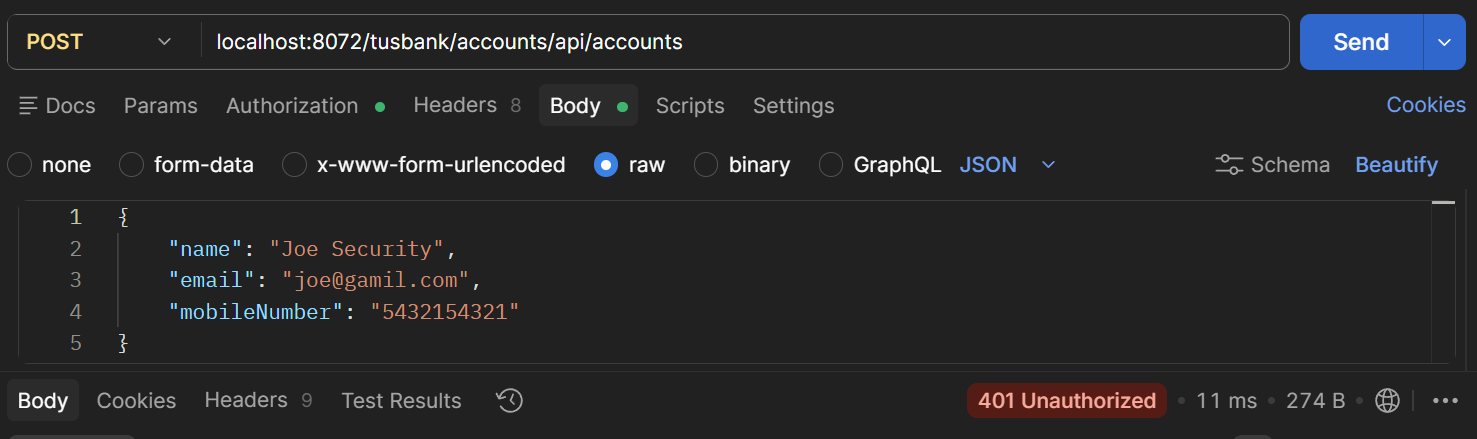
Postman Post New Account

Figure 20. Postman Post New Account

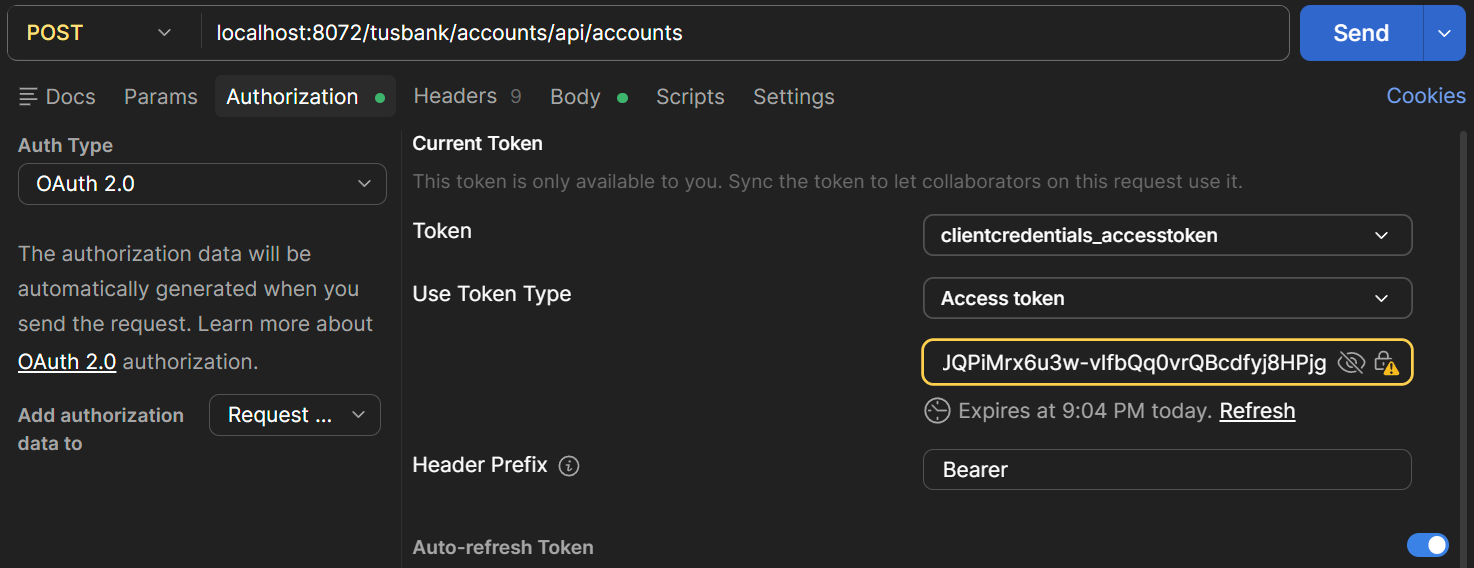
To allow POST etc. ,we need to fetch the access token. The fetching of the token can be done as part of the Postman request.

We could copy in the token into the request header or use the feature of postman to get an access token as part of the request by setting authorization information in the Postman request..
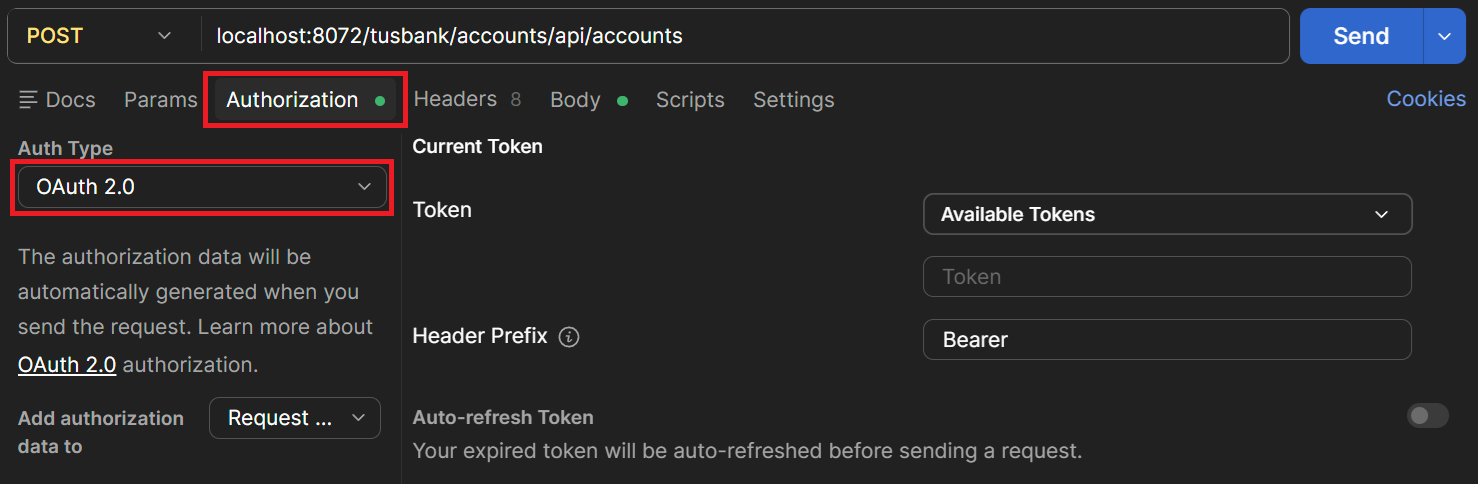
Postman OAuth 2.0 Token

Figure 21. Postman OAuth 2.0 Token

Scroll down to “Configure New token”
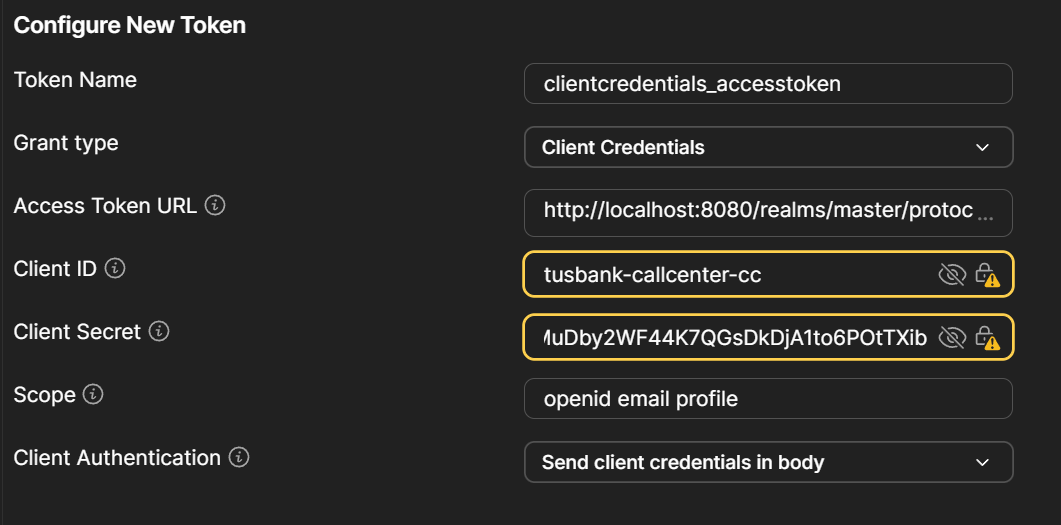
Configure New Token

Figure 22. Configure New Token

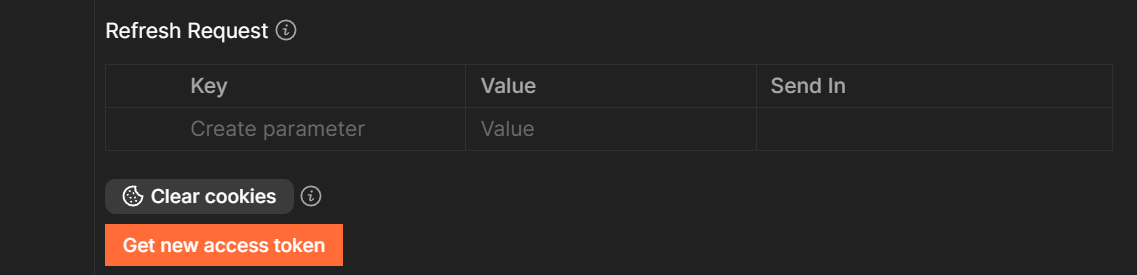
Get New Access Token

Figure 23. Get New Access Token
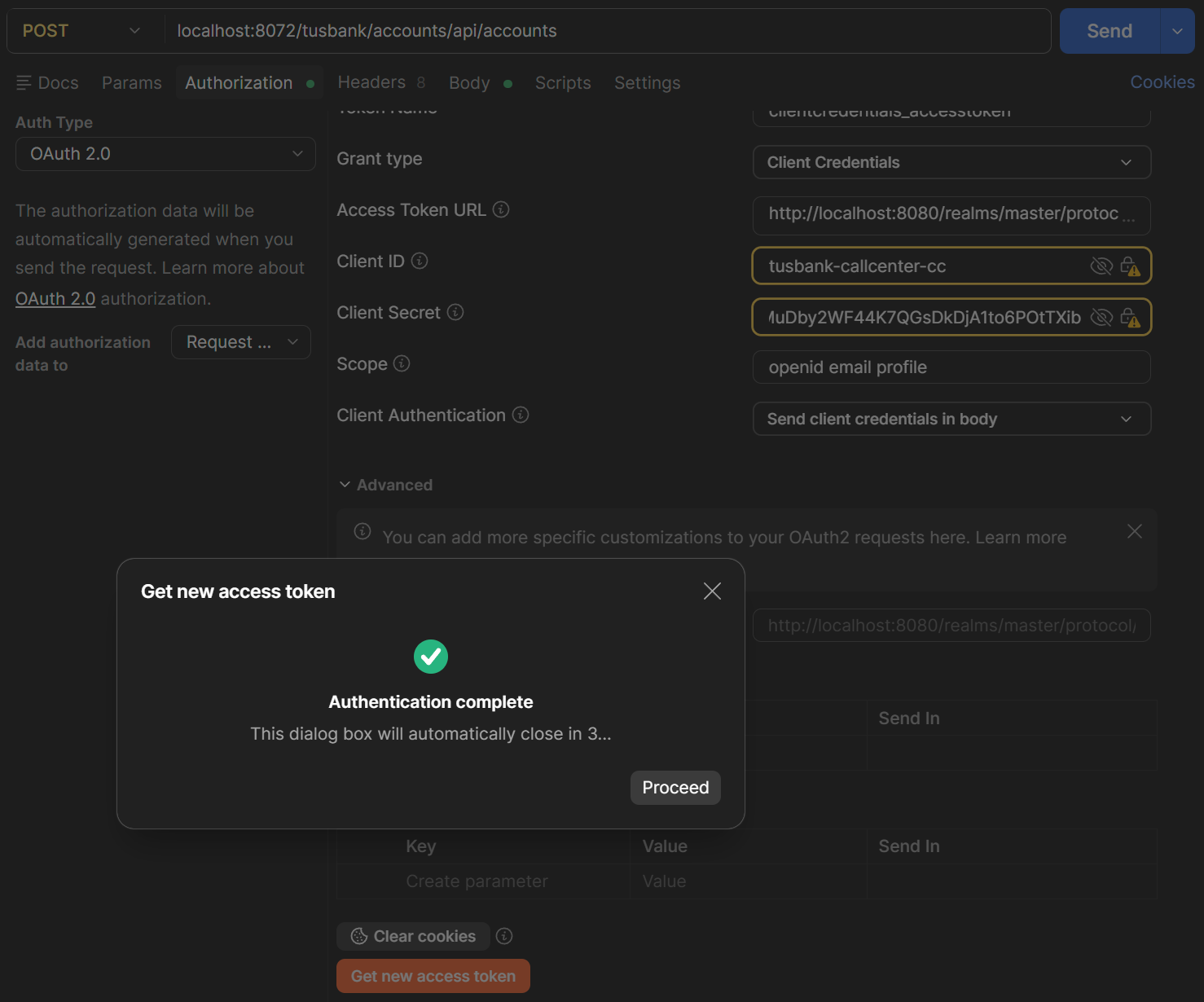
Authentication Complete

Figure 24. Authentication Complete

Use Token

Figure 25. Use Token

Postman Post New Account

Figure 26. Postman Post New Account

Postman Authorisation

Figure 27. Postman Authorisation

Adding authorization. Configure roles based authorization
Update the gateway SecurityConfig class

SecurityConfig
11
12
13
14
15
16
17
18
19
20
21
22
23
24
25
26
27
@Configuration
@EnableWebFluxSecurity
public class SecurityConfig {

    @Bean
    SecurityWebFilterChain springSecurityFilterChain(ServerHttpSecurity serverHttpSecurity) {
        serverHttpSecurity.authorizeExchange(exchanges -> exchanges.pathMatchers(HttpMethod.GET).permitAll()
            .pathMatchers("/tusbank/accounts/**").hasRole("ACCOUNTS")
            .pathMatchers("/tusbank/cards/**").hasRole("CARDS")
            .pathMatchers("/tusbank/loans/**").hasRole("LOANS"))
            .oauth2ResourceServer(oAuth2ResourceServerSpec -> oAuth2ResourceServerSpec
                .jwt(Customizer.withDefaults()));

        serverHttpSecurity.csrf(csrfSpec -> csrfSpec.disable());
        return serverHttpSecurity.build();
    }
}

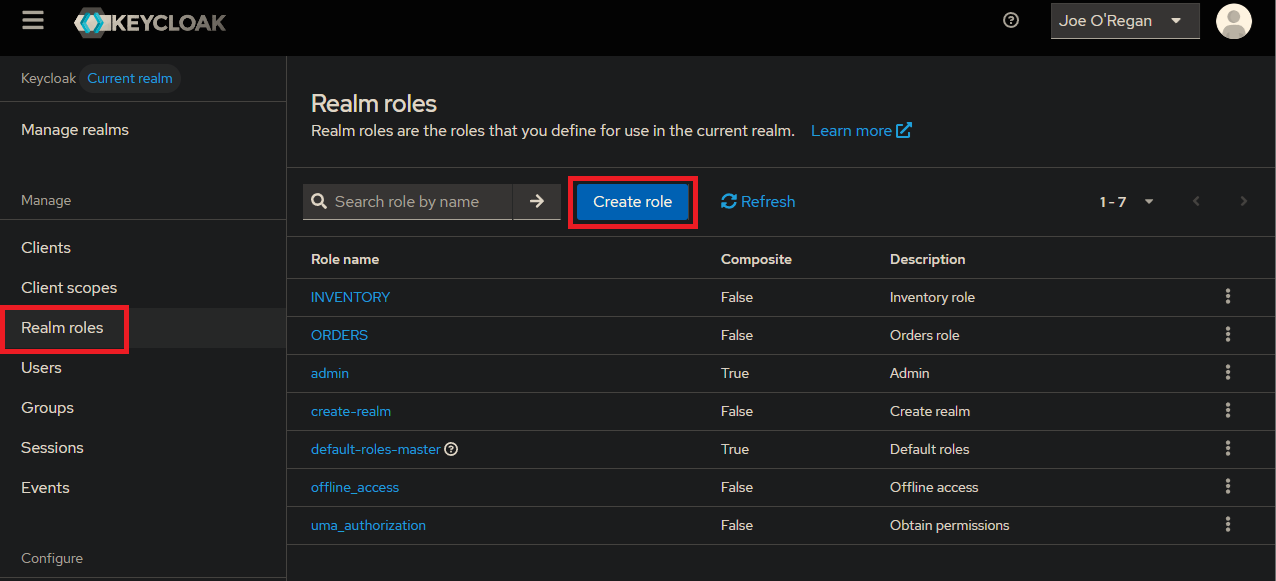
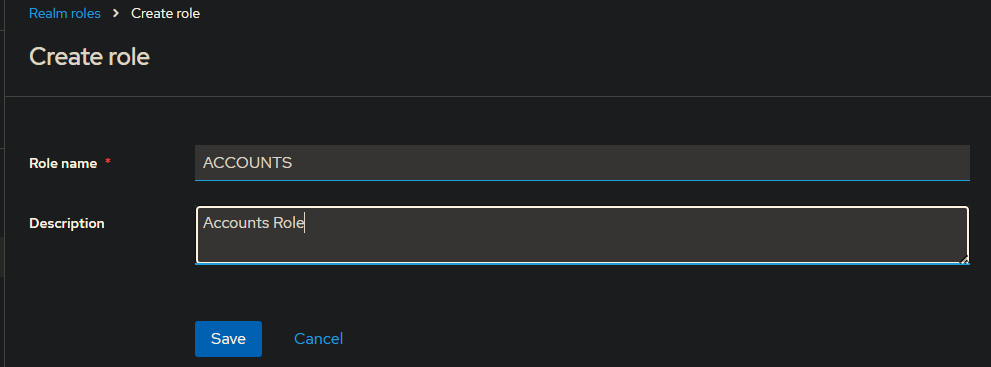
Create roles using Keycloak

Keycloak Realm Roles

Figure 28. Keycloak Realm Roles

Keycloak Create Roles

Figure 29. Keycloak Create Roles
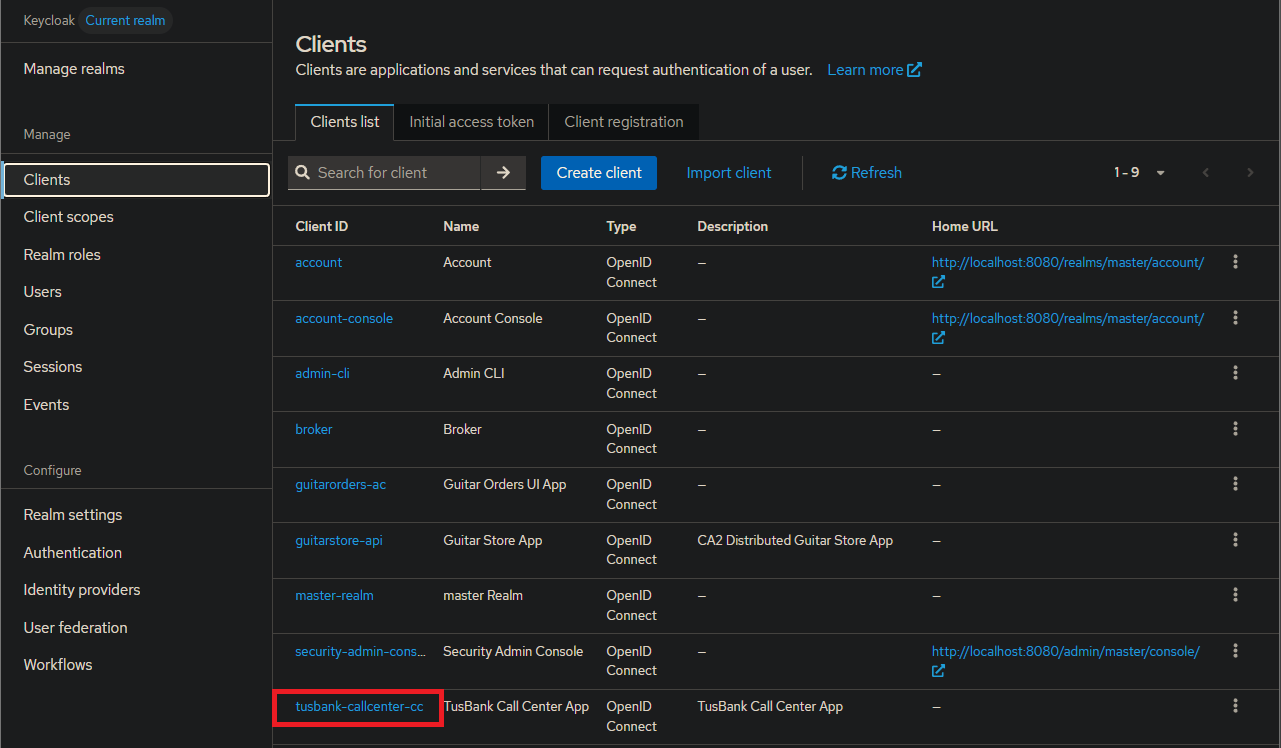
Keycloak Clients

Figure 30. Keycloak Clients

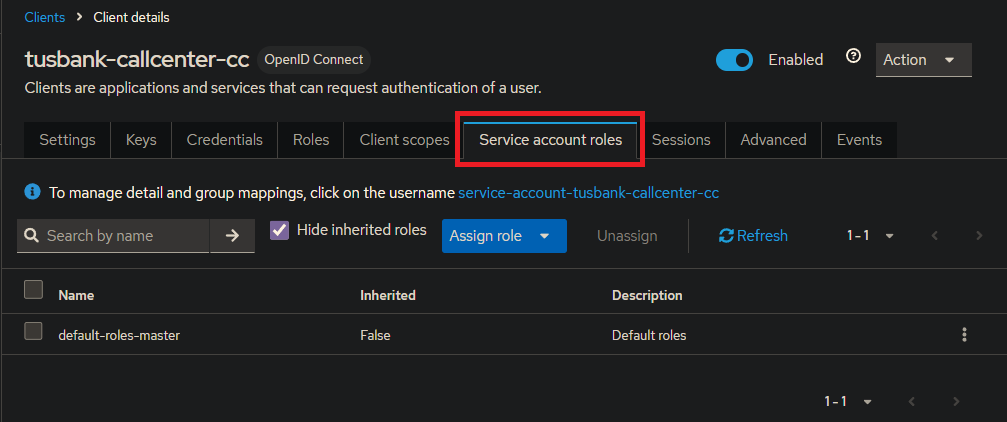
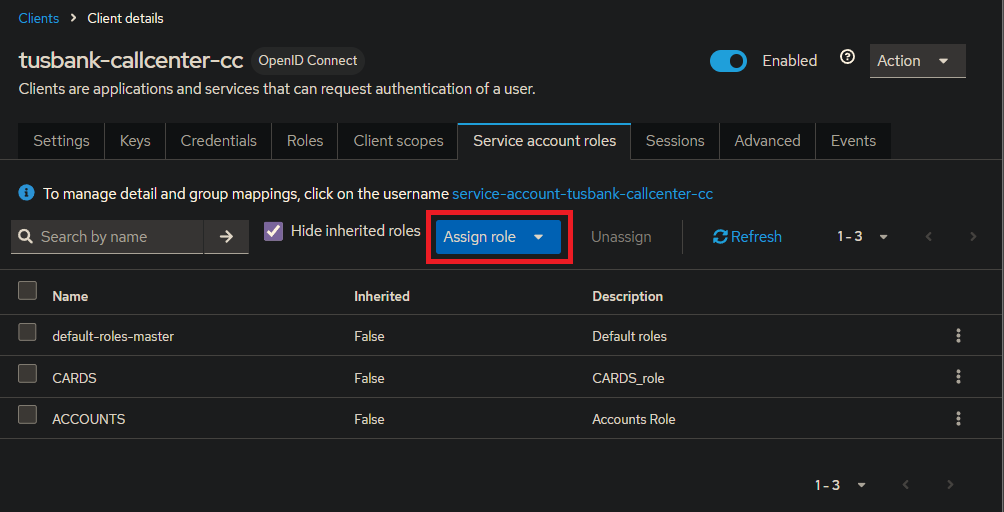
Service Accounts Roles

Figure 31. Service Accounts Roles

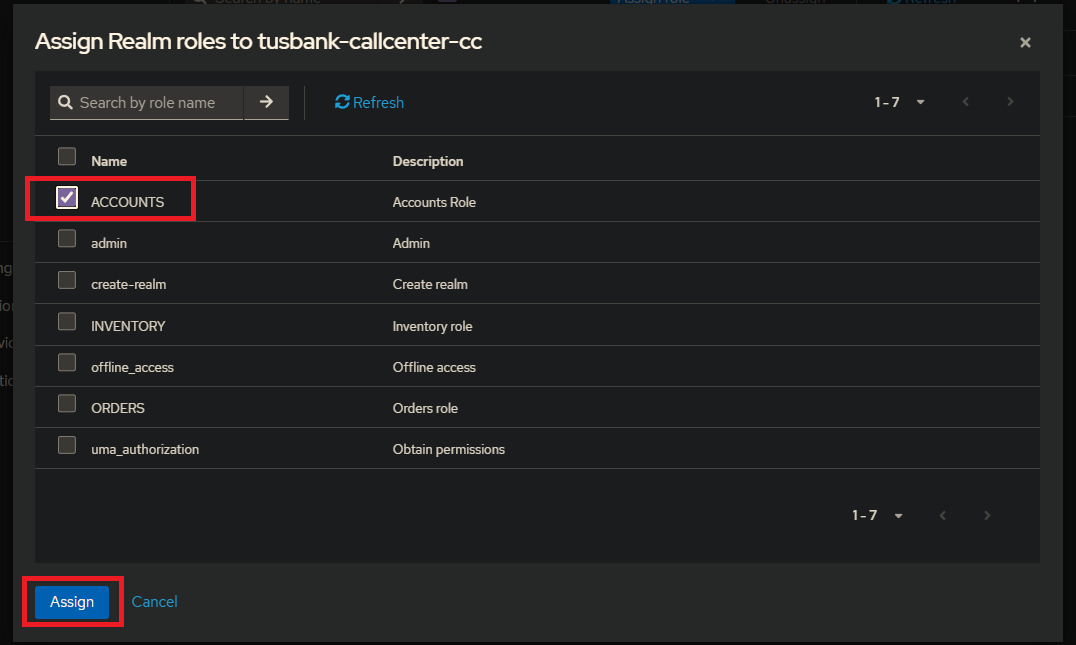
Assign Roles

Figure 32. Assign Roles

Now try to get an access token
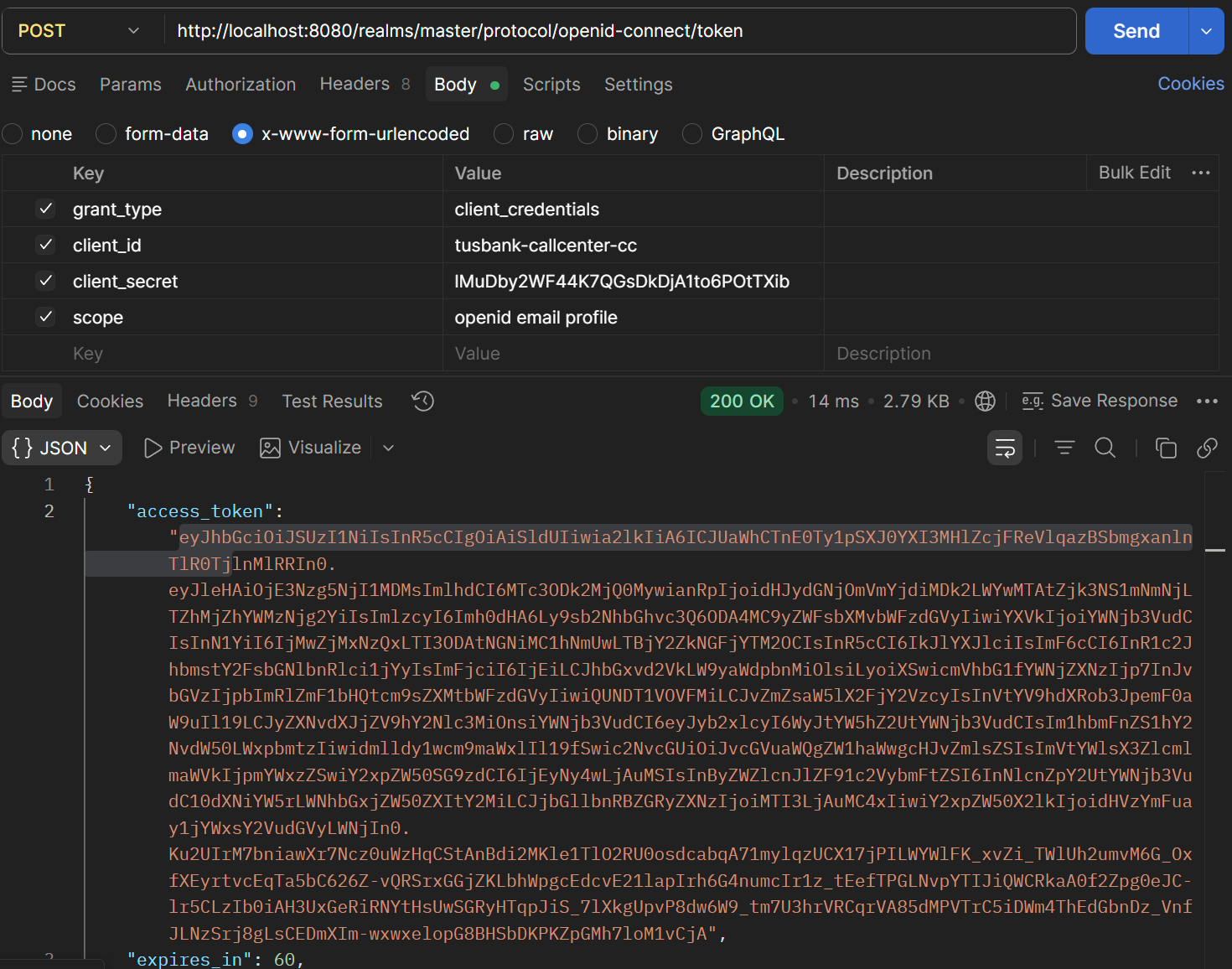
Postman Get Access Token

Figure 33. Postman Get Access Token

Put it into the jwt.io
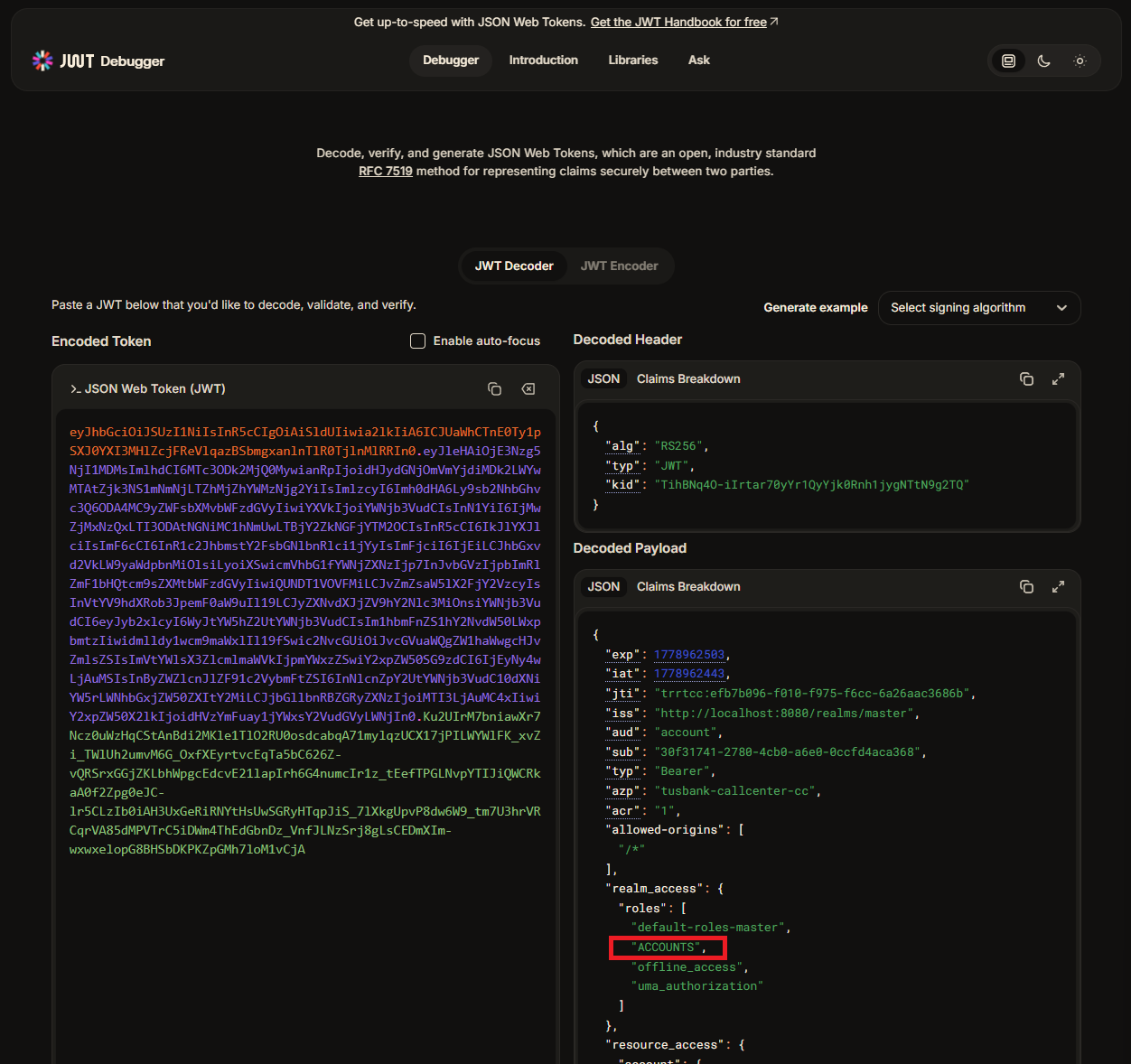
Decode Access Token

Figure 34. Decode Access Token

You can find the custom role information now included in the token.

Create a new class in the config package
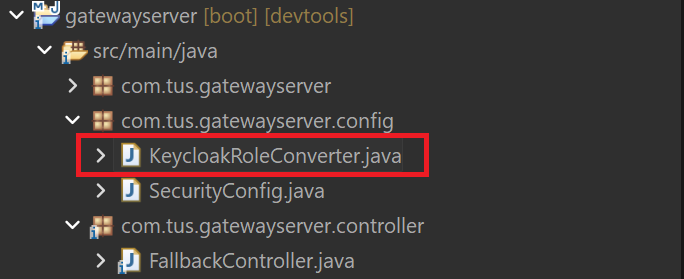
KecloakRoleConvertor Class

Figure 35. KecloakRoleConvertor Class
KecloakRoleConvertor.java
 1
 2
 3
 4
 5
 6
 7
 8
 9
10
11
12
13
14
15
16
17
18
19
20
21
22
23
24
25
26
package com.tus.gatewayserver.config;

import org.springframework.core.convert.converter.Converter;
import org.springframework.security.core.GrantedAuthority;
import org.springframework.security.core.authority.SimpleGrantedAuthority;
import org.springframework.security.oauth2.jwt.Jwt;
import java.util.ArrayList;
import java.util.Collection;
import java.util.List;
import java.util.Map;
import java.util.stream.Collectors;

public class KeycloakRoleConverter implements Converter<Jwt, Collection<GrantedAuthority>> {
    @Override
    public Collection<GrantedAuthority> convert(Jwt source) {
        Map<String, Object> realmAccess = (Map<String, Object>) source.getClaims().get("realm_access");
        if (realmAccess == null || realmAccess.isEmpty()) {
            return new ArrayList<>();
        }
        Collection<GrantedAuthority> returnValue = ((List<String>) realmAccess.get("roles"))
                .stream().map(roleName -> "ROLE_" + roleName)
                .map(SimpleGrantedAuthority::new)
                .collect(Collectors.toList());
        return returnValue;
    }
}

Code provided.

In the SecurityConfig.java add a new method

SecurityConfig.java
35
36
37
38
39
    private Converter<Jwt, Mono<AbstractAuthenticationToken>> grantedAuthoritiesExtractor() {
            JwtAuthenticationConverter jwtAuthenticationConverter = new JwtAuthenticationConverter();
            jwtAuthenticationConverter.setJwtGrantedAuthoritiesConverter(new KeycloakRoleConverter());
            return new ReactiveJwtAuthenticationConverterAdapter(jwtAuthenticationConverter);
    }

Update a line in the springSecurityFilterChain method to remove the default handling.

springSecurityFilterChain()
22
23
24
25
26
27
28
29
30
31
32
33
@Bean
    SecurityWebFilterChain springSecurityFilterChain(ServerHttpSecurity serverHttpSecurity) {
        serverHttpSecurity.authorizeExchange(exchanges -> exchanges.pathMatchers(HttpMethod.GET).permitAll()
            .pathMatchers("/tusbank/accounts/**").hasRole("ACCOUNTS")
            .pathMatchers("/tusbank/cards/**").hasRole("CARDS")
            .pathMatchers("/tusbank/loans/**").hasRole("LOANS"))
            .oauth2ResourceServer(oAuth2ResourceServerSpec -> oAuth2ResourceServerSpec
                        .jwt(jwtSpec -> jwtSpec.jwtAuthenticationConverter(grantedAuthoritiesExtractor()))); 

        serverHttpSecurity.csrf(csrfSpec -> csrfSpec.disable());
        return serverHttpSecurity.build();
    }

Got to Postman and create a new account. Generate a new access token as before.

POST localhost:8072/tusbank/accounts/api/accounts
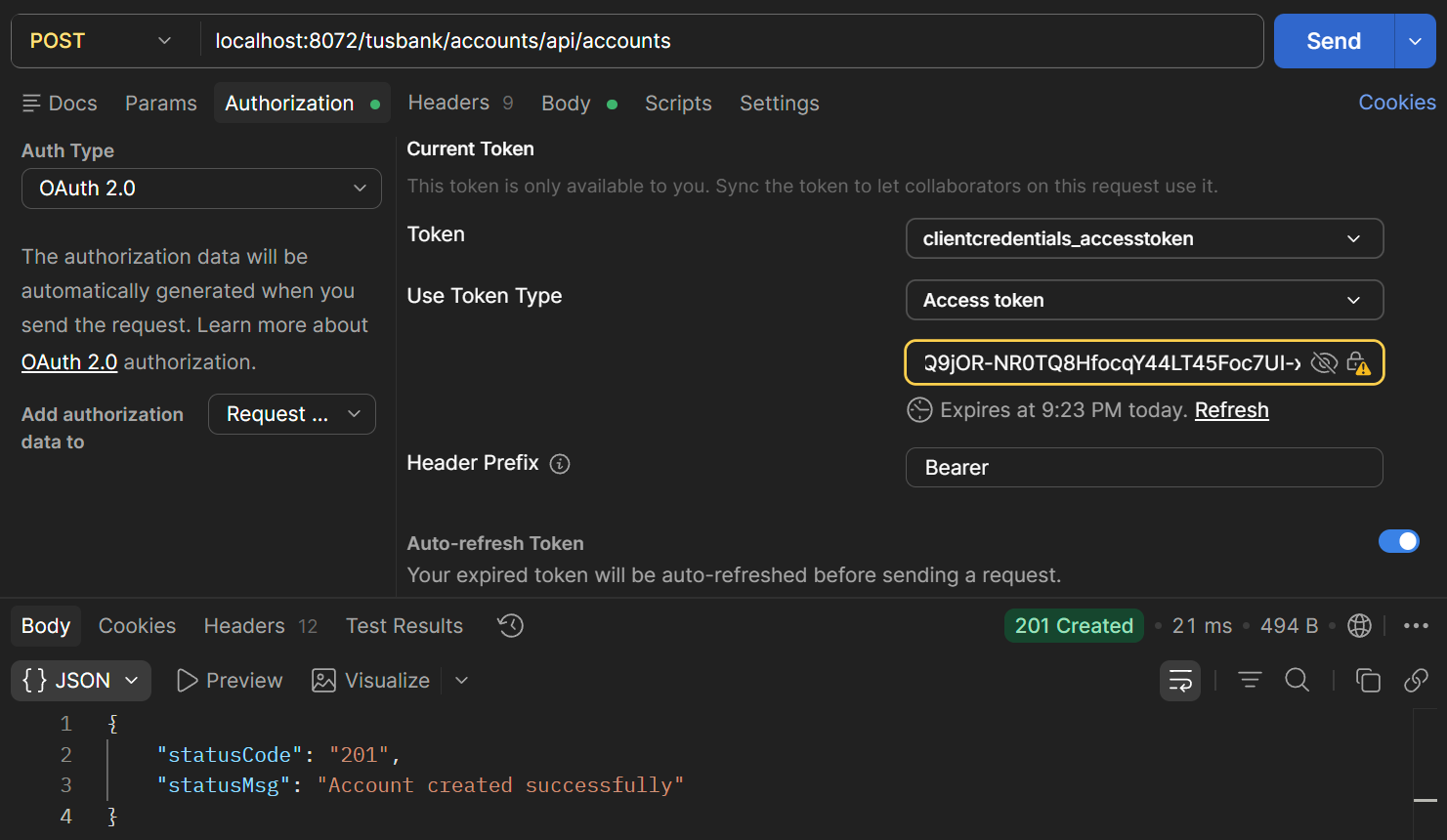
Postman Create New Account

Figure 36. Postman Create New Account

POST localhost:8072/tusbank/cards/api/cards
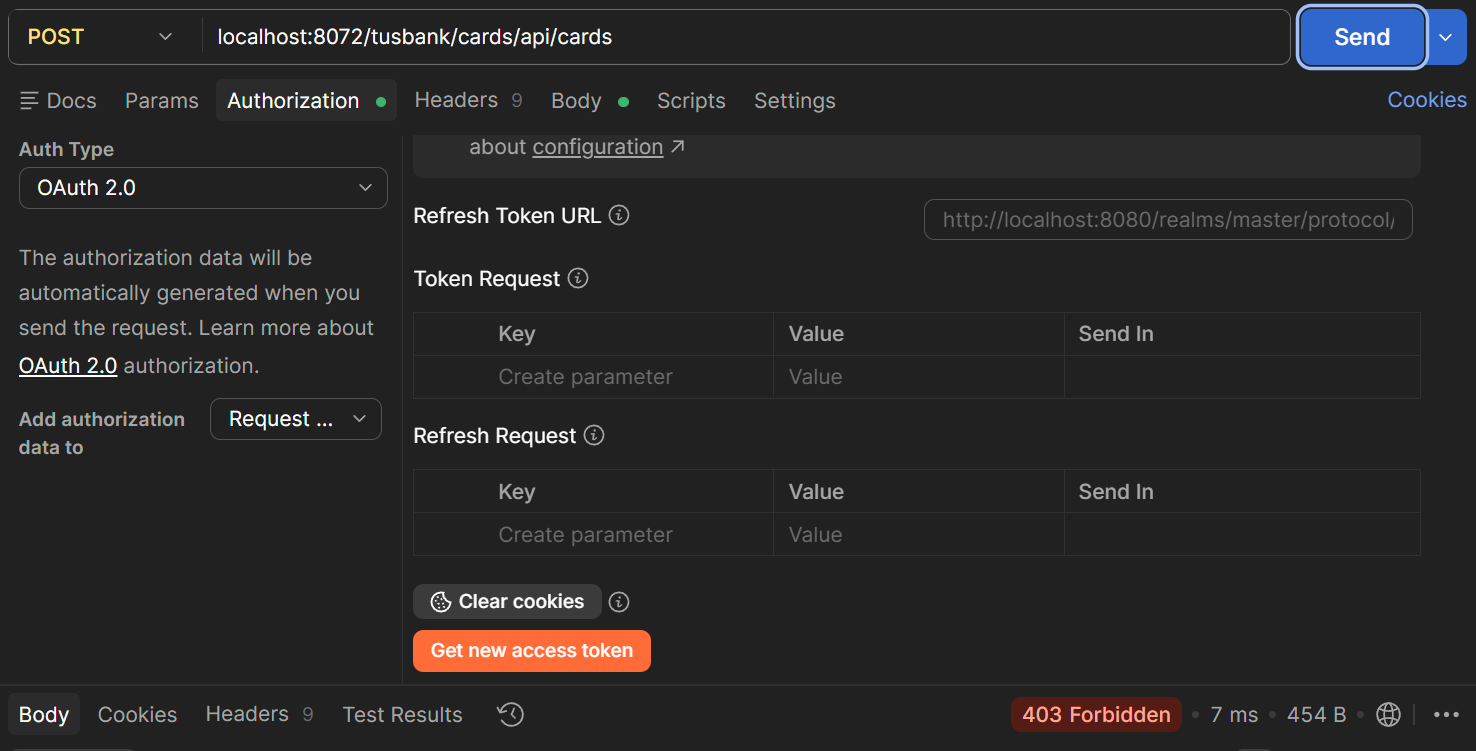
Postman 403 Forbidden

Figure 37. 403 Forbidden

This is now 403 (not 401) because I am authorized but I do not have enough privileges.
In KeyCloak, create a new role for CARDS
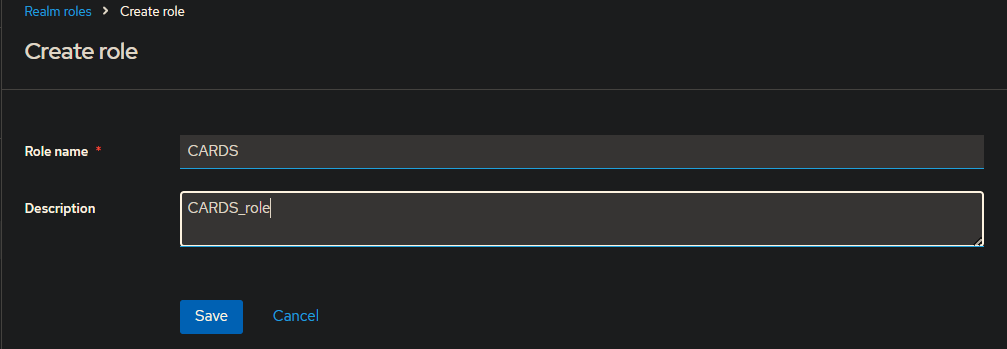
KeyCloak New Cards Role

Figure 38. KeyCloak New Cards Role

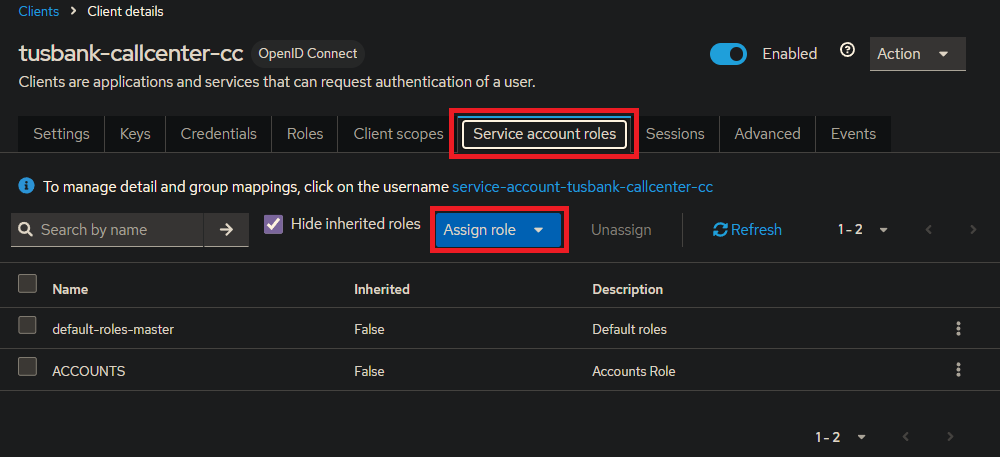
Service Accounts Roles

Figure 39. Service Accounts Roles

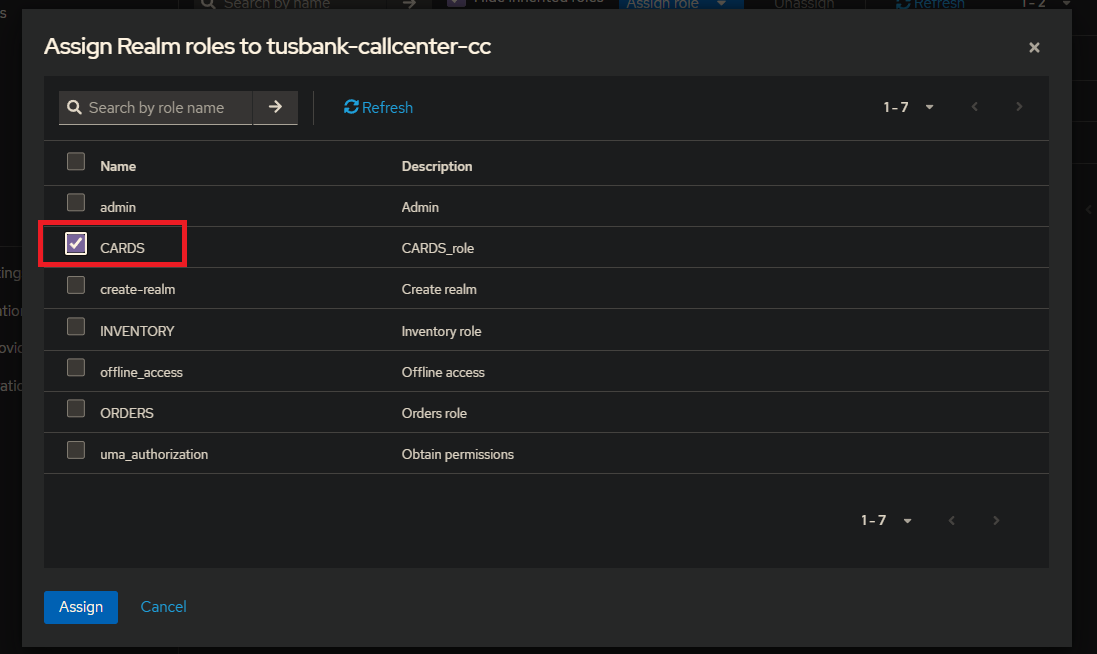
Assign Roles to tusbank-callcenter-cc

Figure 40. Assign Roles to tusbank-callcenter-cc

Test in Postman

POST localhost:8072/tusbank/cards/api/cards?mobileNumber=5432154355
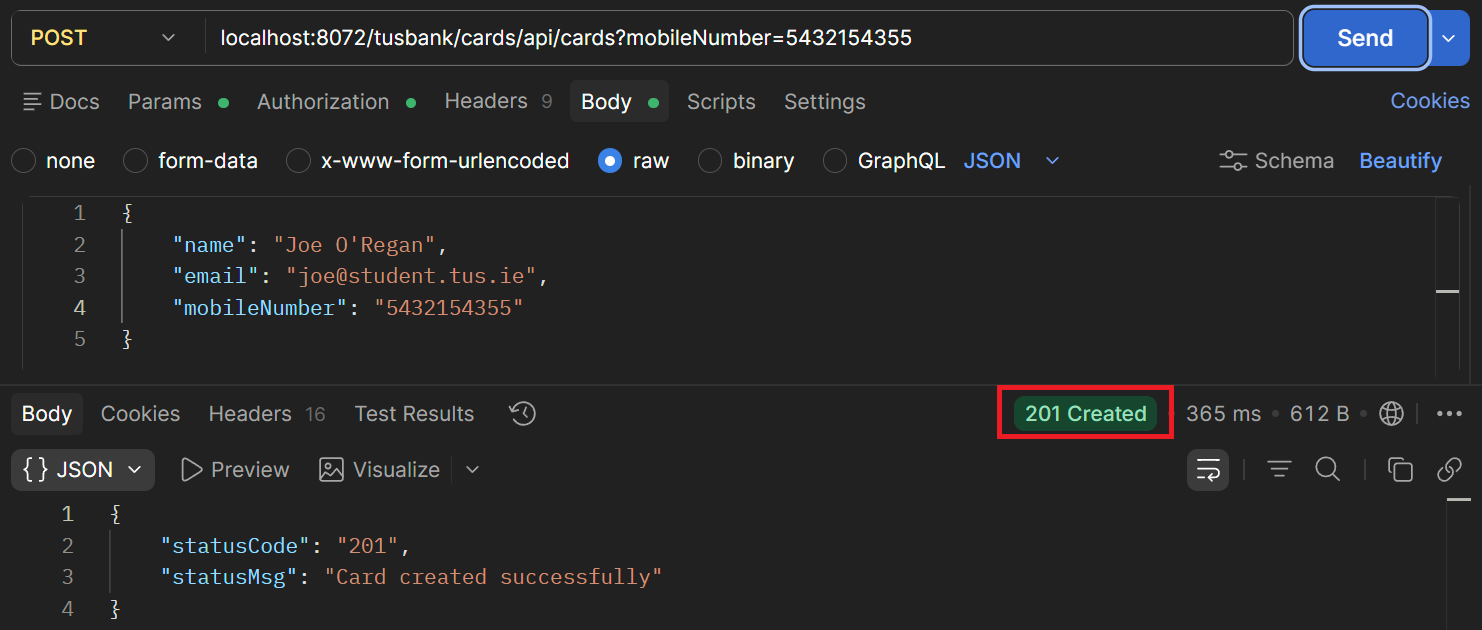
Test in Postman

Figure 41. Test in Postman

Now also add a role for LOANS
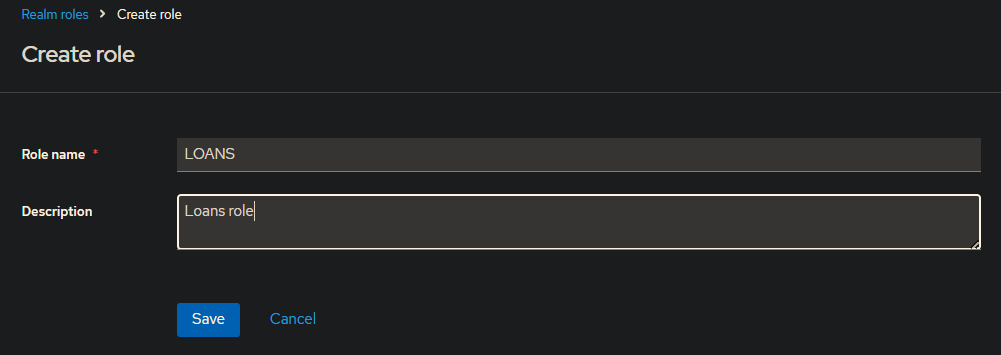
Create Loans Role

Figure 42. Create Loans Role

Assign Role

Figure 43. Assign Role

POST localhost:8072/tusbank/loans/api/loans?mobileNumber=5432154355
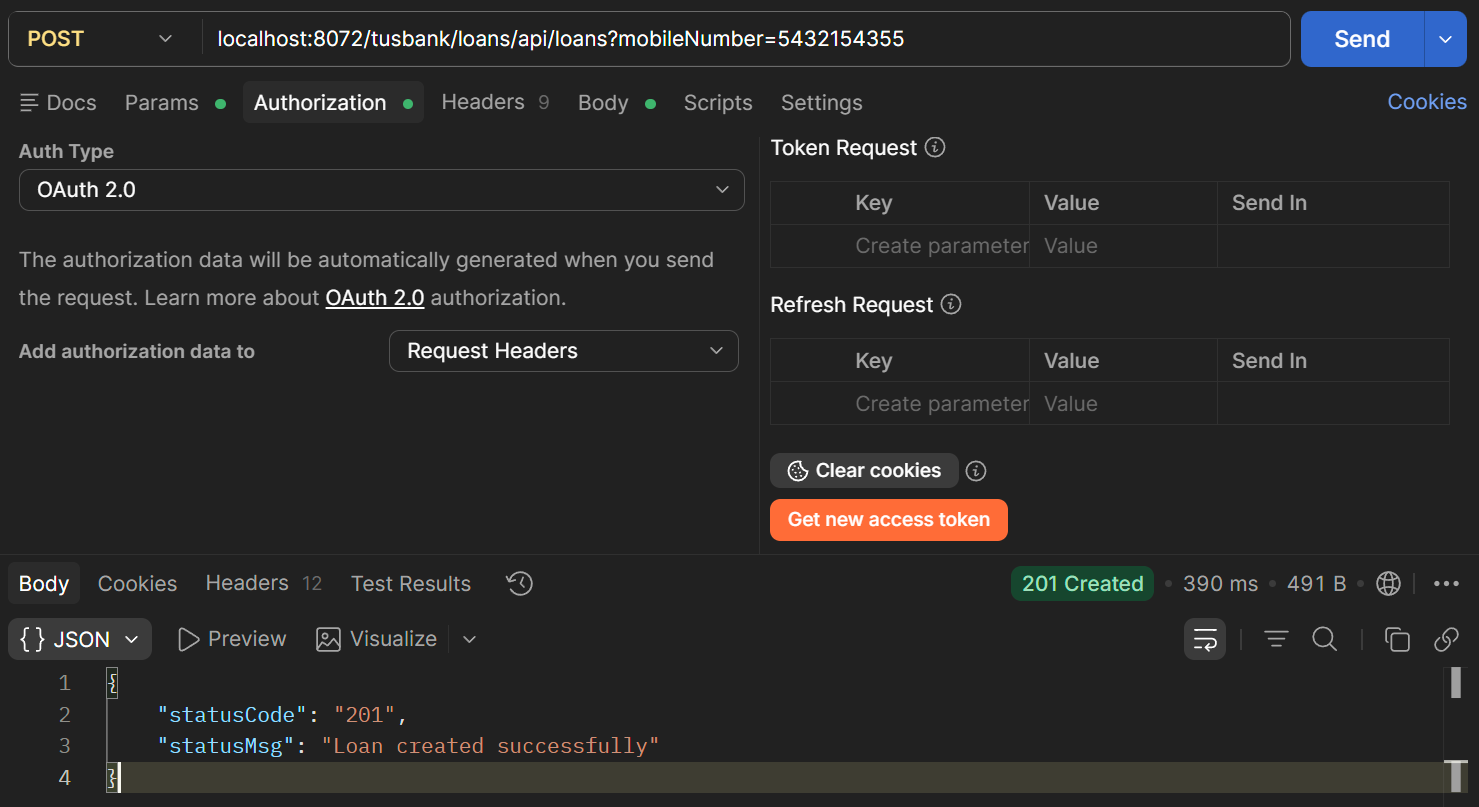
Authorisation

Figure 44. Authorisation