RESTful API Lab 7
Steps and Files
Part#1 GlobalExceptionHandler
1. Handle All Exceptions
- GlobalExceptionHandler
- AccountController
2. Test Using the Exception
Part#2 Validating the input data
1. Dependencies
- pom.xml
2. CustomerDto validations
- dto/CustomerDto.java
3. AccountsDto validations
- dto/AccountsDto.java
4. @Validated
- controller/AccountController.java
5. @Valid
- controller/AccountsController.java
6. @Pattern
- controller/AccountController.java
7. GlobalExceptionHandler extends ResponseEntityExceptionHandler
- exception/GlobalExceptionHandler.java
8. GlobalExceptionHandler handleMethodArgumentNotValid
- exception/GlobalExceptionHandler.java
9. Test email and mobile number
Part#3 Completing the audit metadata
1. BaseEntity Annotation
2. AuditAwareImpl
3. BaseEntity Annotations
4. JpaAuditing Annotation
5. Delete Manually Created Fields
6. Test in Postman
Lab#7 Exceptions , Data Validations and Audit Columns
In this lab we will complete the RESTful API CRUD actions by adding the Update and Delete parts.
Part 1 GlobalExceptionHandler
Handle All Exceptions
Currently we are only handling two exceptions here. We add a new method that handles all types of exceptions. (e,g runtime expections). To test this exception, delete the @AllArgsConstructor from the AccountController class.With only the default constructor,autowiring will not happen and the the AccountsService will be null.
| GlobalExceptionHandler.java handleGlobalException() | |
|---|---|
15 16 17 18 19 20 21 22 23 | |
| Remove @AllArgsConstructor Annotation to Test: AccountController.java | |
|---|---|
23 24 25 26 27 28 29 | |
Test Using the Exception
Test using the exception.
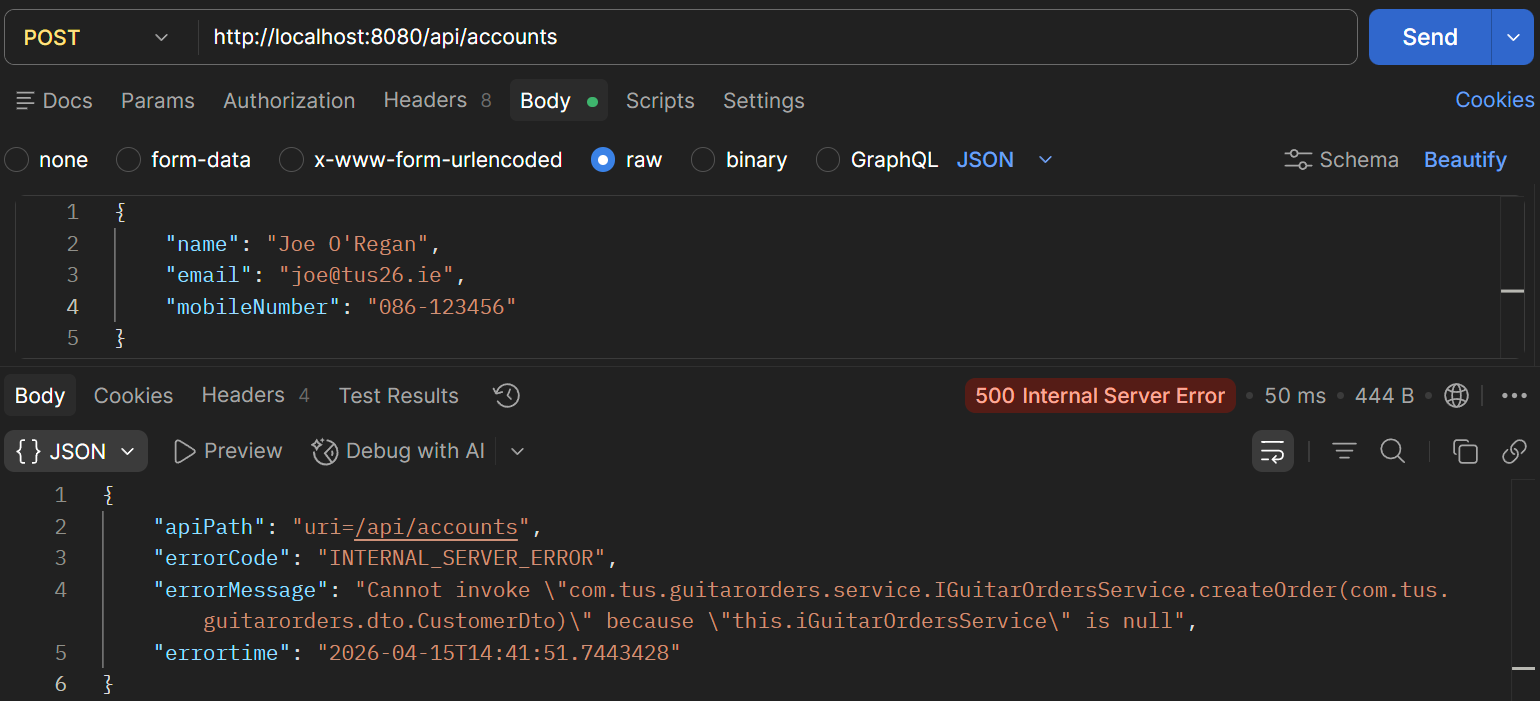
Figure 1. Test Exception in Postman.
Note:- Put the @AllArgsConstructor back in.
Part#2 Validating the input data
Dependencies
- We need to validate the data we are receiving from the user. Make sure the relevant dependency is in the pom.xml .
<dependency>
    <groupId>org.springframework.boot</groupId>
    <artifactId>spring-boot-starter-validation</artifactId>
</dependency>
CustomerDto validations
- Now go to the Dto classes – Customer Dto and add validations
| Customer DTO add validations: CustomerDto.java | |
|---|---|
1 2 3 4 5 6 7 8 9 10 11 12 13 14 15 16 17 18 19 20 21 22 23 24 25 26 | |
AccountsDto validations
- Similarly add validations in the AccountsDto
| Accounts DTO add validations: AccountsDto.java | |
|---|---|
1 2 3 4 5 6 7 8 9 10 11 12 13 14 15 16 17 18 19 20 21 | |
@Validated
This data is received in the AccountController class. Add the @Validated annotation.
| @Validated Annotation: AccountsController.java | |
|---|---|
22 23 24 25 26 27 28 29 30 | |
@Valid
Add the @Valid annotation for the POST and PUT mappings
import jakarta.validation.Valid;

@RestController
@RequestMapping(path = "/api", produces = MediaType.APPLICATION_JSON_VALUE)
@AllArgsConstructor
@Validated
public class AccountController {

    private IAccountsService iAccountsService;

    @PostMapping("/accounts")
    public ResponseEntity<ResponseDto> createAccount(@Valid @RequestBody CustomerDto customerDto) {
        iAccountsService.createAccount(customerDto);
@PutMapping("/accounts")
public ResponseEntity<ResponseDto> updateAccountDetails(@Valid @RequestBody CustomerDto customerDto) {
    boolean isUpdated = iAccountsService.updateAccount(customerDto);
    if (isUpdated) {
@Pattern
For the GET mapping we can validation the mobilenumber using the @Pattern @Pattern(regexp = "(^$|[0-9]{10})", message = "Mobile number must be 10 digits") And the same for the DELETE method
@GetMapping()
    public ResponseEntity<CustomerDto> fetchAccountDetails(
            @RequestParam @Pattern(regexp = "(^$|[0-9]{10})", message = "Mobile number must be 10 digits") String mobileNumber) {
        CustomerDto customerDto = iAccountsService.fetchAccount(mobileNumber);
        return ResponseEntity.status(HttpStatus.OK).body(customerDto);
    }
@DeleteMapping()
public ResponseEntity<ResponseDto> deleteAccountDetails(@RequestParam
        @Pattern(regexp = "(^$|[0-9]{10})", message = "Mobile number must be 10 digits") String mobileNumber) {
    boolean isDeleted = iAccountsService.deleteAccount(mobileNumber);
    if (isDeleted) {
GlobalExceptionHandler extends ResponseEntityExceptionHandler
Now in the GlobalExceptionHandler we need to update the class so that is extends the ResponseEntityExceptionHandler and add a method handleMethodArgumentNotValid so that it knows how to return the error to the client.
import org.springframework.web.servlet.mvc.method.annotation.ResponseEntityExceptionHandler;
import org.springframework.http.HttpStatus;
import com.tus.accounts.dto.ErrorResponseDto;

@ControllerAdvice
public class GlobalExceptionHandler extends ResponseEntityExceptionHandler {
    @ExceptionHandler(Exception.class)
    public ResponseEntity<ErrorResponseDto> handleGlobalException(Exception exception, WebRequest webRequest) {
GlobalExceptionHandler handleMethodArgumentNotValid
Add the method handleMethodArgumentNotValid method. This will give process all validations. The map will hold all the validation errors that occurred in the input data.
import org.springframework.validation.FieldError;

@ControllerAdvice
public class GlobalExceptionHandler extends ResponseEntityExceptionHandler {
@Override
protected ResponseEntity<Object> handleMethodArgumentNotValid(MethodArgumentNotValidException ex,
        HttpHeaders headers, HttpStatusCode status, WebRequest request) {
    Map<String, String> validationErrors = new HashMap<>();
    List<ObjectError> validationErrorList = ex.getBindingResult().getAllErrors();

    validationErrorList.forEach((error) -> {
        String fieldName = ((FieldError) error).getField();
        String validationMsg = error.getDefaultMessage();
        validationErrors.put(fieldName, validationMsg);
    });

    return new ResponseEntity<>(validationErrors, HttpStatus.BAD_REQUEST);
}
Test email and mobile number
To test, go to Postman, remove @ from email, put mobile number as 9 or less digits and make name one character.
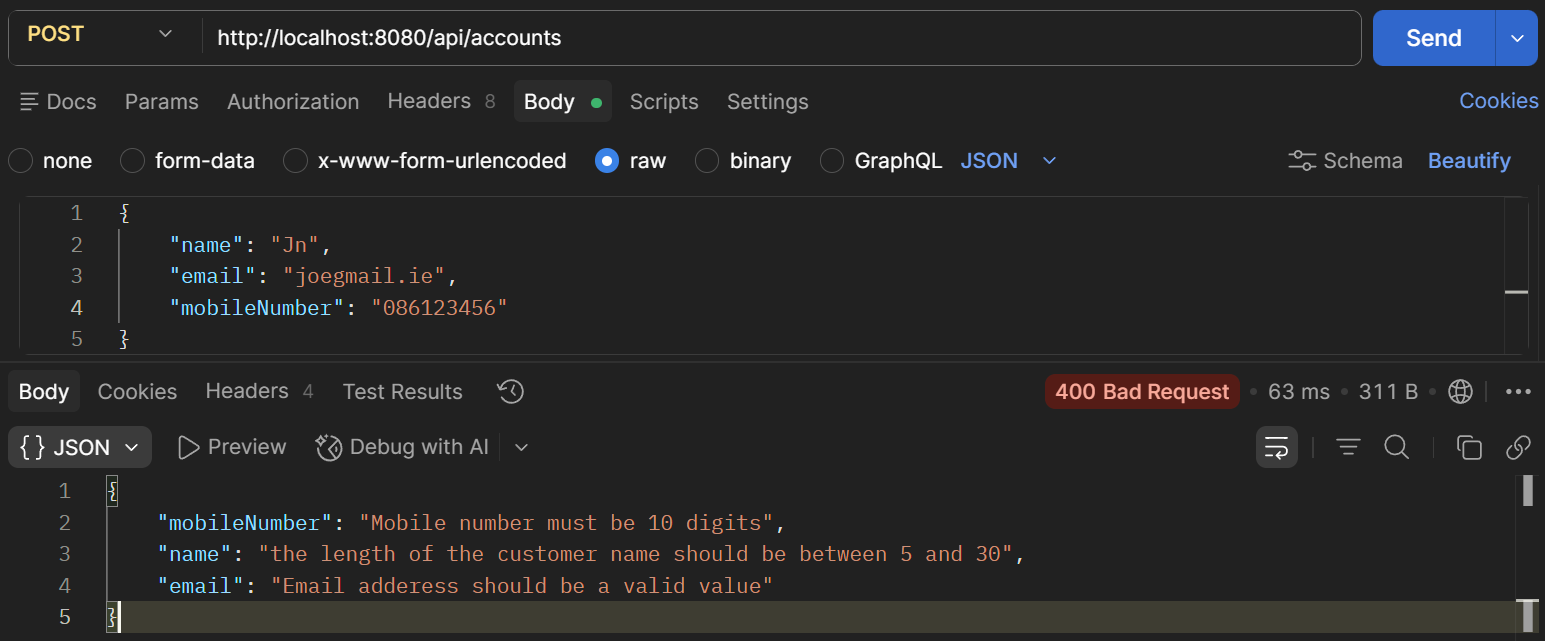
Figure 2. Test email.
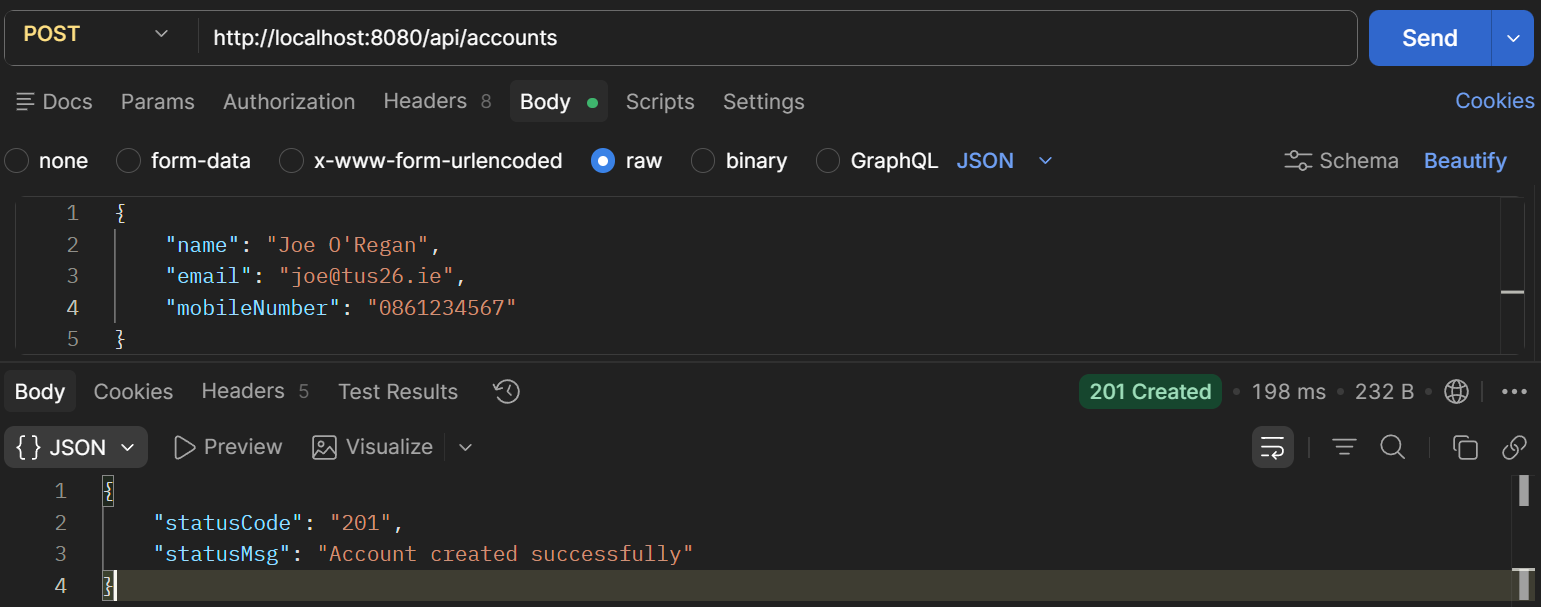
Figure 3. Test ok.
Test the validation on the GET mapping
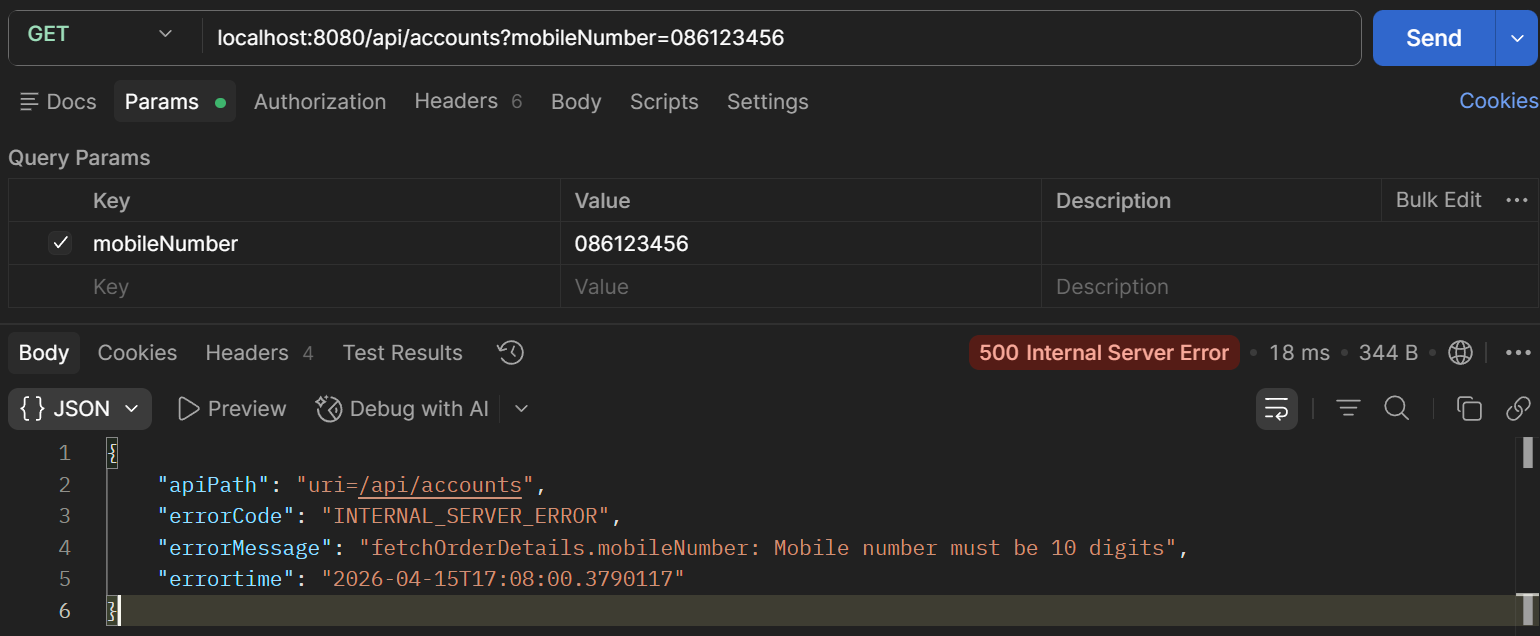
Figure 4. Test mobile number.
Part#3 Completing the audit metadata.
BaseEntity Annotation
These metadata columns can be updated automatically by Spring Data JPA The metadata columns are defined in the BaseEntity class. Add the annotations shown.
| BaseEntity Metadata: BaseEntity.java | |
|---|---|
20 21 22 23 24 25 26 27 28 29 30 31 32 33 34 35 36 37 | |
AuditAwareImpl
To add the logic about the user, add a new package and class
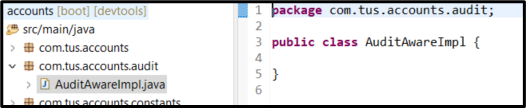
Figure 5. AuditAwareImpl.java
| AuditAwareImpl.java | |
|---|---|
1 2 3 4 5 6 7 8 9 10 11 12 13 14 15 | |
BaseEntity Annotations
Now in the BaseEntity, make sure the two annotations are there
import java.time.LocalDateTime;

@MappedSuperclass
@EntityListeners(AuditingEntityListener.class)
@Getter @Setter @ToString
public class BaseEntity {

    @CreatedDate
    @Column(updatable = false)
JpaAuditing Annotation
Also in the main class AccountsApplication add the annotation to enable JpaAuditing.
| Enable JPA Auditing: AccountsApplication.java | |
|---|---|
1 2 3 4 5 6 7 8 9 10 11 12 13 14 | |
Delete Manually Created Fields
Now delete the code where we were manually creating the fields.
| Delete manually created fields: AccountsServiceImpl.java createNewAccount() | |
|---|---|
41 42 43 44 45 46 47 48 49 50 51 52 53 54 55 56 57 58 | |
| AccountsServiceImpl.java createNewAccount() - Updated | |
|---|---|
41 42 43 44 45 46 47 48 49 50 51 52 53 54 | |
| Delete manually created fields: AccountsServiceImpl.java createAccount() | |
|---|---|
31 32 33 34 35 36 37 38 39 40 41 42 43 44 45 | |
| AccountsServiceImpl.java createAccount() | |
|---|---|
30 31 32 33 34 35 36 37 38 39 40 | |
Test in Postman
Go to Postman and test
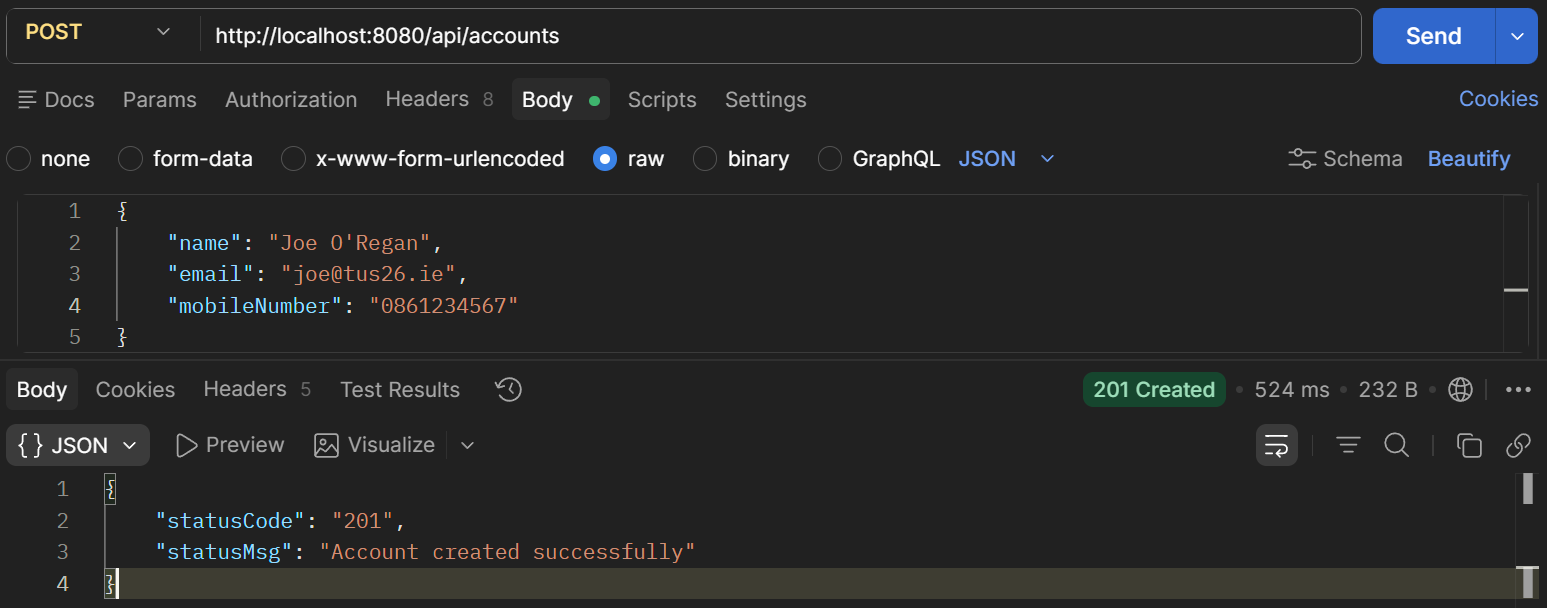
Figure 6. Test Postman.

Figure 7. H2 Console.

Figure 8. H2 Console.
Check the update mapping
First fetch the data
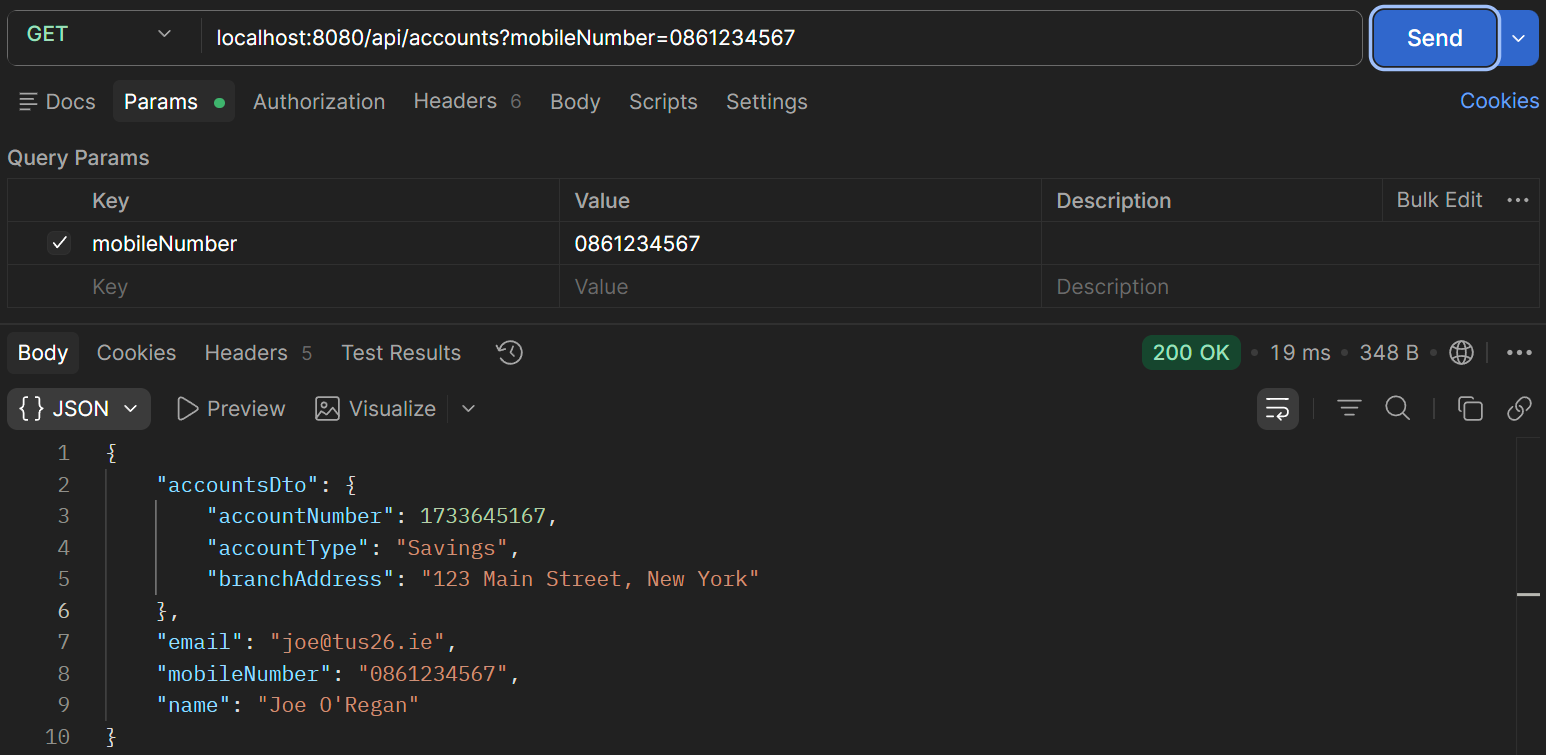
Figure 9. Fetch account.
Now update a field e.g. Address
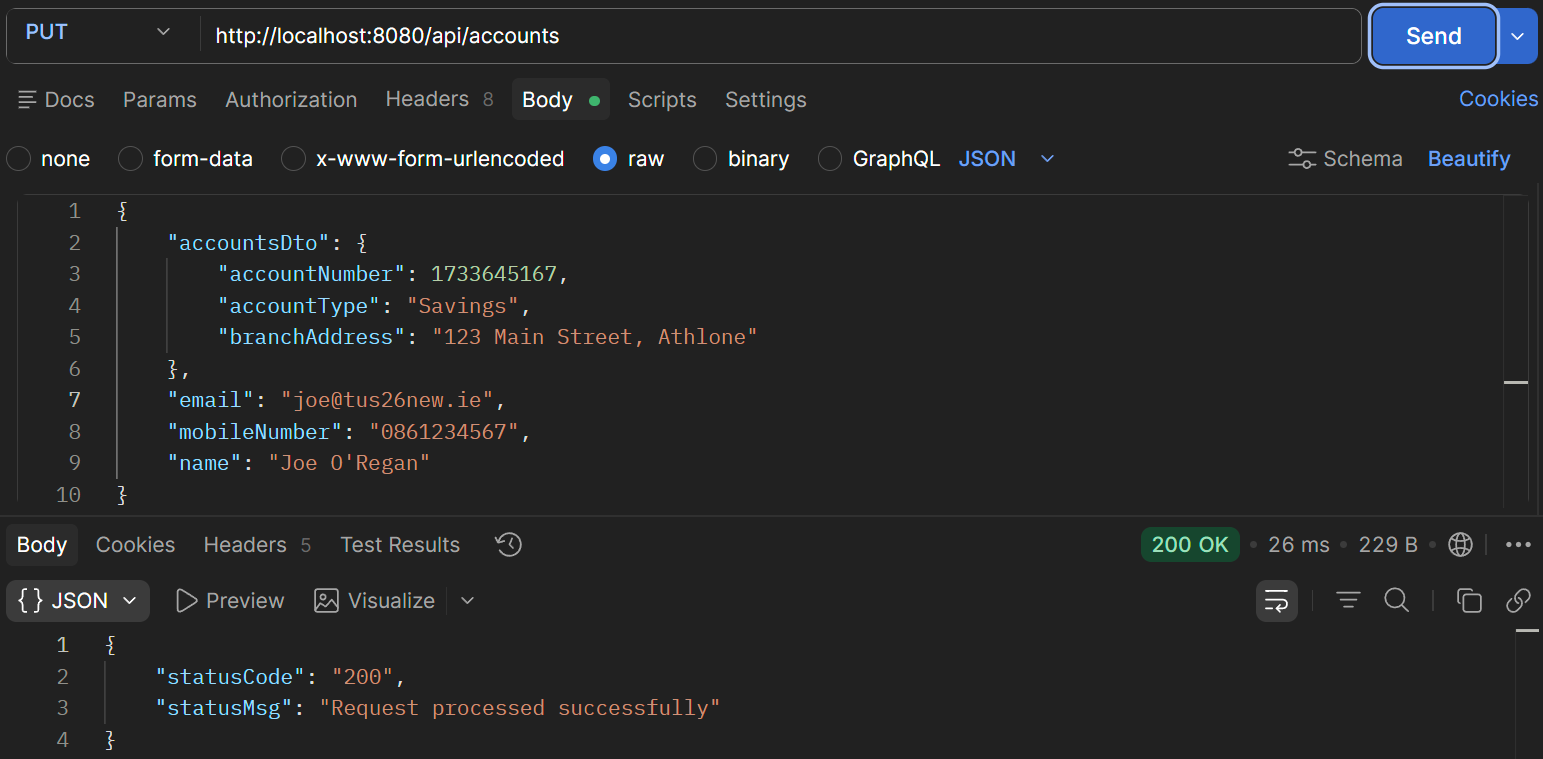
Figure 10. PUT udpate address.

Figure 11. Check in table.