Lab 17
Steps and Files
- Place YAML Files on C: Drive
- accounts.yml
- accounts-qa.yml
- accounts-prod.yml
- cards.yml
- cards-qa.yml
- cards-prod.yml
- loans.yml
- loans-qa.yml
- loans-prod.yml
- Update application.yml Search Location
- application.yml
- Restart and Test
Lab#17 Reading the data from the file system
1. Place YAML Files on C: Drive
In this lab we will be modify config server to read from the file system instead of the class path. Step#1 Take all the .yml configuration files and place them in a folder (e.g. on the C: drive)
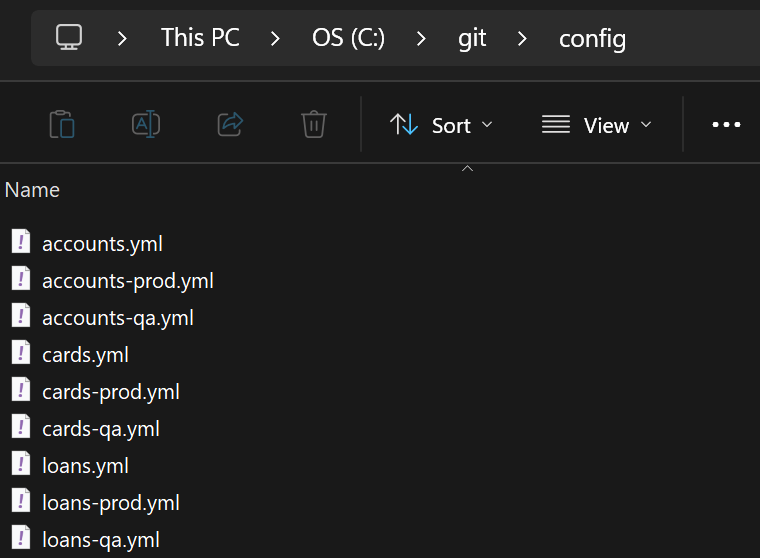
2. Update application.yml Search Location
Step#2 Change the search location in the application.properties for the config server.
| application.yml search-location | |
|---|---|
1 2 3 4 5 6 7 8 9 10 11 12 13 14 | |
3. Restart and Test
Step#4 Restart the config server and the microservices and test using Postman
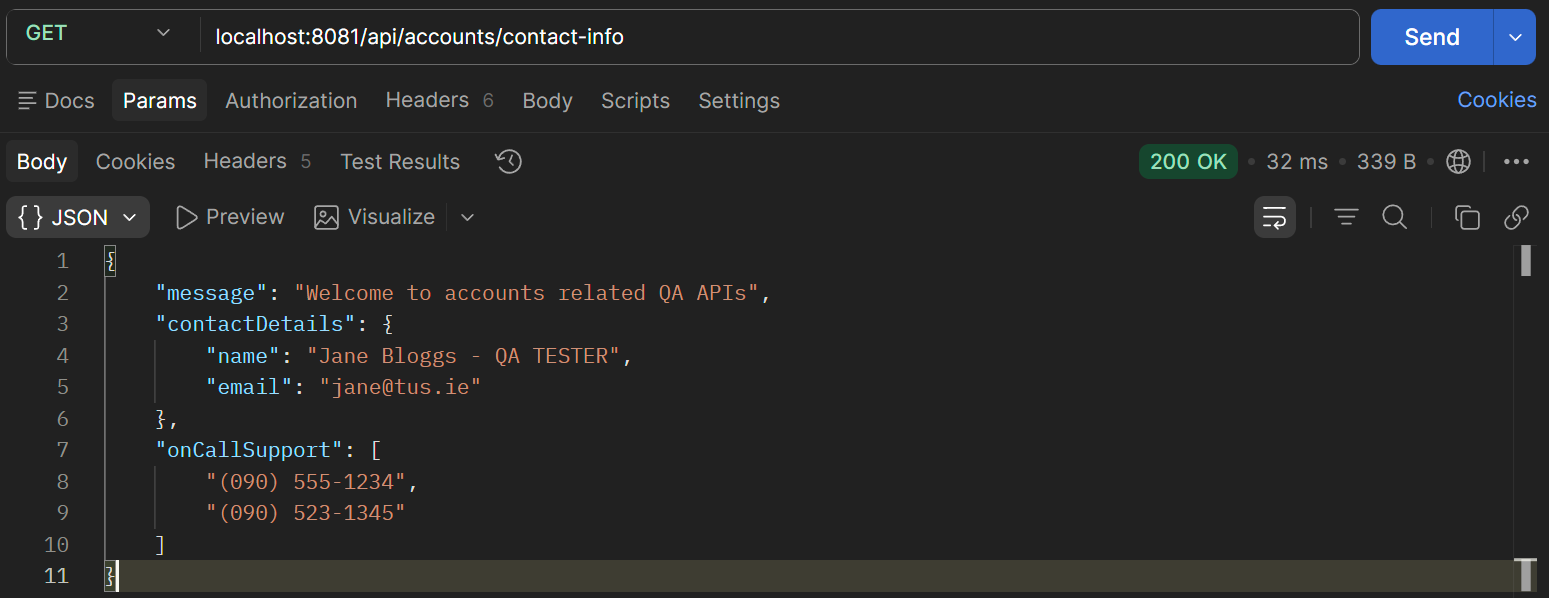
Figure 2. Get accounts/contact-info
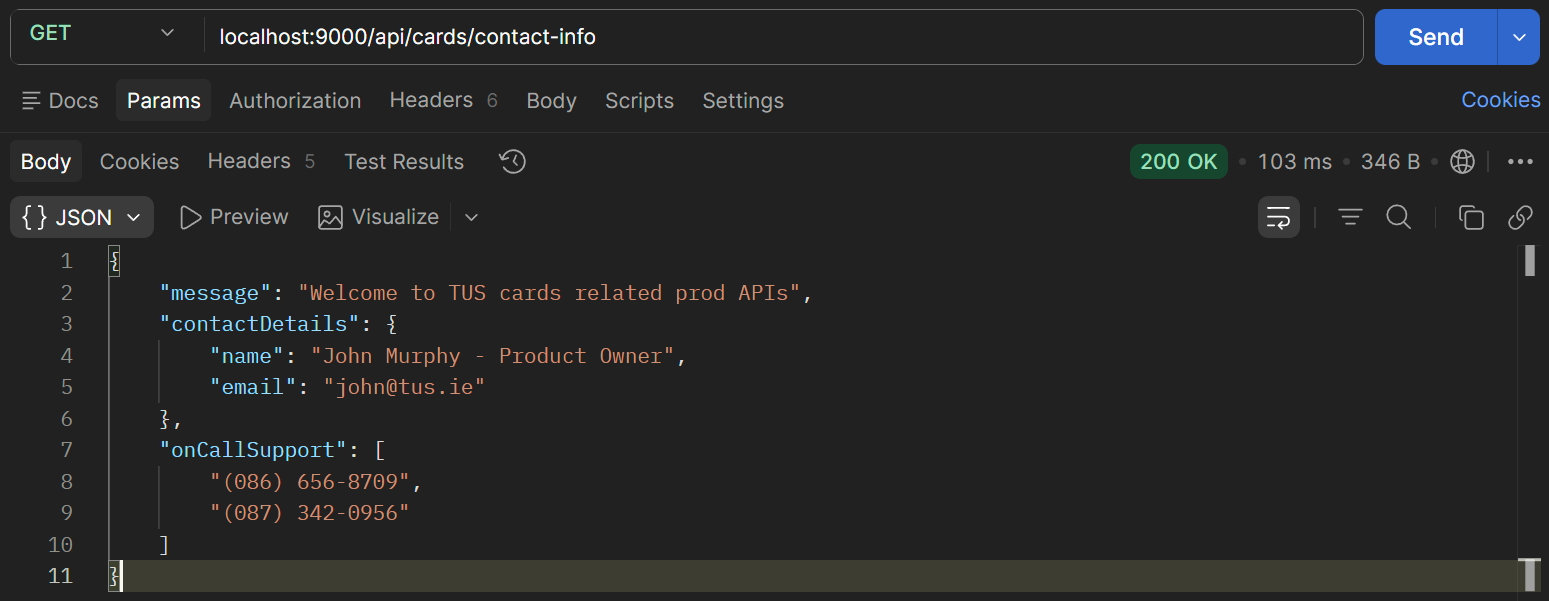
Figure 3. Get cards/contact-info
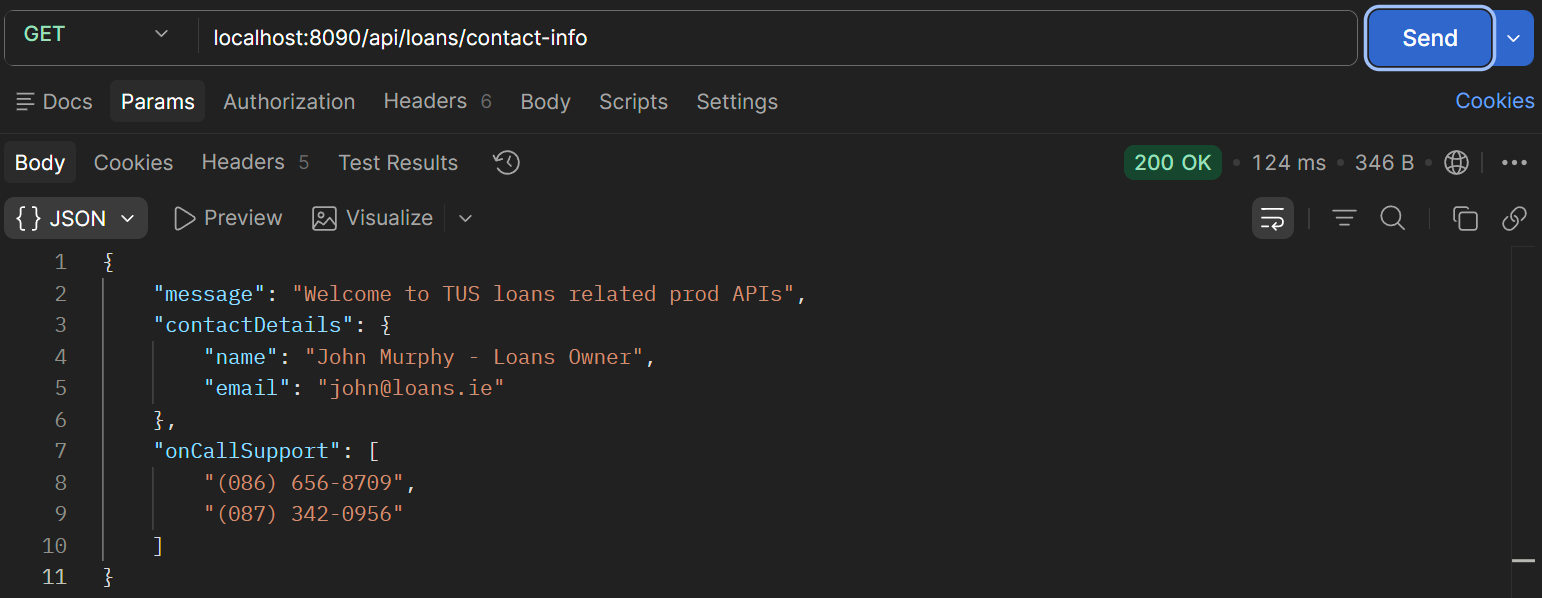
Figure 4. Get loans/contact-info