Lab 11
Steps and Files
Lab#11 Configuration with Environment interface
In this lab we will read configurations with Environment interface in the accounts microservice e.g. JAVA_HOME
1. Environment variable
Step #1 Add an Environment variable to AccountController class
| AccountController.java | |
|---|---|
21 22 23 24 25 26 27 28 29 30 31 32 33 34 35 36 37 38 39 40 41 42 43 44 | |
2. getJavaVersion()
Step #2 Build a REST API to read the property and return to user. In the AccountController
getJavaVersion()
    @GetMapping("/java-version")
    public ResponseEntity<String> getJavaVersion() {
        return ResponseEntity.status(HttpStatus.OK).body(environment.getProperty("JAVA_HOME"));
    }
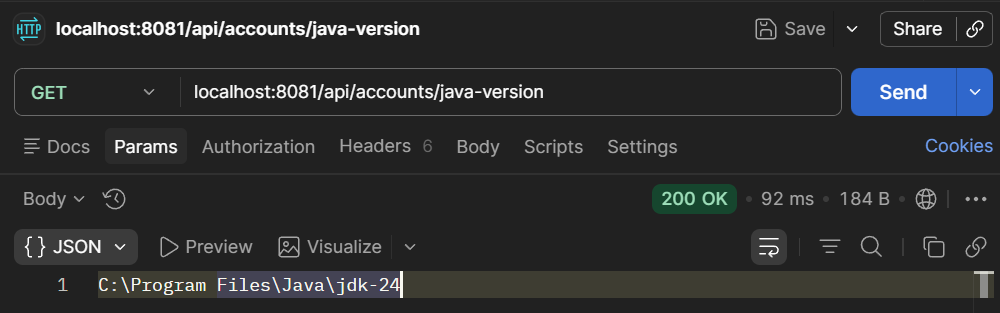
3. Test
Step #3 Test using Postman