Lab 22
Steps and Files
- Eureka Server
- @EnableEurekaServer annotation
- EurekaserverApplication.java
- application.yml
- application.yml
- eurekaserver.yml
- eurekaserver.yml
- Start Configserver and Eureka Server
- Eureka Dashboard
- Register Microservices with Eureka
- pom.xml
- Accounts application.yml
- application.yml
- Eureka Dashboard, Accounts
- Accounts Acuator/info endpoint
- Eureka Dashboard, Loans and Cards
Lab#22 Service discovery with Eureka
Spring Cloud Netflix’s Eureka service which will act as a service discovery agent In this lab we will setup a Eureka server and register the microservices with Eureka.
Server Side
1. Eureka Server
Step#1 Create a new project using spring initializer. The dependencies that we need are the Eureka Server, the Config Client and the Spring Boot Actuator
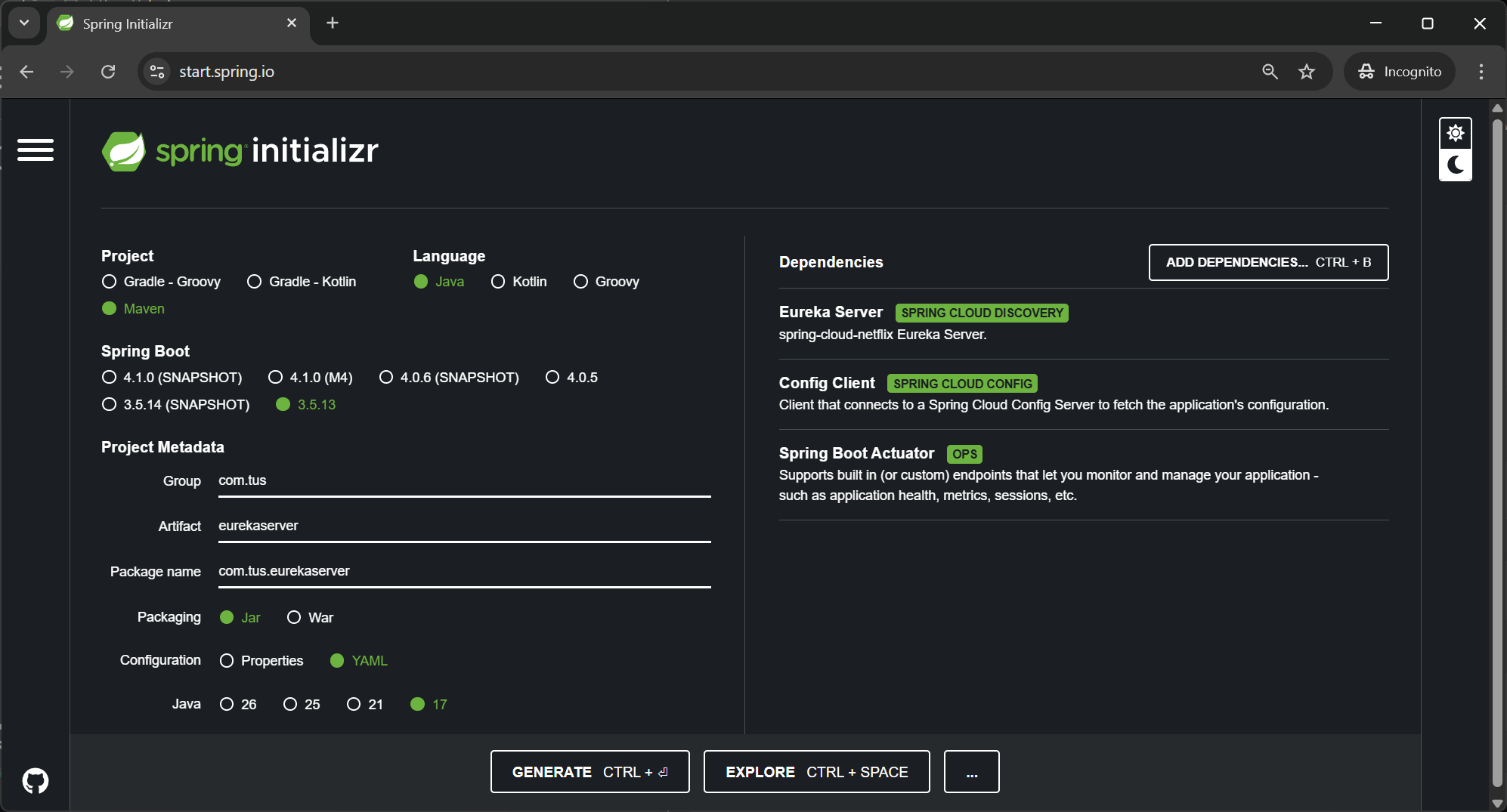
Figure 1. Eureka Server Spring Initializer
2. @EnableEurekaServer annotation
Step#2 Open the EurekaserverApplication class and add the @EnableEurekaServer annotation.
| EurekaserverApplication.java EnableEurekaServer Annotation | |
|---|---|
1 2 3 4 5 6 7 8 9 10 11 12 13 14 | |
3. application.yml
Step#3 Rename the application.properties to application.yml and update as follows:
| application.yml | |
|---|---|
1 2 3 4 5 6 7 8 9 10 11 12 13 14 15 16 17 18 19 | |
4. eurekaserver.yml
Step#4 In the bitbucket/github repo add a eurekaserver.yml file. The eureka server only needs one profile.
| eurekaserver.yml | |
|---|---|
1 2 3 4 5 6 7 8 9 10 11 | |
5. Start Configserver and Eureka Server
Step#5 Start the configserver first, followed by the eureka server. Check that the properties are read correctly.
localhost:8071/accounts/prod
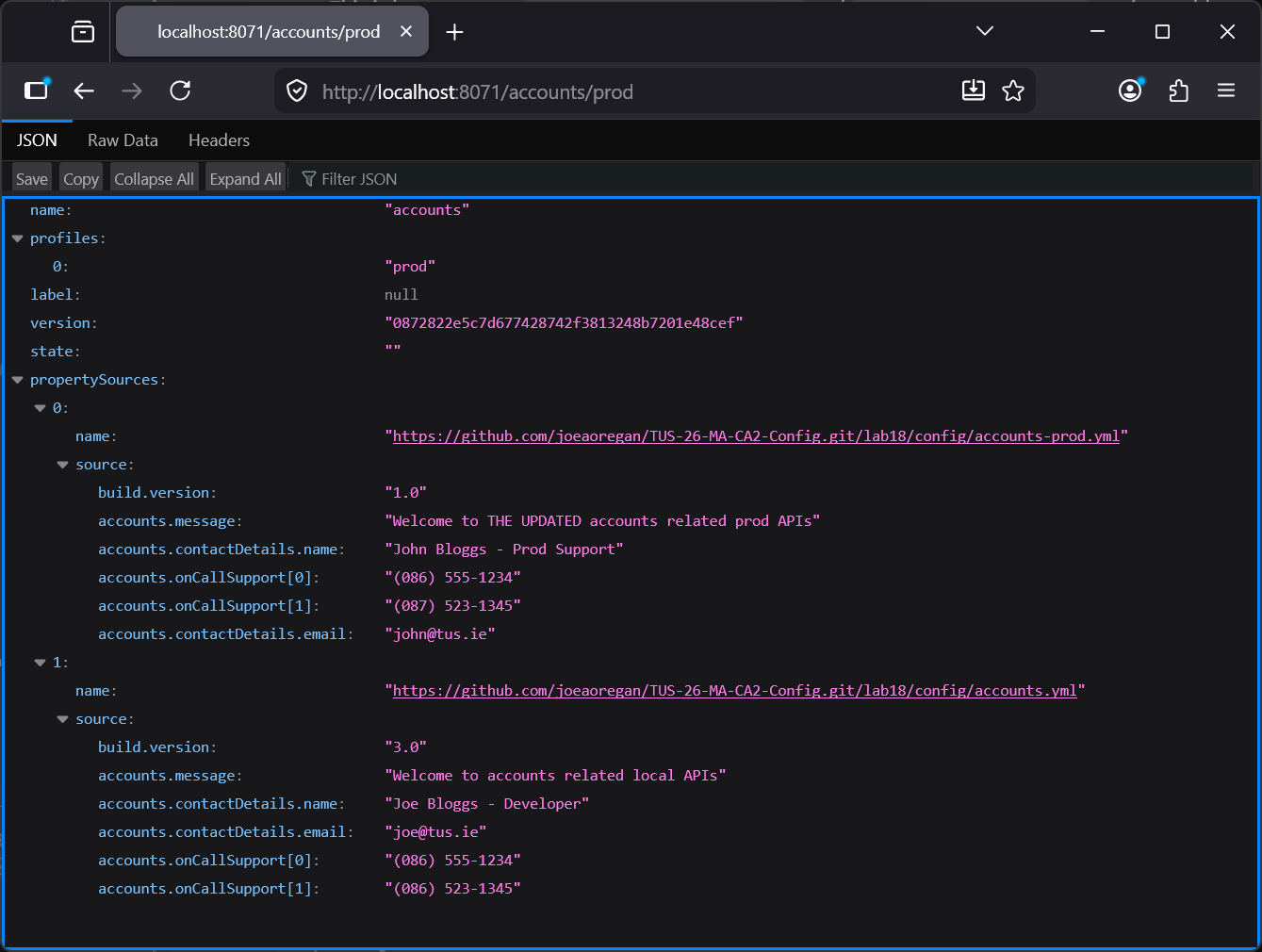
Figure 2. Read accounts/prod properties
localhost:8071/eurekaserver/default
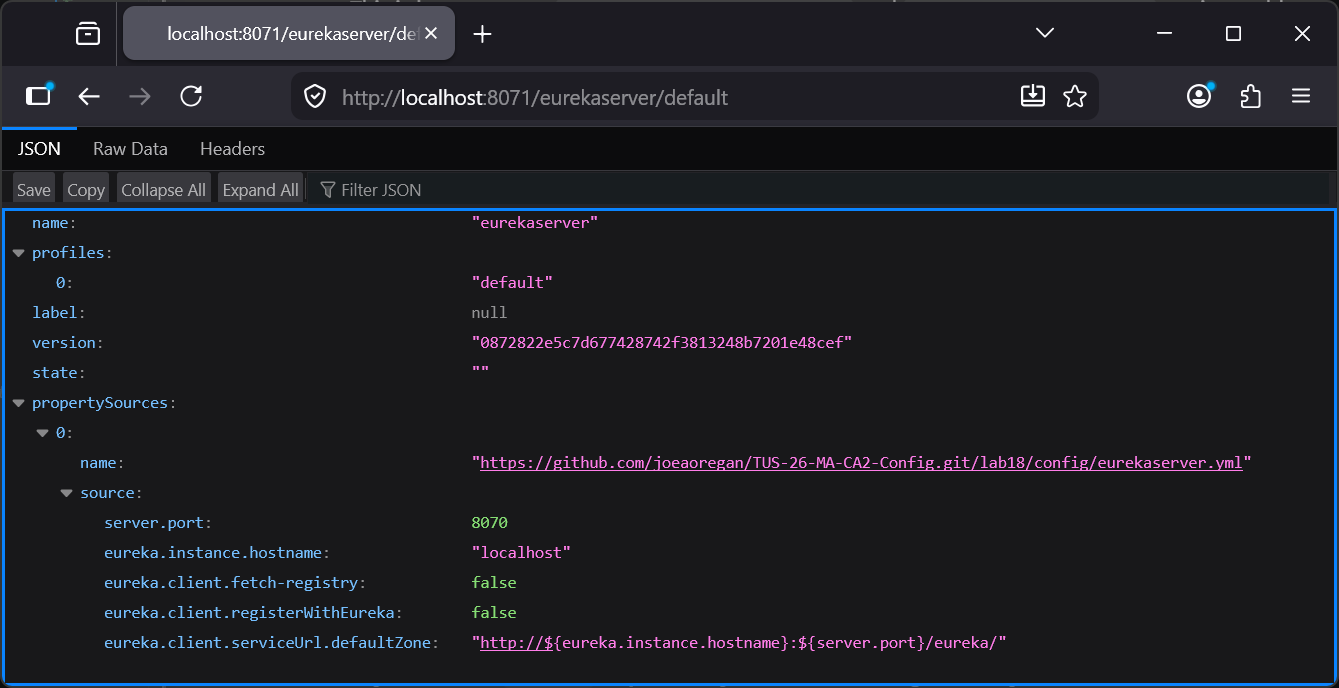
Figure 3. Read eurekaserver/default properties
6. Eureka Dashboard
Step#6 Go to the eureka dashboard. No services currently registered with eureka
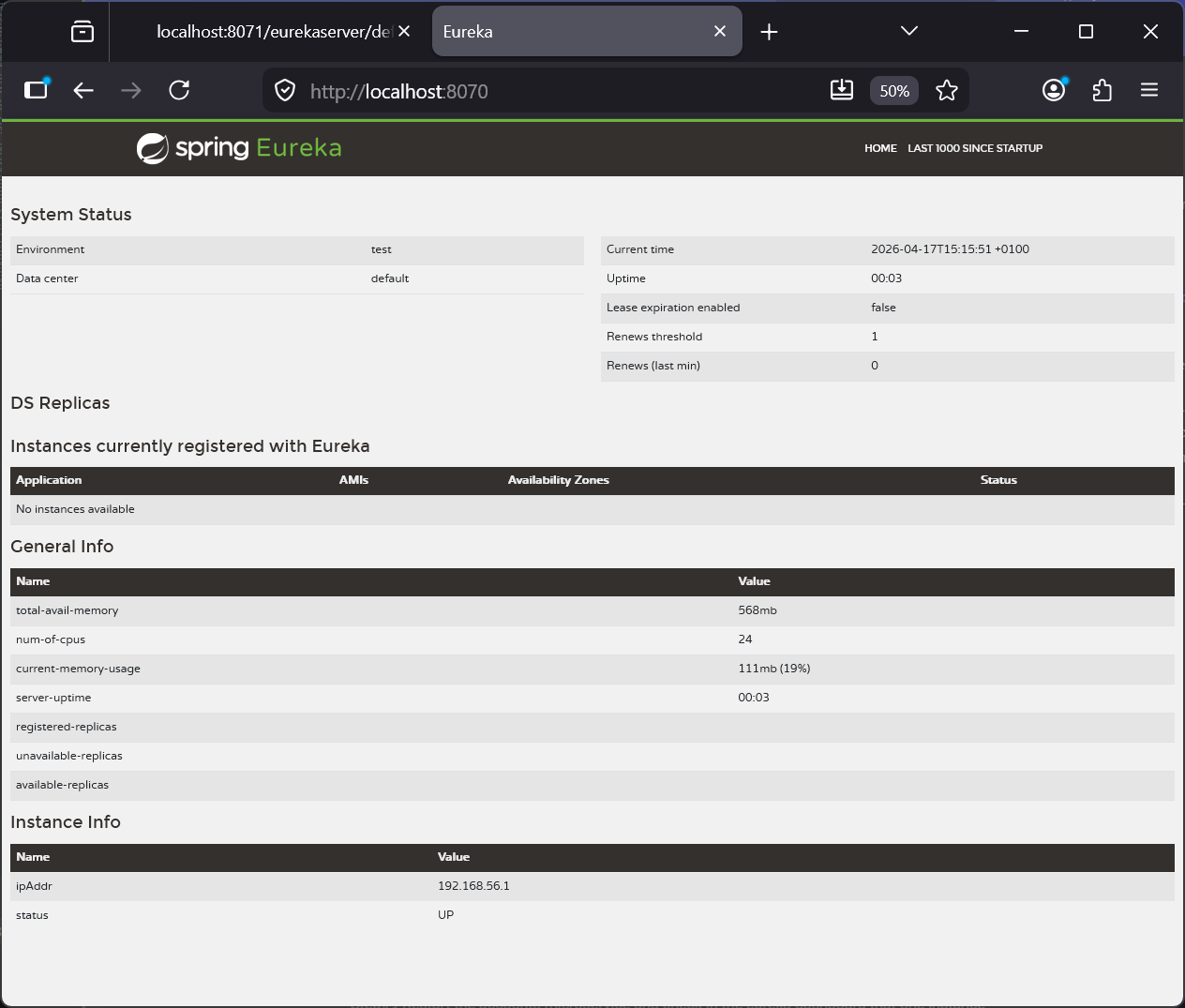
Figure 4. Eureka Dashboard
Client Side
7. Register Microservices with Eureka
Step#7 Now we will update the microservices to register themselves with eureka. First of all we have to add a dependency to the pom files for the accounts microservice.
| Accounts pom.xml Eureka Client Dependency | |
|---|---|
40 41 42 43 44 45 46 47 | |
8. Accounts application.yml
Step#8 Make the following changes to the application.yml for the accounts microservice.
| application.yml | |
|---|---|
22 23 24 25 26 27 28 29 30 31 32 33 34 35 36 37 38 39 40 41 42 43 44 45 46 47 48 49 50 51 52 53 | |
9. Eureka Dashboard, Accounts
Step#9 Restart the accounts microservice and check in the eureka dashboard that one instance of the accounts microservice has registered.
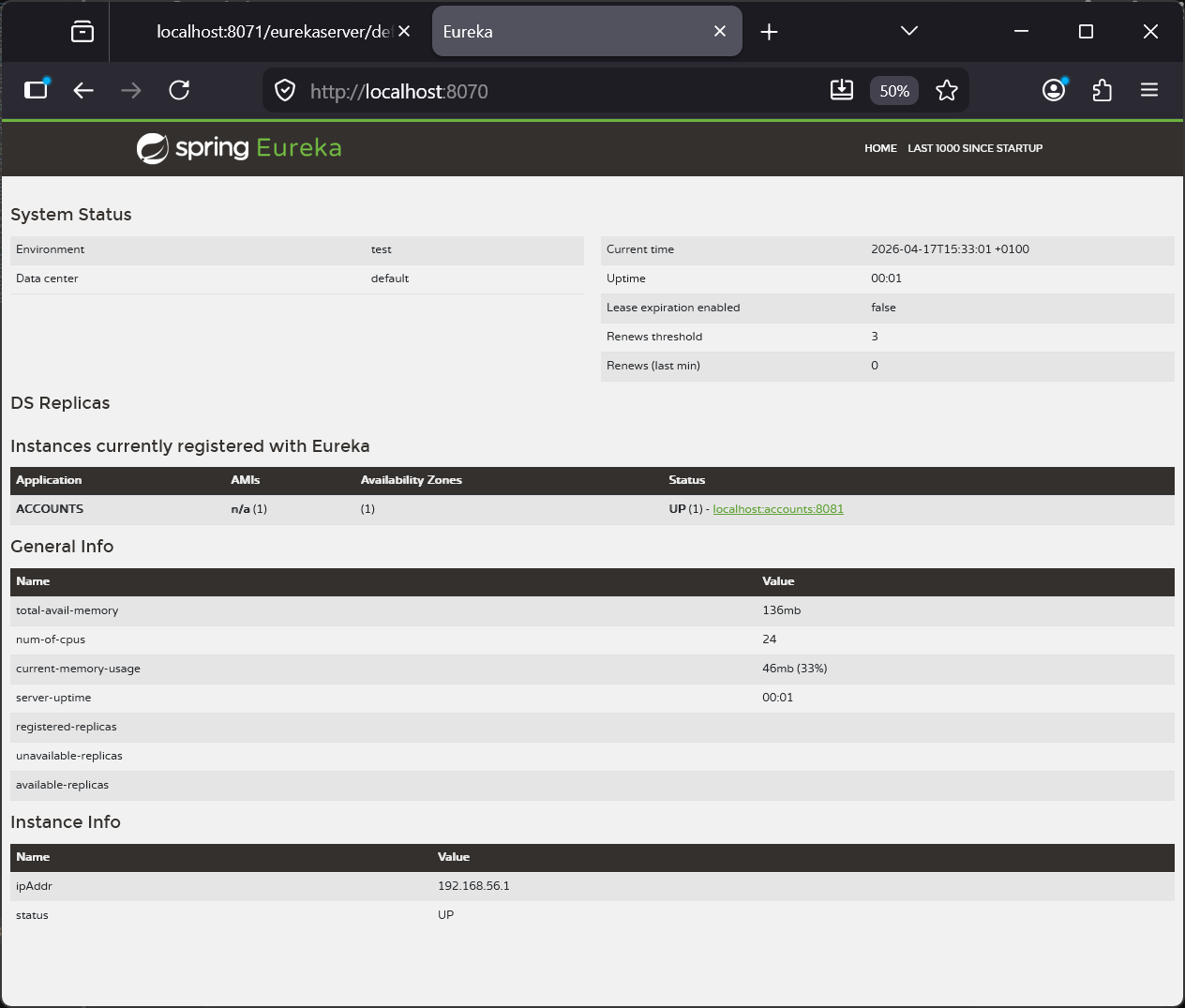
Figure 5. Eureka Dashboard, Accounts Registered
10. Accounts Acuator/info endpoint
Step#10 check on the accounts instance and the actuator/info endpoint should show the data for the microservice.
| Access Accounts Port with Eureka Address and /actuator/info endpoint | |
|---|---|
1 | |
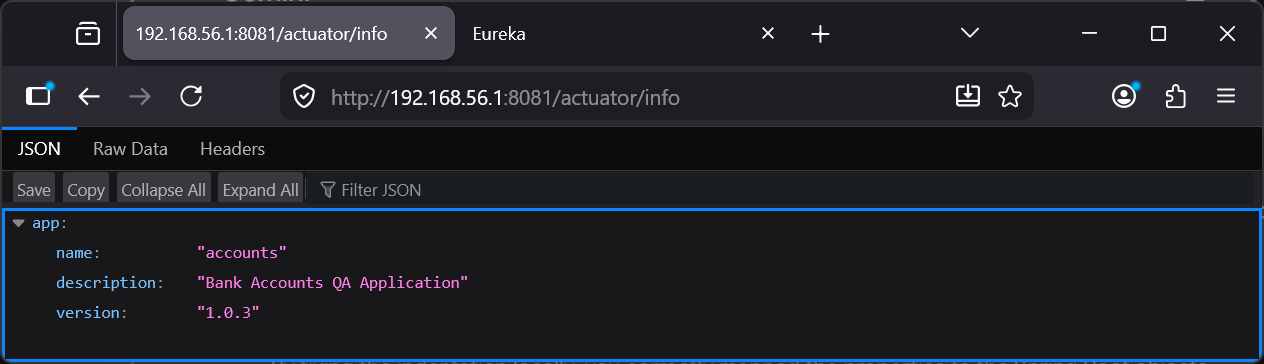
Figure 6. actuator/info endpoint
11. Eureka Dashboard, Loans and Cards
Step#11 Make similar changes in the loans and cards microservices. Restart them and check eureka dashboard.
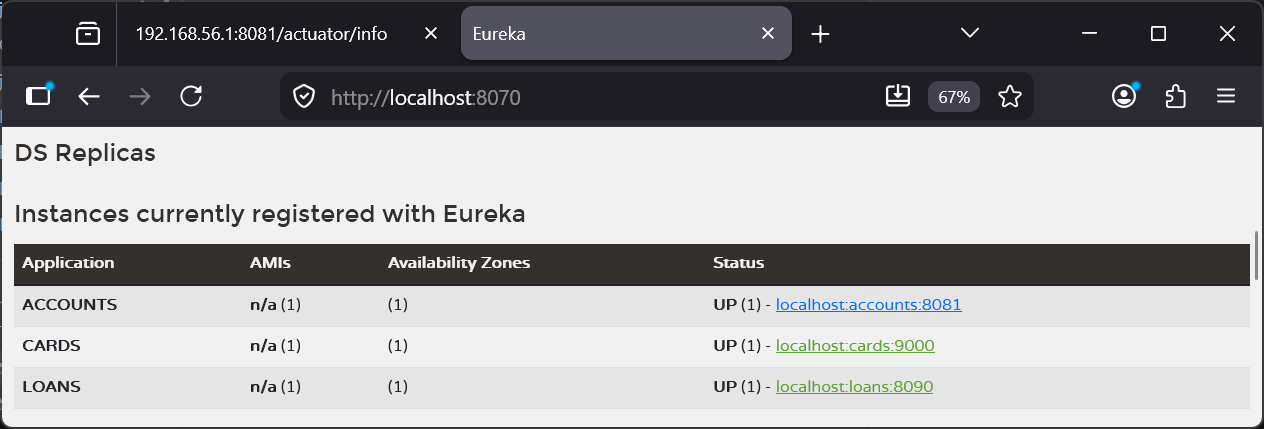
Figure 7. Eureka Dashboard, Loans and Cards Registered